


Edge computing vs cloud computing are two foundational approaches shaping modern data processing and AI infrastructure. While cloud computing centralizes computing power in remote servers, edge computing brings processing closer to data sources for faster response times. At FPT AI Factory, businesses can explore scalable AI infrastructure designed to support both cloud and edge-ready workloads.
Key Takeaways:
- Cloud computing centralizes processing in remote data centers for massive scalability; edge computing processes data near the source for real-time response
- Latency is the main reason to choose edge — local processing cuts response time from hundreds of milliseconds to single digits, critical for autonomous vehicles, AR/VR, industrial automation
- Most modern architectures combine both: edge handles time-sensitive local tasks, cloud handles storage, analytics, and AI model training at scale
- Choice depends on workload: low-connectivity or instant-feedback needs favor edge; global scale and flexible resources favor cloud
Quick Reference: Edge Computing vs Cloud Computing at a Glance
| Dimension | Cloud Computing |
Edge Computing
|
| Processing location | Centralized data centers |
Near the data source
|
| Bandwidth usage | High – raw data transmitted to remote servers |
Low – only filtered or summarized data sent upstream
|
| Cost model | Pay-as-you-go compute and storage fees; lower upfront investment |
Higher upfront infrastructure cost; lower ongoing data transfer cost
|
| Scalability | Highly scalable – provision thousands of instances in minutes across global regions |
Scales locally; adding capacity requires physical hardware at each edge site
|
| Internet dependency | Requires stable internet connection |
Can operate offline or with intermittent connectivity
|
| Data privacy | Data stored centrally; requires encryption and compliance controls (GDPR, HIPAA) |
Data stays local, reducing exposure to transit-based attacks; easier data residency compliance
|
| AI model training | Ideal – powerful GPU clusters (NVIDIA A100, H100) available on demand |
Not practical for large-scale training; limited by local hardware memory and compute
|
| AI inference | Suitable for batch inference and centralized AI services |
Optimized for real-time inference on edge hardware (NVIDIA Jetson, Qualcomm AI processors)
|
| Offline capability | Limited or no functionality without internet |
Full local operation possible
|
| Management complexity | Centralized management through cloud consoles and APIs |
Distributed management across potentially thousands of locations
|
1. What is Cloud Computing?
Cloud computing is the delivery of computing resources such as servers, storage, databases, software, and processing power over the internet. Instead of owning physical infrastructure, organizations can access these resources on demand from cloud providers such as Amazon Web Services (AWS), Google Cloud. This allows businesses to reduce costs, improve flexibility, and scale systems more efficiently. Modern cloud computing platforms also support advanced AI infrastructure through GPU computing, scalable object storage, and GPU virtual machine environments. Businesses can access GPU cloud providers on demand instead of investing in expensive physical hardware, helping optimize cloud GPU pricing and operational flexibility.
Cloud computing is also essential for Artificial Intelligence (AI). AI applications require high computing power, large-scale data storage, and GPUs to train and deploy machine learning models. Cloud platforms provide these AI resources on demand without requiring companies to invest in expensive hardware infrastructure.
For example, a startup developing an AI chatbot can use cloud-based GPU services from AWS or Google Cloud to train and deploy machine learning models without purchasing costly servers. In addition, companies like Netflix use cloud infrastructure and AI algorithms to analyze user behavior and deliver personalized movie recommendations to millions of users worldwide.
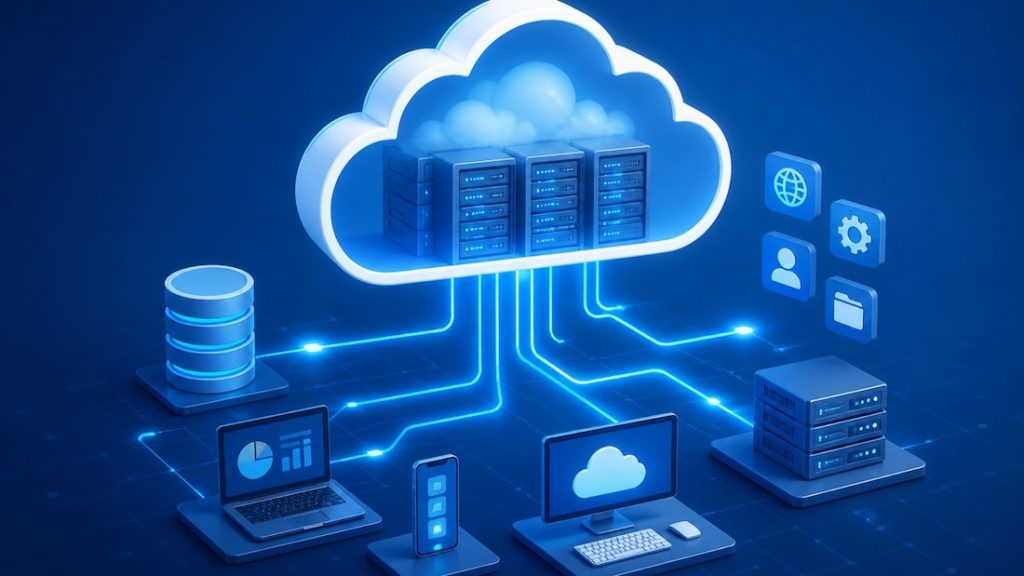
Cloud computing delivers scalable computing resources over the internet on demand, eliminating the need for physical infrastructure
>>> Read more: What Is GPU Computing and How Does It Work? A Complete Guide
2. What is Edge Computing?
2.1. Definition
Edge computing is a distributed computing model that processes data closer to where it is generated, such as IoT devices, sensors, or local edge servers, instead of relying entirely on centralized cloud data centers. This approach reduces data transmission distance, improves response speed, and enables more efficient real-time processing, especially for data-intensive applications.
Edge computing is also closely connected with Artificial Intelligence through Edge AI. Unlike Cloud AI, where AI models are processed on centralized cloud servers, Edge AI performs AI inference directly on edge devices such as smart cameras, autonomous vehicles, industrial robots, and smartphones. This approach reduces latency, enhances data privacy, and enables faster real-time decision-making without relying entirely on internet connectivity. Edge AI systems are increasingly used in industries such as smart manufacturing, healthcare, autonomous vehicles, and intelligent retail systems where ultra-low latency is critical.
For example, in a smart traffic system, cameras and roadside sensors at intersections can analyze vehicle flow directly at the edge in real time. When congestion or an accident is detected, the system can immediately adjust traffic signals or send alerts to a control center within milliseconds. In this case, Edge AI enables instant local decision-making, while Cloud AI can still be used for large-scale traffic analysis, long-term data storage, and model training.
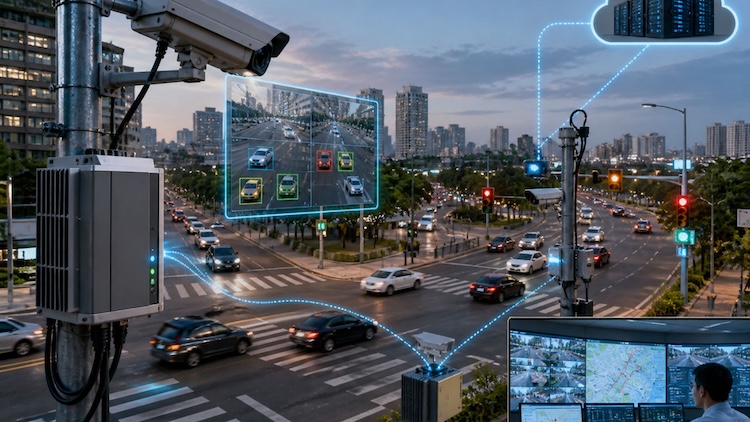
Edge computing applied in smart traffic systems for real-time monitoring and control
2.2. How edge computing works
Edge computing works by moving data processing closer to where data is created and used, instead of sending everything to a centralized cloud. The “network edge” is where physical devices such as sensors, machines, and mobile devices directly interact with digital systems, enabling faster processing and lower latency.
Data capture at the edge layer
Data is continuously generated by devices like IoT sensors, industrial machines, cameras, and smartphones. These devices collect real-world signals such as temperature, motion, or video data for immediate processing.
Local processing at edge infrastructure
Rather than sending all raw data to the cloud, processing happens locally on edge servers or directly on devices. This allows data to be filtered, analyzed, and processed on-site, reducing dependency on remote data centers and improving response speed. In Edge AI systems, AI models can also run locally for real-time predictions and automation.
Selective cloud synchronization
Only important or summarized data is transmitted to the cloud. The cloud is mainly used for long-term storage, deeper analytics, large-scale AI model training, and system-wide coordination, while the edge handles real-time workloads. This creates a balance between Edge AI and Cloud AI.
Real-time decision execution
Because processing happens close to the data source, edge systems can react almost instantly. This is critical for time-sensitive scenarios such as industrial monitoring, autonomous vehicles, smart healthcare systems, and intelligent transportation, where immediate responses are required.
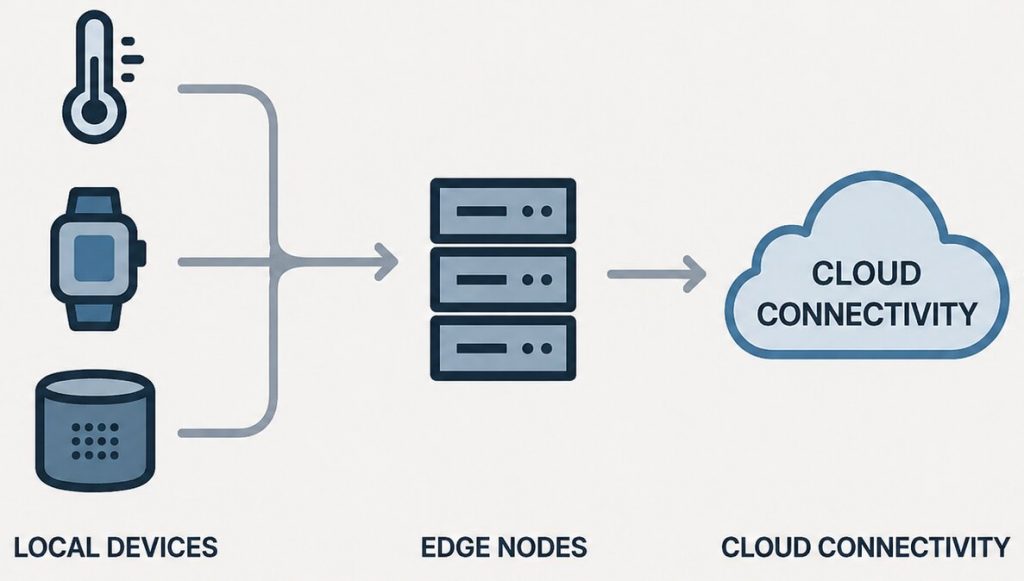
Edge computing processes data closer to devices for faster, real-time responses
>>> Read more: What is a serverless GPU? Benefits, use cases, how it works
3. Edge vs Cloud: how they work together
Edge computing and cloud computing work together as a hybrid computing model. Edge computing processes data close to devices for real-time response and low latency, while cloud computing provides centralized resources for storage, analytics, and AI model training.
Today, many companies are adopting hybrid architectures that combine Edge AI and Cloud AI. This approach allows businesses to balance fast local processing with the large computing power of the cloud. Large-scale AI systems are often deployed inside AI data centers powered by GPU clusters, high-bandwidth networking, and scalable cloud infrastructure. Edge devices handle time-sensitive tasks instantly, while the cloud performs deeper analysis and long-term data management.
In this workflow, edge systems process and filter data locally, then send only important or summarized data to the cloud. The cloud can analyze data from multiple edge devices, train AI models, and deploy improved models back to the edge for faster real-time decision-making.
Key benefits of this hybrid approach include:
- Lower latency and faster real-time response
- Reduced bandwidth usage and operational costs
- Improved scalability for distributed systems
- Better AI performance through continuous cloud-based model updates
- Increased reliability even when internet connectivity is unstable
For example, in a smart factory, edge systems can immediately detect machine failures, while cloud systems analyze long-term operational data to improve maintenance planning and production efficiency.
.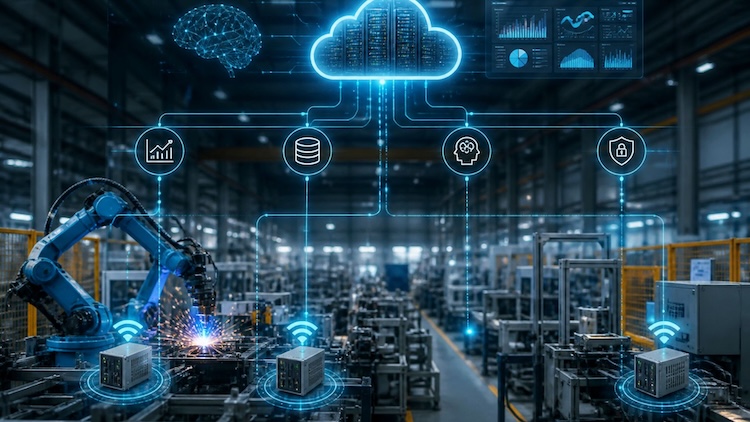
Edge and cloud computing work together to deliver real-time insights and scalable intelligence
4. Edge Computing vs Cloud Computing: core differences
Edge computing and cloud computing differ in how they process, manage, and deliver data. While cloud computing relies on centralized infrastructure, edge computing focuses on bringing processing closer to the data source. The comparison below highlights their key differences in real-world performance and system design.
| Category | Cloud Computing | Edge Computing |
| Processing location | Centralized data centers | Near the data source (devices, local servers) |
| Latency | Higher due to data transfer to cloud | Very low due to local processing |
| Bandwidth usage | High because large data is sent to cloud | Low since only selected data is transmitted |
| Cost model | Pay-as-you-go with storage and compute fees | Lower data transfer cost, more local infrastructure cost |
| Scalability | Highly scalable through global cloud resources | Scales locally, depends on edge infrastructure |
| Connectivity dependency | Requires stable internet connection | Can operate even with limited or unstable connectivity |
| Data privacy & compliance | Data stored centrally, requires strict security controls | Data can stay local, improving privacy and compliance |
| Real-time capability | Moderate, depends on network speed | Strong, optimized for real-time processing |
| AI training | Ideal for large-scale AI model training using powerful GPUs and cloud clusters | Limited for large-scale training due to hardware constraints |
| AI inference | Suitable for centralized AI services and large-scale analytics | Optimized for fast real-time AI inference on local devices |
| Offline operation | Limited functionality without internet access | Can continue operating locally even when offline |
| Infrastructure complexity | Easier centralized management and deployment | More complex due to distributed edge devices and systems |
| Maintenance | Managed mainly by cloud providers | Requires monitoring and maintenance across multiple edge locations |
>>> Read more: Benefits of cloud computing: When is the right time to move?
5. When to use Cloud Computing?
Cloud computing is most effective when organizations need scalable infrastructure, fast resource provisioning, and the ability to handle large or variable workloads without investing in physical hardware. It is widely used for applications that require high-performance computing, centralized data management, and flexible scaling, such as software development, data backup, disaster recovery, and AI model training. In AI development, cloud computing is especially important because training and deploying models often require powerful and elastic GPU resources that can scale based on workload demands.
At FPT AI Factory, cloud computing is a core foundation for supporting AI workloads with flexible GPU infrastructure designed for both individual users and enterprises. The platform provides several options depending on different use cases:
- GPU Container: Designed to support LLM training, scalable AI inference, and high-performance workloads by leveraging GPU-based cloud infrastructure.
- GPU Virtual Machine: Allows users to quickly deploy, train, and scale AI models with full control over a powerful GPU environment.
Individuals can easily get started through the $100 credit program after login to test and build AI applications. For enterprises with more complex or large-scale needs, consultation is available via the contact form.
In addition, FPT AI Factory is preparing to introduce GPU HGX B300, delivering higher performance for advanced AI workloads. Users can pre-order or leave their information for further support and consultation.
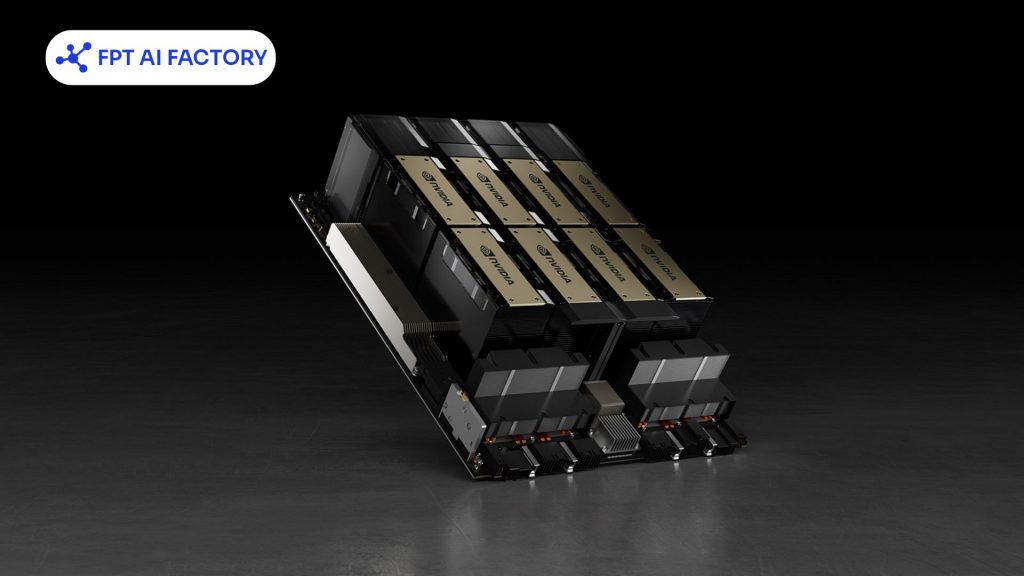
Powering AI development with scalable GPU cloud ( Source: FPT AI Factory)
>>> Read more: GPU vs CPU: Key Differences and Which One to Choose for AI
6. When to use Edge Computing?
Edge computing is suitable when applications require real-time processing, ultra-low latency, or stable performance in environments with limited or unstable connectivity. Instead of sending data to the cloud, it processes information directly at the source for faster response. It is commonly used in IoT systems, smart factories, autonomous vehicles, healthcare, and industrial automation where immediate decisions are critical.
Typical use cases include:
- Real-time systems: autonomous vehicles, robotics, traffic monitoring
- Industrial IoT: instant fault detection and local alerts in factories
- Remote environments: mining sites, logistics, or areas with weak internet
- Smart surveillance/retail: local video analysis before syncing insights to the cloud
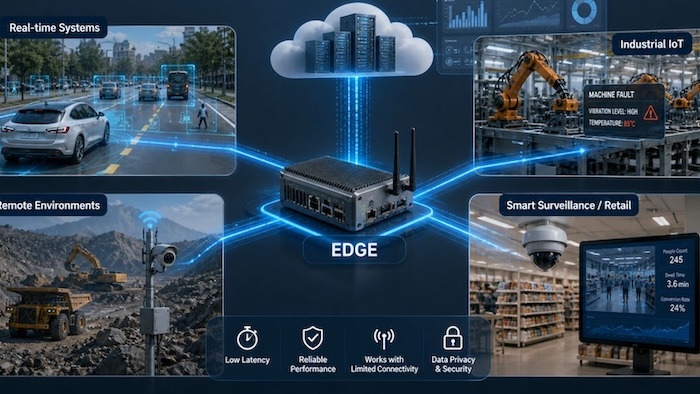
Edge computing enables instant decisions by processing data right where it’s generated.
7. Frequently Asked Questions
7.1. Can edge computing work without cloud computing?
Yes. Edge computing can operate on its own because it is designed to process data directly at or near the source, such as devices or local servers. This allows systems to continue running and making real-time decisions even without relying on a constant connection to the cloud. However, in many practical scenarios, it is still combined with cloud computing to enable deeper analysis, data storage, and centralized management.
7.2. Is edge computing more secure than cloud computing?
Edge computing can enhance privacy by processing data locally and reducing data transmission, but it may face risks from distributed devices and physical access. Cloud computing offers centralized, professionally managed security with strong protection and compliance systems. Overall, security depends on use case, system design, and whether local control or centralized protection is prioritized.
7.3. When should I use cloud over edge?
Cloud computing should be used when applications require high computing power, large-scale data storage, global scalability, or heavy data processing where real-time response is not critical. It is also more efficient for tasks like big data analytics, AI model training, and other non-urgent workloads that benefit from centralized infrastructure and cost-effective scaling.
7.4. What are some examples of edge computing in action?
7.5. Can edge and cloud computing work together?
Edge computing vs cloud computing highlights two complementary approaches in modern infrastructure, where edge focuses on real-time processing close to data sources, while cloud computing provides scalable power for storage, analytics, and AI workloads. Choosing between them depends on factors like latency, scalability, and use case requirements
If you are looking to get started quickly with AI development, FPT AI Factory lets you log in and receive a $100 credit, which can be used immediately to explore and run AI workloads on powerful GPU infrastructure. For enterprises, organizations, or teams that require customized solutions or large-scale deployment, please reach out through the official contact form of FPT AI Factory for detailed consultation and tailored support.
Contact information
- Hotline: 1900 638 399
- Email: support@fptcloud.com
Explore Related Articles:
What Is AI Infrastructure? Key Components and How It Works
What is AI inference? How it works, types, and use cases
What is LLM Inference? How it works, metrics, and scaling
What Is JupyterHub? How It Works and Practical Applications
Jupyter Notebook vs JupyterLab: Which one should you choose?


