


As businesses continue to expand their digital operations, many organizations are re-evaluating whether traditional shared hosting can still provide the performance, flexibility, and control needed for growing workloads. In this article, FPT AI Factory breaks down the concept of what is virtual private server technology, how it operates, and why it is widely used for modern business applications and scalable infrastructure needs.
1. What Is a Virtual Private Server?
A Virtual Private Server (VPS) is a virtual server environment created from a physical server using virtualization technology. A single physical machine is divided into multiple independent virtual servers, allowing each user to operate within their own isolated environment. This setup provides greater stability and flexibility compared to traditional shared hosting.
A VPS provides dedicated resources like CPU, RAM, storage, and its own operating system. It offers greater control, performance, and scalability than shared hosting, making it suitable for businesses, websites, and applications that need higher reliability and speed.
2. How Does a Virtual Private Server Work?
A Virtual Private Server works by using virtualization technology to divide one physical server into multiple independent virtual environments. Each VPS operates with its own resources, operating system, and configurations, allowing businesses to achieve more stable performance, greater flexibility, and better scalability than traditional shared hosting.
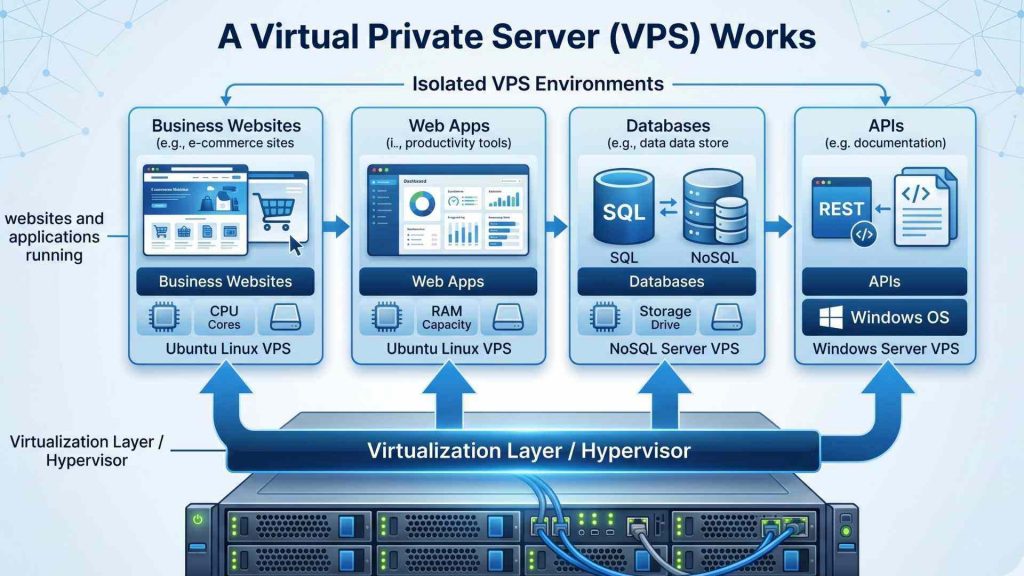
How VPS hosting works through virtualization and isolated VPS environments
2.1 Virtualization Technology
Virtualization technology is the core foundation behind VPS hosting. A software layer called a hypervisor creates multiple virtual servers from a single physical machine while keeping each environment separated. This allows businesses to run websites, applications, and workloads independently without requiring separate physical hardware for every server.
2.2 Dedicated CPU, RAM, and Storage Allocation
Each VPS receives allocated resources such as CPU cores, RAM, and storage space. Unlike shared hosting, these resources are reserved for individual users, helping improve website stability, loading speed, and application performance. Dedicated resource allocation also reduces the risk of traffic spikes from neighboring users affecting server operations.
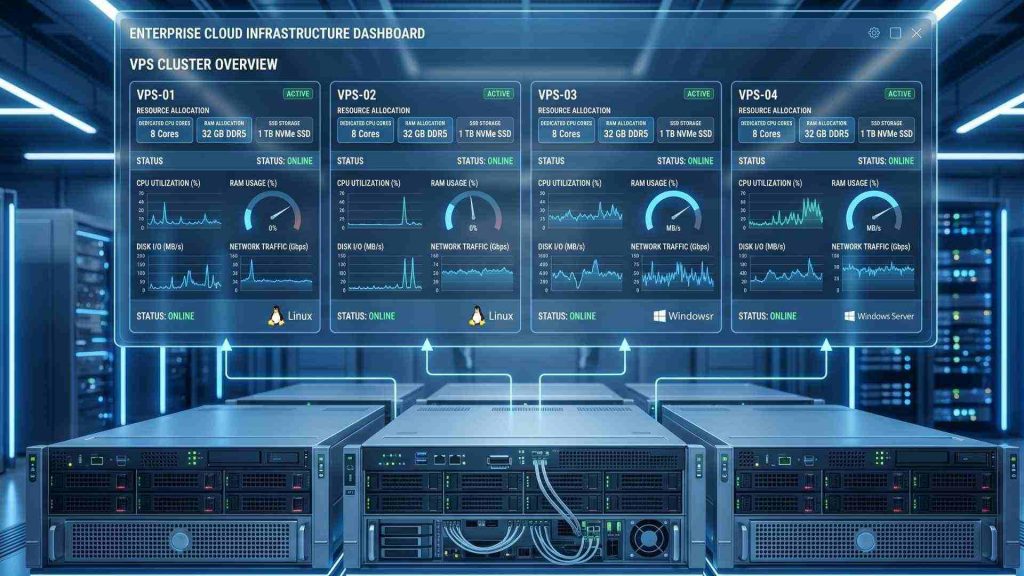
Dedicated CPU, RAM, and storage resources help improve VPS performance and stability
2.3 Operating System and Root Access
A VPS includes its own operating system, giving users flexibility to choose Linux, Windows, or other supported environments. Full root or administrator access allows businesses and developers to install custom software, modify configurations, and manage server settings based on specific project requirements and workloads. This flexibility supports a wider range of applications and development environments.
2.4 Isolation Between Virtual Servers
Although multiple VPS environments run on the same physical server, each virtual server remains isolated from others. Problems such as crashes, malware infections, or sudden traffic increases on one VPS typically do not directly impact neighboring environments. This isolation improves security, reliability, and overall hosting stability for business applications and websites.
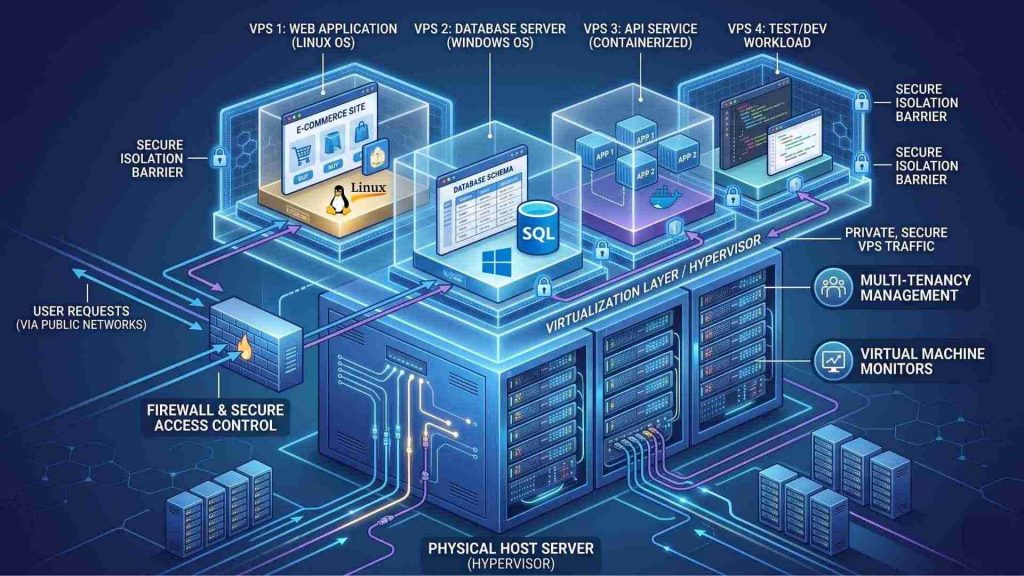
Isolation between VPS environments helps improve security and hosting stability
3. VPS vs Shared Hosting vs Dedicated Server
Shared hosting, VPS hosting, and dedicated servers offer different levels of performance, control, scalability, and cost. The table below compares their main differences to help businesses choose the right hosting environment for their needs.
| Criteria | Shared Hosting | VPS Hosting | Dedicated Server |
| Definition | Multiple websites share the same server resources and environment. | A physical server is divided into multiple isolated virtual servers. | One physical server is fully dedicated to a single user or organization. |
| Resource Allocation | Resources are shared among many users. | Dedicated virtual resources such as CPU, RAM, and storage are allocated to each VPS. | All server resources are exclusively assigned to one customer. |
| Performance | Performance may fluctuate depending on other users’ activity. | More stable and consistent performance than shared hosting. | Delivers the highest level of performance and processing power. |
| Control and Customization | Limited control over server settings and software installation. | Provides root access and flexible server customization options. | Full administrative control over hardware and software configurations. |
| Security and Isolation | Lower isolation because users share the same environment. | Better security through isolated virtual environments. | Maximum security and isolation with dedicated physical infrastructure. |
| Scalability | Limited scalability for growing workloads or traffic. | Resources can be upgraded more flexibly as business needs grow. | Scaling may require hardware upgrades or additional physical servers. |
| Cost | Most affordable hosting option for small websites. | Moderate pricing with a balance between cost and performance. | Highest cost due to dedicated hardware and infrastructure resources. |
| Maintenance Responsibility | Hosting provider manages most server maintenance tasks. | Shared responsibility between provider and user depending on the service model. | Users or IT teams are typically responsible for server management and maintenance. |
| Best Use Case | Personal blogs, small business websites, or low-traffic projects. | Growing businesses, web applications, and medium-scale workloads. | Large enterprises, high-traffic platforms, and performance-intensive applications. |
Each hosting option offers different advantages depending on business size, performance requirements, and budget. Understanding these differences helps organizations choose a hosting solution that supports both current workloads and future growth.
4. Types of VPS Hosting
VPS hosting services are commonly divided into managed and unmanaged options. The right choice depends on a business’s technical expertise, server management needs, and preferred level of control.
4.1. Managed VPS
Managed VPS hosting includes technical support and server maintenance provided by the hosting provider. Tasks such as software updates, security monitoring, backups, and performance optimization are typically handled for the user. This option is suitable for businesses that want reliable VPS performance without managing complex server administration tasks internally.
For example, a growing business may use managed VPS hosting to run websites and applications without needing a dedicated IT operations team. This works because the provider manages updates, monitoring, backups, and server maintenance tasks.
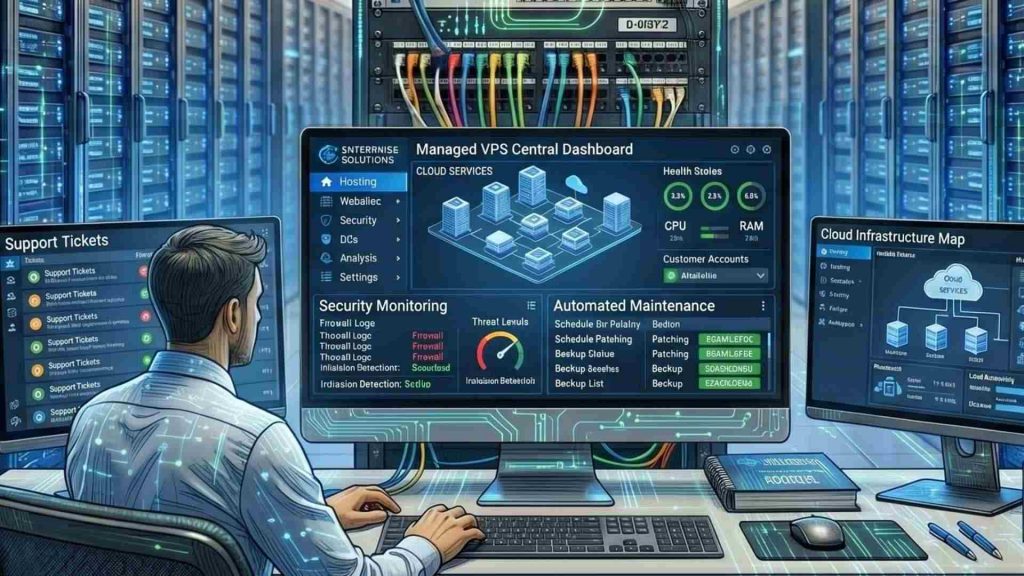
Managed VPS hosting helps businesses simplify server maintenance and infrastructure management
4.2. Unmanaged VPS
Unmanaged VPS hosting gives users full control over the server environment and configurations. Businesses and developers are responsible for managing security, updates, software installation, and troubleshooting independently. This option is often preferred by experienced users who require advanced customization, greater flexibility, and complete administrative control over server operations.
For instance, a software development team may deploy custom backend services and Linux environments on an unmanaged VPS. This works because administrator-level access allows complete control over server configurations and software environments.

Unmanaged VPS hosting provides greater control and customization for developers and IT teams
5. Benefits of Using a Virtual Private Server
Using a Virtual Private Server provides businesses with a balance between performance, flexibility, and affordability. Compared to traditional shared hosting, VPS hosting offers greater control and more stable resources for websites, applications, and business workloads.
- Better performance than shared hosting: VPS hosting provides dedicated resources that improve website speed, uptime, and overall stability.
- More control and customization: Users can configure server settings, install software, and manage operating systems based on project needs.
- Stronger isolation and security: Each VPS runs independently, helping improve security and reduce interference from other users.
- Flexible scalability: CPU, RAM, and storage resources can be upgraded more easily as workloads increase.
- Cost efficiency compared with dedicated servers: VPS hosting offers stronger performance and control without the high cost of a physical server.
These benefits make VPS hosting a practical solution for growing businesses, developers, and applications requiring stable infrastructure and scalable resources.
6. Common VPS Use Cases
Virtual Private Servers are widely used across different industries because they provide a balance between performance, flexibility, and cost efficiency. Below are some of the most common VPS use cases for businesses, developers, and growing online platforms.
6.1 Hosting business websites
Many businesses use VPS hosting to improve website speed, uptime, and reliability compared to shared hosting environments. Dedicated virtual resources help websites handle higher traffic volumes while maintaining stable performance during peak periods. This makes VPS hosting a practical solution for growing business websites and applications that require more consistent performance.
For example, a growing e-commerce website using WooCommerce may choose a VPS to gain dedicated resources, improve website performance, and handle higher customer demand more reliably.

VPS hosting helps business websites maintain stable performance and faster loading speeds
6.2 Running web applications
VPS environments are suitable for hosting web applications that require custom server configurations and stable computing resources. Businesses and developers can install specific frameworks, software packages, and runtime environments based on application requirements. This flexibility supports a wider range of modern web applications and backend services.
For instance, VPS hosting is commonly used by SaaS platforms, internal business systems, and development teams that need customized server settings and more stable application performance for daily operations.
6.3 Hosting e-commerce stores
Online stores often rely on VPS hosting for better security, performance, and scalability during sales campaigns or seasonal traffic spikes. VPS environments also provide greater control over payment systems, databases, and security configurations. This helps businesses maintain more stable shopping experiences as traffic and transactions increase.
For example, an Australian-based eCommerce retailer used managed VPS infrastructure to support business growth and backend stability. The environment also helped handle traffic spikes and peak demand more efficiently (VPSBlocks Pty Ltd, n.d.).
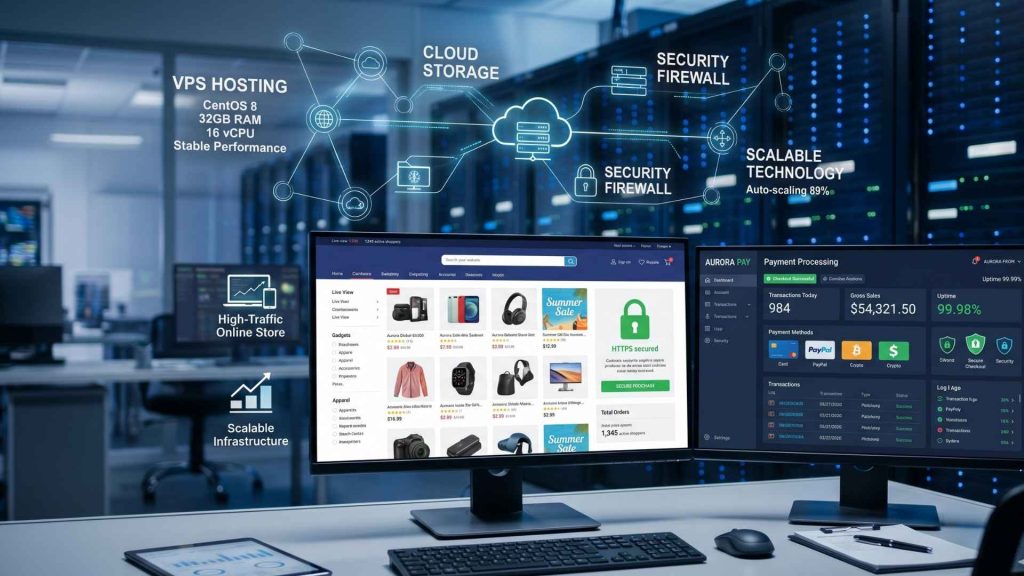
VPS hosting supports secure and stable e-commerce operations during high traffic periods
6.4 Development and testing environments
Developers commonly use VPS servers to build, test, and deploy applications in isolated environments without affecting production systems. VPS hosting allows teams to create flexible development setups while supporting remote collaboration and software testing workflows. This makes it easier to manage application updates and troubleshoot issues safely before deployment.
For instance, a developer team often uses VPS environments to test new application releases before launching them to users, reducing the risk of errors affecting the production system.
6.5 Hosting databases, APIs, or backend services
VPS hosting can support backend systems such as databases, APIs, and internal business services that require stable uptime, secure access, and consistent application performance. Dedicated resources help maintain reliable response times while allowing businesses to manage databases, authentication systems, and backend processing more efficiently. This makes VPS hosting suitable for applications that handle continuous user requests and business operations.
For example, a SaaS company may deploy its MySQL or PostgreSQL database on a dedicated VPS while hosting the application on a separate server. This helps improve performance, enhances security, and makes it easier to manage data workloads.
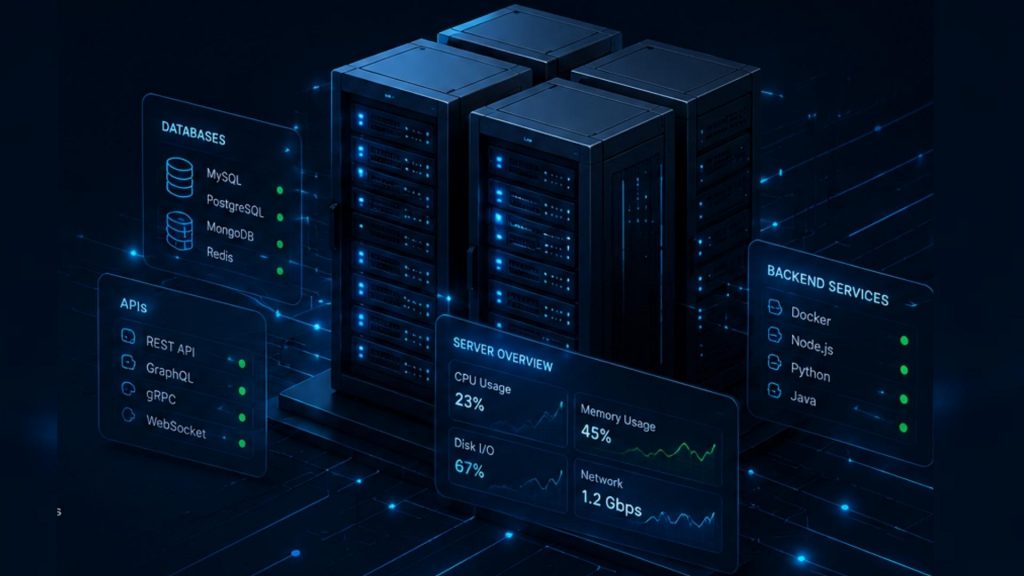
VPS hosting provides stable infrastructure for databases, APIs, and backend services
6.6. Lightweight AI and developer workloads
Some businesses and developers use VPS environments for lightweight AI workloads, automation tools, coding environments, and containerized applications. VPS hosting provides flexible infrastructure for development tasks without requiring large-scale dedicated hardware or complex cloud environments. This makes VPS solutions suitable for testing, automation, and smaller AI-related workloads with moderate GPU computing requirements.
For instance, VPS hosting is often used by development teams and small businesses that run internal automation systems, lightweight AI inference tools, coding environments, or containerized applications for daily operational workflows.
7. VPS and Cloud Virtual Machines Comparision
Both VPS hosting and Cloud Virtual Machines provide virtualized server environments, but they differ in infrastructure design, scalability, and resource flexibility. The table below highlights the key differences between these two hosting solutions.
| Criteria | VPS Hosting | Cloud Virtual Machines |
| Operation Cost | Usually offers fixed monthly pricing with predictable costs. | Often uses pay-as-you-go pricing based on actual resource usage. |
| Performance | Provides stable performance with dedicated virtual resources on a single physical server. | Delivers flexible performance across distributed cloud infrastructure and can handle variable workloads more efficiently. |
| Scalability | Scaling may require manual resource upgrades or migration to a larger VPS plan. | Resources can typically scale up or down quickly based on workload demands. |
| Control and Customization | Offers root access and server customization with a more traditional hosting structure. | Provides flexible configuration options with integration into broader cloud ecosystems and services. |
| Safety and Security | Security depends mainly on the hosting provider and VPS isolation mechanisms. | Cloud environments often include additional redundancy, backup systems, and distributed security features. |
Both VPS hosting and Cloud Virtual Machines offer flexible virtualized environments for modern applications and business workloads. Choosing the right solution depends on factors such as scalability needs, budget, performance requirements, and long-term infrastructure goals.
8. VPS Cost and Operational Considerations
Before choosing a VPS solution, businesses should evaluate both infrastructure costs and long-term operational requirements. The checklist below highlights important factors that can affect VPS performance, scalability, maintenance responsibilities, and overall hosting expenses.
| Consideration | Description | Typical Additional Cost |
| Monthly Hosting Cost | VPS pricing depends on resource allocation, provider infrastructure, and service level. | $5 – 200+/month |
| CPU, RAM, and Storage Needs | Businesses should estimate workload requirements carefully. | Cost increases according to the selected resource tier. |
| Managed vs Unmanaged VPS | Managed VPS reduces maintenance but costs more (Vps.Do, 2026). | +30 – 100% vs unmanaged VPS |
| Security Setup | Firewalls, updates, and malware protection improve security. | $5 – 50+/month (Chen, 2026) |
| Backup and Recovery | Regular backups help prevent data loss. | Varies by storage size and retention policy. |
| Monitoring and Maintenance | Monitoring helps detect issues early. | Free to premium plans depending on monitoring features. |
| Scaling Requirements | Flexible upgrades support future growth. | Varies based on resource expansion |
Carefully evaluating VPS costs and operational requirements helps businesses maintain stable performance while avoiding unnecessary infrastructure expenses. Choosing the right VPS configuration also supports better scalability, security, and long-term system reliability as workloads continue to grow.
9. When Should Businesses Use a VPS?
A Virtual Private Server is a suitable solution for businesses that need more flexibility, stability, and control than traditional shared hosting can provide. Below are some common scenarios where upgrading to a VPS becomes beneficial for growing websites, applications, and business operations.
9.1 When Shared Hosting Becomes Too Limited
Shared hosting can become restrictive as websites grow in traffic, content, and resource usage. Businesses may experience slower loading speeds, limited customization options, or unstable performance caused by other users sharing the same server environment.
For example, a growing business website may upgrade to VPS hosting to improve loading speed and uptime reliability. This works because dedicated virtual resources provide more stable performance compared to shared hosting.

Businesses often upgrade to VPS hosting when shared hosting can no longer support growing workloads
9.2 When Websites Need More Stable Performance
Websites handling larger visitor volumes or resource-intensive applications often require more consistent server performance. VPS hosting provides dedicated virtual resources that help maintain stable responsiveness during traffic spikes and busy operational periods.
For instance, an online booking platform may use VPS hosting to maintain stable performance during promotional campaigns. This works because dedicated CPU and RAM allocation reduce performance fluctuations during high-demand periods.
9.3 When Teams Need Server-Level Control
Businesses and development teams may require root access to install custom software, configure server environments, or manage advanced security settings. VPS hosting offers greater administrative control compared to standard shared hosting services.
For example, a development team may deploy custom frameworks and backend services in a VPS environment. This works because root access allows full control over server configurations and software management.
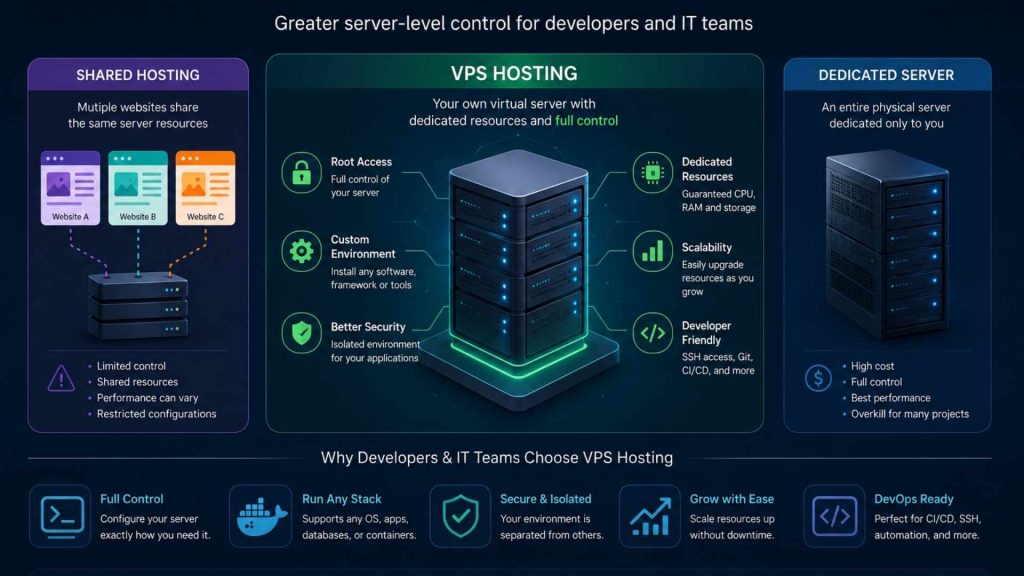
VPS hosting provides greater server-level control for developers and IT teams
9.4 When Applications Need Isolated Hosting Environments
Applications handling sensitive data or business-critical operations often benefit from isolated virtual environments. VPS isolation helps improve security, reduce system conflicts, and maintain application reliability for long-term operations.
For instance, a company may host its internal CRM platform on a VPS to separate critical operations from public-facing services. This works because isolated environments help reduce interference and improve operational stability.
9.5 When Workloads Need Scalable Infrastructure
Businesses with growing applications or increasing traffic often require infrastructure that can scale more efficiently over time. VPS hosting allows organizations to upgrade CPU, RAM, storage, and bandwidth resources more flexibly compared to traditional shared hosting environments. This helps support more stable application performance as operational demands continue to increase.
For example, a SaaS platform may upgrade to VPS hosting to support increasing user traffic and backend processing demands. This works because scalable virtual resources help maintain stable performance as workloads continue growing.
Businesses running AI, data processing, or GPU-intensive workloads may eventually require more scalable computing resources than a standard VPS can provide. In these cases, solutions such as GPU Virtual Machine by FPT AI Factory help organizations support scalable AI infrastructure and high-performance computing workloads more efficiently.

GPU Virtual Machine (Source: FPT AI Factory)
10. FAQs
10.1 What is the difference between VPS and shared hosting?
Shared hosting places multiple websites in the same server environment with shared resources, while VPS hosting provides isolated virtual environments with dedicated resources. VPS hosting generally offers better performance, security, and customization compared to shared hosting.
10.2 Is VPS better than dedicated hosting?
VPS hosting is often more cost-effective and flexible for small to medium-sized workloads, while dedicated hosting provides maximum performance and full access to physical hardware resources. The better option depends on business size, workload requirements, and budget.
10.3 What is a VPS used for?
A VPS is commonly used for hosting websites, web applications, databases, development environments, APIs, and backend services. It is also suitable for businesses that need more control and scalability than shared hosting can provide.
10.4 Is a VPS secure?
A VPS is generally more secure than shared hosting because each virtual server operates in an isolated environment. However, proper security configurations, updates, backups, and monitoring are still important for maintaining overall server protection.
In summary, a Virtual Private Server offers a balance between performance, flexibility, scalability, and cost efficiency for modern business workloads. VPS hosting is suitable for websites, applications, databases, and development environments that require more stability and control than shared hosting.
Individuals can get started with FPT AI Factory through Starter Plan to quickly access cloud computing resources and scalable infrastructure services. For enterprises or organizations with customized infrastructure requirements, large-scale deployments, or GPU-intensive workloads, FPT AI Factory also provides consultation and tailored solutions based on specific project needs through the contact form.
Contact Information:
- Hotline: 1900 638 399
- Email: support@fptcloud.com
Explore Related Articles:
GPU Virtual Machine: Benefits, Use Cases, and How It Works
Container vs. Virtual Machine: What are the differences?


