


Cloud GPU pricing is one of the most critical factors businesses must evaluate before scaling AI workloads. Explore how cloud GPU pricing works to help organizations avoid overspending, select the right compute tier, and build a sustainable infrastructure strategy for training, fine-tuning, and inference. At FPT AI Factory, we offer transparent, competitive GPU pricing plans designed to give AI teams the flexibility and performance they need to move fast without breaking the budget.
1. What Affects Cloud GPU Pricing?
Understanding the pricing structure of cloud GPUs is essential for optimizing AI and machine learning budgets. Unlike standard web hosting, GPU costs are rarely governed by a simple flat rate. To make the most cost-effective architectural decisions without sacrificing GPU computing performance, organizations must carefully evaluate the following core variables that drive cloud infrastructure expenses.
1.1. GPU Generation and VRAM Capacity
Hardware architecture and VRAM capacity are the primary drivers of cloud compute costs. While newer GPU generations command a significantly higher hourly rate than older models, they deliver vastly superior computational speed and energy efficiency.
Consequently, training complex models takes a fraction of the time on modern hardware, meaning the total cost of ownership (TCO) for a project is often lower despite the steeper upfront rental price. Ultimately, paying a premium for advanced hardware is usually more economical than running cheaper, slower legacy cards for extended periods.
1.2. Region and Data Center Location
Cloud GPU pricing can vary significantly by region because each location has different power costs, data infrastructure availability, tax structures, and GPU supply. For latency-sensitive workloads such as real-time inference, chatbot systems, or AI applications serving end users directly, teams should choose a data center closer to their target users to reduce response time. For less latency-sensitive workloads such as batch training, offline fine-tuning, or model experimentation, teams can choose a more cost-efficient region even if it is not the closest location.
FPT AI Factory supports this balance with AI data centers in Japan and Vietnam, with Malaysia launching soon. This infrastructure helps deliver reliable GPU performance, low-latency access for users in different locations, competitive pricing and technical support, making it easier for businesses to optimize both performance and cloud GPU costs.

Understanding the pricing structure of cloud GPUs is essential
1.3. Commitment Length and Volume Discounts
The duration of a service agreement serves as a powerful financial lever for optimizing infrastructure budgets. Instead of relying on expensive, pay-as-you-go On-Demand models, organizations that accurately forecast their compute needs can lock in long-term contracts. Typically, spanning one to three years, to unlock substantial volume discounts.
By providing cloud providers with revenue predictability, businesses are rewarded with drastically reduced hourly rates, making reserved instances the ideal strategy for steady, long-term AI operations aiming to streamline cash flow.
1.4. Single GPU vs Multi-GPU Cluster Pricing
Pricing structures shift dramatically when scaling from isolated virtual machines with a single GPU to complex, interconnected multi-GPU clusters. Operating dozens or hundreds of graphics cards in parallel to train massive parameter models requires ultra-high-bandwidth, low-latency interconnects, such as NVLink, NVSwitch, or InfiniBand networks, to eliminate internal data transfer bottlenecks.
Therefore, the cost of leasing a multi-GPU cluster is never just a simple multiplication of the single-card rate; it inherently includes the premium overhead for this specialized networking infrastructure, advanced high-performance storage, and the heavy-duty cooling systems required to run them efficiently.
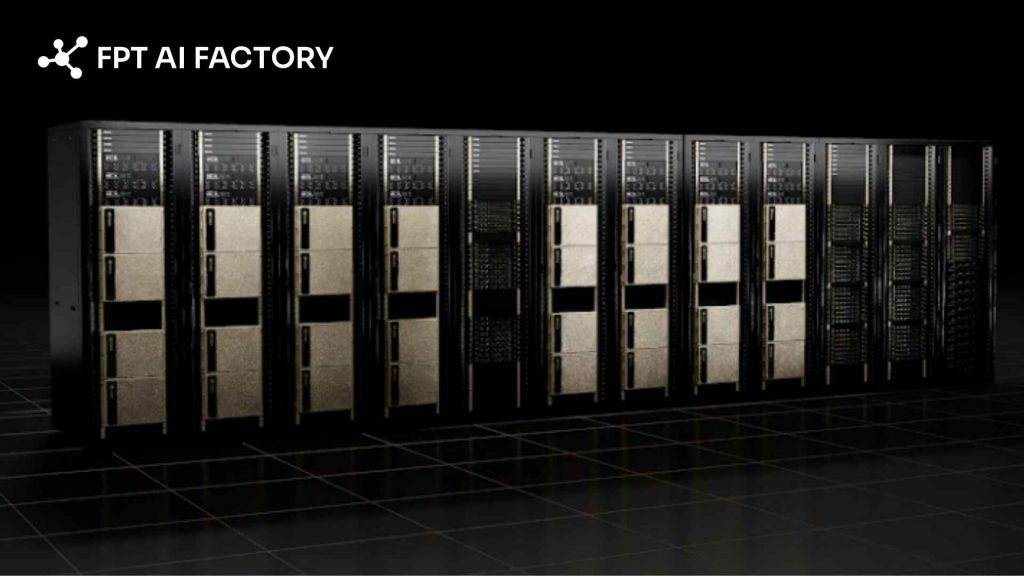
Pricing structures shift dramatically when scaling from a single GPU to multi-GPU clusters (Source: FPT AI Factory)
2. Cloud GPU pricing by provider
Navigating the cloud GPU market requires comparing traditional hyper scalers against regional powerhouses and specialized vendors. Each platform dictates its own pricing structure, hardware availability, and ecosystem advantages.
2.1 AWS GPU pricing
Amazon Web Services (AWS) boasts one of the most extensive hardware portfolios in the industry, heavily featuring its “P-series” for intensive machine learning training and the “G-series” for inference. While AWS rarely competes on being the absolute cheapest option, its premium pricing is justified by unmatched reliability, massive global availability, and deep integration with managed ML services like Amazon SageMaker.
| GPU Model | VRAM Capacity | AWS Hourly Rate |
| A10 | 24GB | $1.01/hr |
| A100 SXM | 80GB | $2.74/hr |
| H100 SXM | 80GB | $6.88/hr |
| H200 | 141GB | $7.91/hr |
| L4 | 24GB | $0.80/hr |
| L40S | 48GB | $1.86/hr |
| Tesla T4 | 16GB | $0.53/hr |
2.2 Google Cloud GPU pricing
Google Cloud Platform (GCP) is a favorite among data scientists due to its native synergy with TensorFlow and Kubernetes. Unlike platforms that lock you into rigid instance sizes, GCP allows users to attach specific accelerators to custom virtual machines, giving teams granular control over how much CPU and memory they pay for.
| Virtual Machine Family | GPU Specifications (Per Card) | Standard Rate (On-Demand / Hr) | Preemptible Rate (Spot / Hr) |
| A3-highgpu-8g | 1x NVIDIA H100 (80GB VRAM) | ~$4.10 | ~$1.23 |
| A2-ultragpu-1g | 1x NVIDIA A100 (80GB VRAM) | $5.10 | ~$1.53 |
| A2-highgpu-1g | 1x NVIDIA A100 (40GB VRAM) | $3.67 | ~$1.10 |
| G2-standard-4 | 1x NVIDIA L4 (24GB VRAM) | $0.71 | ~$0.25 |
| N1 series with attached T4 | 1x NVIDIA T4 (16GB VRAM) | ~$0.35 | ~$0.11 |
2.3 Azure GPU pricing
Azure offers several GPU VM families, including NC, ND, and NV series. Its pricing model is straightforward, with pay-as-you-go, savings plans, and reserved instances available for teams that want to optimize spending over time.
| Instance | vCPU | RAM | GPU | GPU VRAM | Pay-as-you-go | 1-yr Reserved | 3-Yr Reserved |
| NC4as T4 v3 | 4 | 28 GiB | 1x T4 | 16 GB | $0.526/hr | $0.316/hr | $0.211/hr |
| NC8as T4 v3 | 8 | 56 GiB | 1x T4 | 16 GB | $0.752/hr | $0.451/hr | $0.301/hr |
| NC16as T4 v3 | 16 | 110 GiB | 1x T4 | 16 GB | $1,204/hr | $0.722/hr | $0.481/hr |
| NC64as T4 v3 | 64 | 440 GiB | 4x T4 | 64 GB | $4,816/hr | $2,889/hr | $1.926/hr |
| NC40ads H100 v5 | 40 | 320 GiB | 1x H100 | 80 GB | $6.98/hr | ~$4.53/hr | ~$3.14/hr |
| NC80adis H100 v5 | 80 | 640 GiB | 2x H100 | 160 GB | $13.96/hr | ~$9.07/hr | ~$6.28/hr |
| ND96asr A100 v4 | 96 | 900 GiB | 8x A100 | 320 GB | $32.77/hr | ~$21.30/hr | ~$14.75/hr |
2.4. FPT AI Factory
FPT AI Factory provides GPU pricing across multiple deployment options, including GPU Virtual Machine, GPU Container, and AI Studio. For raw GPU infrastructure, the platform offers H100 SXM5 and H200 SXM5 options with usage-based hourly pricing. Based on the current USD pricing pages, H100 SXM5 starts from $2.54/hour in Southeast Asia, while H200 SXM5 starts from $6.60/hour in Japan.
Beyond standard GPU instances, FPT AI Factory also supports containerized GPU workloads and AI development workflows. GPU Container pricing starts at the same rate as GPU VM, while AI Studio provides AI Notebook, Model Fine-tuning, and Interactive Session options for teams that need a more managed environment for development, fine-tuning, and experimentation.
| FPT AI Factory service | GPU option | Starting price | Unit | Pricing note |
| GPU Virtual Machine | H100 SXM5, 80GB HBM3 | $2.54 | hour | GPU VM package with GPU, CPU, RAM, local NVMe storage, and 01 public IP included |
| GPU Virtual Machine | H200 SXM5, 141GB HBM3 | $6.60 | hour | GPU VM package for higher-memory workloads, with GPU, CPU, RAM, local NVMe storage, and 01 public IP included |
| GPU Container | H100 SXM5, 80GB HBM3 | $2.54 | hour | Containerized GPU instance with temporary NVMe disk, suitable for flexible deployment |
| GPU Container | H200 SXM5, 141GB HBM3 | $6.60 | hour | Containerized GPU instance for memory-intensive AI workloads |
| AI Notebook | H100 SXM5, 80GB HBM3 | $2.54 | hour | Free CPU-based setup; GPU usage is billed by the second |
| Model Fine-tuning | H100 SXM5 | $5.50 | GPU-hour | Billed by 1/4 GPU-hour block; supports SFT, DPO, and pre-training |
| Model Fine-tuning | H200 SXM5 | $6.60 | GPU-hour | Billed by 1/4 GPU-hour block; supports SFT, DPO, and pre-training |
| Interactive Session | H100 SXM5 | $5.50 | GPU-hour | Billed by 1/4 GPU-hour block |
| Interactive Session | H200 SXM5 | $6.60 | GPU-hour | Billed by 1/4 GPU-hour block |
FPT AI Factory’s pricing structure gives teams several ways to access GPU compute, from raw GPU Virtual Machines and containerized GPU instances to AI Notebook, model fine-tuning, and interactive development sessions. Based on the current USD pricing pages, H100 options start from $2.54/hour for GPU VM, GPU Container, and AI Notebook, while H200 options start from $6.60/hour or $6.60/GPU-hour depending on the service type. Prices in USD apply to customers who are not residing in Vietnam and may change based on the current pricing page.
>> Explore more: NVIDIA H100 vs RTX 4090: Which GPU should you choose?
2.5 Niche GPU cloud providers to consider
Beyond the traditional heavyweights, a new wave of specialized cloud providers has emerged, focusing exclusively on GPU-accelerated computing. Platforms like Lambda Labs, CoreWeave, and RunPod strip away the complex, sprawling enterprise services of AWS or Azure to deliver raw, unadulterated computing power.
| Specialized Provider | Core Focus & Infrastructure | Typical H100 Rate (Per GPU) | Best Suited For |
| Lambda Labs | Unbeatable bare-metal pricing and deep learning environments. | $2.49 to $3.19 | Startups and independent AI researchers strictly focused on cost. |
| CoreWeave | Kubernetes-native, highly scalable GPU infrastructure. | $4.25 | Scale-out rendering and specialized, heavy machine learning workloads. |
| RunPod | Serverless GPUs and easy-to-deploy containerized pods. | $2.50 to $4.00 | Rapid prototyping, decentralized deployments, and hobbyist projects. |
3. Cloud GPU pricing by models
Not all cloud GPU costs are created equal – the same H100 instance can cost vastly different amounts depending on how you purchase access to it. Understanding which model fits your use case is often more impactful than choosing between providers.
3.1 On-demand pricing
On-demand pricing is the most straightforward model. You pay a fixed hourly (or per-minute) rate for GPU compute with no upfront commitment, and you can start or stop at any time. It is the most flexible option but consistently the most expensive on a per-hour basis.
This model suits teams that are still in the experimentation phase, running unpredictable workloads, or validating a use case before committing to longer-term infrastructure. The trade-off is clear, maximum agility comes at maximum cost.
For example, on-demand pricing for the NVIDIA H100 ranges from $1.49/hr on specialized providers to $6.98/hr on Azure, with AWS sitting at approximately $3.90/hr following its 44% price reduction in June 2025. For a team running a single H100 instance 8 hours a day for 30 days, that translates to a monthly compute bill ranging from roughly $358 (budget provider) to $1,675 (Azure) – for the same GPU.
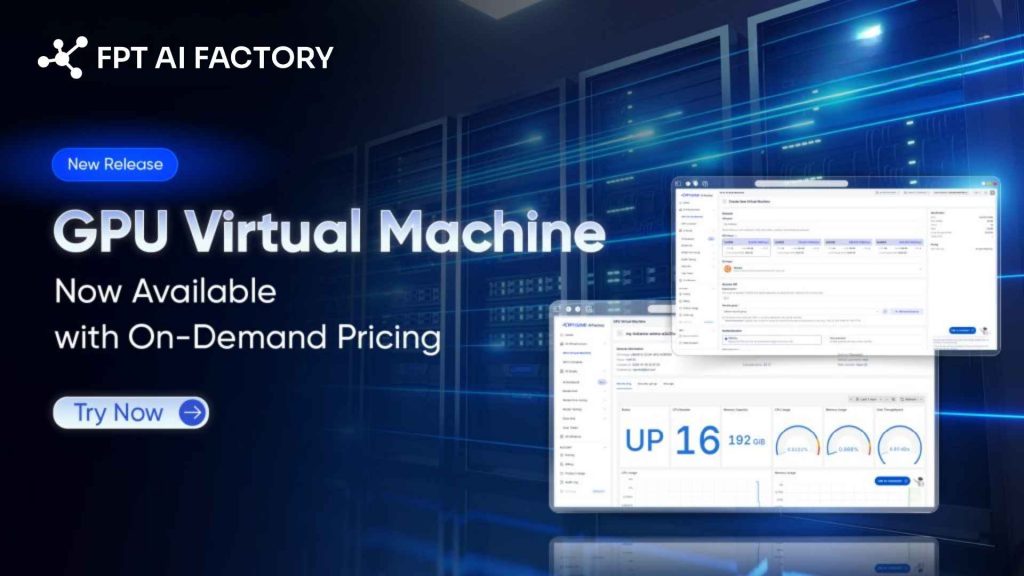
On-demand pricing is the most straightforward model (Source: FPT AI Factory)
3.2 Reserved or committed pricing
Reserved pricing, also called committed use discounts or savings plans, depending on the provider, requires locking in GPU capacity for a fixed term, typically 1 to 3 years, in exchange for substantially lower hourly rates. This is the go-to model for teams with stable, predictable workloads such as production inference services or long-running training programs.
The risk is straightforward: you are committing to pay whether or not you use the capacity. Over-committing on reserved instances ties up budget on idle resources; under-committing means paying on-demand rates for overflow demand.
For example, reserved capacity offers 20-72% savings on on-demand rates with long-term commitments of 1-3 years, making it ideal for predictable workloads. To put that in concrete terms, a team running 4x H100s continuously for production inference at $3.90/hr on demand would spend approximately $11,232/month.
With a 1-year reservation at a 40% discount, that drops to roughly $6,739/month – saving over $53,000 annually on a single workload. AWS EC2 reserved instances, Azure reserved VMs, and GCP committed-use contracts all follow this model, while neo-cloud providers like Lambda Labs and CoreWeave offer reserved clusters at negotiated rates.
3.3 Spot or preemptible pricing
Spot instances, or preemptible VMs on some cloud platforms, give teams access to unused cloud capacity at discounted rates. The trade-off is that the provider can reclaim the instance when demand rises, so this model is not suitable for workloads that cannot tolerate interruption. According to Amazon EC2 Spot Instances, Spot Instances can offer discounts of up to 90% compared with On-Demand prices. AWS also notes that Amazon EC2 P5 instances provide up to 8 NVIDIA H100 GPUs per instance, making them a relevant reference point for H100-based cloud GPU pricing.
For example, third-party AWS pricing tracker Vantage lists the p5.48xlarge instance from around $55.04/hour. Since AWS P5 instances can include up to 8 NVIDIA H100 GPUs, this equals roughly $6.88 per H100 GPU-hour before any Spot discount. If a workload receives a 90% Spot discount, the theoretical cost could fall to about $5.50/hour per instance, or around $0.69 per GPU-hour. Actual Spot pricing changes by region, supply, and demand, so teams should treat this as an estimate rather than a fixed rate. This model is best for fault-tolerant GPU workloads such as batch inference, hyperparameter tuning, distributed experiments, or training jobs with checkpointing enabled.
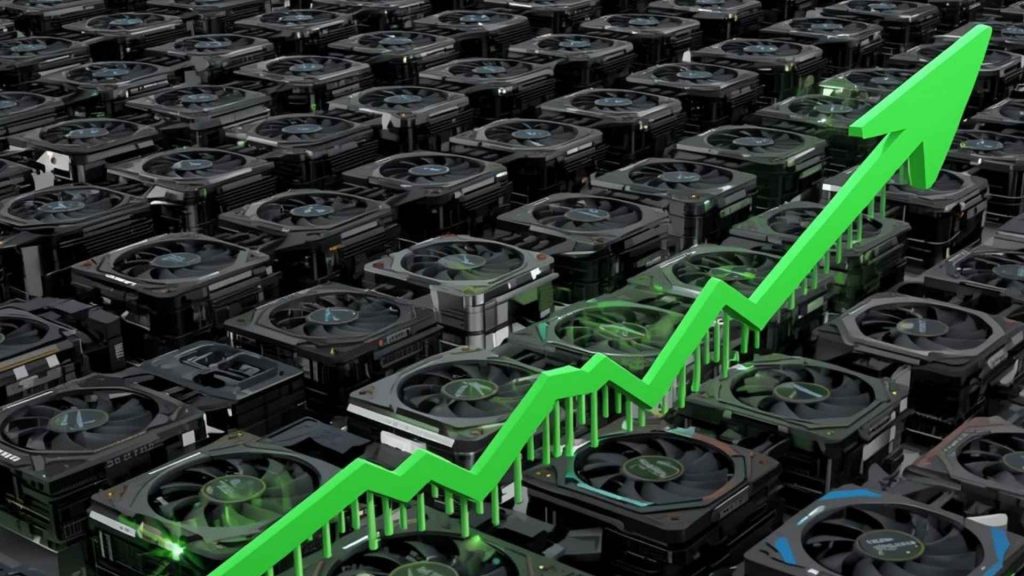
Spot pricing can reduce GPU costs for interruptible workloads, but actual prices vary by region and availability.
3.4 Monthly vs hourly budgeting
Most GPU cloud providers advertise hourly rates, but AI teams operate on monthly budgets. The gap between these two frames of reference is where cost surprises happen, and where teams that plan carefully gain a significant financial advantage.
The core principle, including hourly rate, is a sticker price, not a total cost. Total cost depends on utilization efficiency, storage, networking, and scaling behavior. Two providers may advertise similar hourly rates, but if one has high egress fees, slow provisioning, or inefficient scaling, your effective cost per training run can be dramatically higher.
For example, consider a mid-size AI team running 2x H100 instances on-demand at $3.90/hr for a full month, that compute bill alone reaches approximately $5,616. Add persistent storage at around $50, data egress fees for model checkpoints at roughly $20, and spot instance usage for batch jobs at $195, and the true monthly total climbs to nearly $5,900.
None of these additional costs appear in the hourly rate advertised on a provider’s pricing page, yet they represent a meaningful portion of the actual monthly invoice.
4. Hidden costs of using cloud GPUs
The hourly GPU rate is only the beginning. In practice, teams frequently discover that their actual monthly cloud bills run 20–40% higher than initial estimates. Not because of compute overuse, but because of costs that never appear on a provider’s pricing page. Understanding these hidden charges upfront is one of the most effective ways to protect your AI infrastructure budget.
| Hidden Cost | What It Actually Means |
| Data egress fees | Charges for moving data out of a cloud provider’s network, including model weights, checkpoints, and inference outputs. Hyperscalers typically bill $0.08–$0.12/GB, meaning a single 100 GB checkpoint transfer can add $8–$12 on top of your GPU compute cost. |
| Persistent storage | Temporary disk storage is included in most GPU instances but is wiped when the instance stops. Persistent volumes required for saving datasets, model checkpoints, and logs are billed separately, typically at $0.08–$0.15/GB/month. A 70B model in FP16 alone requires ~140 GB of storage. |
| Idle GPU time | GPU instances billed by the hour increase cost even when idle, waiting for data, sitting between jobs, or left running overnight. Idle time is one of the single largest sources of wasted GPU spend and is rarely visible until the bill arrives. |
| Minimum billing increments | Some providers bill in 1-hour minimums regardless of actual usage. A 10-minute experiment on such a platform costs the same as a full hour, effectively multiplying per-run cost by 6x for short iterative jobs. |
| Networking & inter-node communication | Distributed training across multiple GPU nodes generates significant internal data transfer. On hyperscalers, VPC peering, load balancers, and inter-region data movement are all billed separately and can escalate quickly at scale. |
| Licensing & framework fees | Some providers bundle proprietary inference engines, managed ML platforms, or software runtimes into instance pricing. Others charge separately. Teams that assume these are included often encounter unexpected line items. |
For teams looking to sidestep the largest of these hidden costs, including idle GPU time and persistent instance billing, a serverless approach offers a practical alternative. FPT AI Factory offers a Serverless Inference option for teams that want to avoid keeping GPU instances running continuously.
Rather than for allocated capacity around the clock, you are billed only for active inference requests, eliminating idle time costs and removing the need to manage instance lifecycles, storage attachments, or minimum billing commitments.
5. How to choose the right cloud GPU for your workload
Selecting the right cloud GPU is a critical step to ensure optimal performance, cost efficiency, and scalability for your applications. The decision should be based on a clear understanding of your workload requirements and the technical capabilities of available GPU options.
- Understand your workload type first: Different tasks (AI training, inference, rendering, simulation) require different GPU capabilities, so selection should always be based on the specific use case.
- Evaluate GPU memory (VRAM): VRAM determines how much data and model size the GPU can handle at once; insufficient memory can slow down performance or force compromises like smaller batch sizes.
- Check compute performance and architecture: Consider GPU generation, tensor cores, and processing power since these directly impact training speed and efficiency.
- Consider memory bandwidth and data throughput: High memory bandwidth allows faster data movement inside the GPU, which is critical for large-scale AI and deep learning workloads.
- Assess scalability and multi-GPU support: For large workloads, choose platforms that support multiple GPUs and fast interconnects to enable distributed training efficiently.
- Balance cost vs performance: A more powerful GPU may be expensive per hour, but can complete tasks faster, sometimes making it more cost-effective overall.
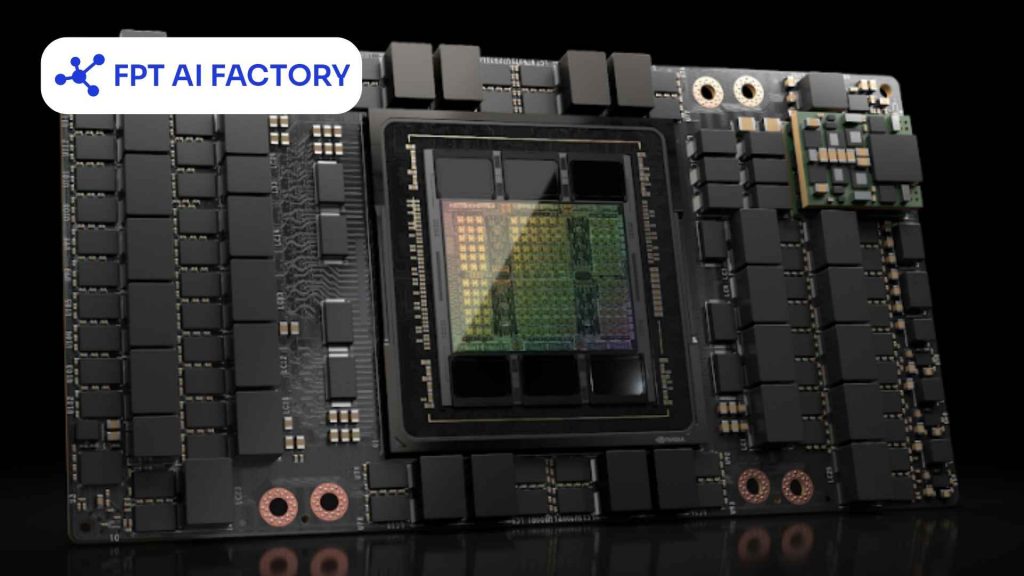
Selecting the right cloud GPU is a critical step to ensure optimal performance (Source: FPT AI Factory)
6. Tips to Reduce Your Cloud GPU Bill
Managing cloud GPU costs effectively is essential, especially for long-running or large-scale workloads. By optimizing how and when you use GPU resources, you can significantly cut expenses without sacrificing performance.
- Choose the right GPU size for your needs: Avoid over-provisioning; select a GPU that matches your workload instead of always picking the most powerful option.
- Use spot or preemptible instances: These instances are much cheaper than on-demand ones, making them ideal for non-critical or interruptible tasks.
- Shut down idle resources: Always stop or terminate GPUs when they are not in use to prevent unnecessary charges.
- Optimize your code and models: Efficient algorithms, smaller batch sizes, and optimized architectures can reduce computation time and GPU usage.
- Leverage auto-scaling: Automatically scale GPU resources up or down based on demand to avoid paying for unused capacity.
- Use scheduling for workloads: Run jobs during off-peak hours or schedule them only when needed to reduce continuous usage costs.

Managing cloud GPU costs effectively is essential
7. Cloud GPU Cost vs Buying Your Own GPU: A Quick Breakdown
The choice between buying hardware and renting cloud GPUs depends entirely on your project’s timeline and flexibility needs. Here is a quick comparison:
| Scenario | Buy (On-Premises) | Rent (Cloud GPU) |
| Initial Investment | Requires a massive upfront capital injection to purchase graphics cards, servers, and high-speed networking gear. | Zero upfront cost. You operate entirely on an operational budget, paying only for the hours or months you use. |
| Maintenance & Utilities | 100% your responsibility. | Fully managed by the provider. |
| Agility & Scalability | Highly rigid. Expanding your compute power requires dealing with supply chain delays, shipping, and physical installation. | Highly elastic. You can spin up a single instance for testing or scale out to a massive multi-GPU cluster in minutes via a dashboard. |
| Hardware Obsolescence Risk | High. Physical assets depreciate rapidly. Within 2-3 years, your expensive hardware may be outpaced by newer, more efficient architectures. | None. You are never locked into aging technology. When a newer generation is released, you simply terminate the old instance and rent the new one. |
| Ideal Workload Profile | Best for 24/7, highly predictable, steady-state workloads spanning several years. | Best for spiky workloads, rapid prototyping, short-term massive LLM training phases, and fast-moving AI startups prioritizing cash flow. |
To help you get started without upfront commitment, FPT AI Factory offers a Starter Plan that includes $100 in free credits for new users to explore the platform over 30 days. Once you register, the full $100 credit is instantly available right after login, no setup steps or approval needed, so you can immediately begin running GPU workloads, testing inference endpoints, and benchmarking real costs against your actual use case.
If you are an enterprise or organization with requirements for dedicated GPU clusters, reserved capacity, or large-scale AI deployment, please reach out to FPT AI Factory through the official contact form to receive dedicated consultation and a pricing plan tailored to your infrastructure needs.
In summary, understanding cloud GPU pricing helps organizations make smarter infrastructure decisions. With the right provider and pricing strategy in place, teams can significantly reduce compute spend, accelerate model development, and scale AI workloads sustainably without overpaying for capacity they don’t use.
If you’re ready to explore cloud GPU options or want to experience flexible, transparent GPU compute through an enterprise-ready AI platform built for the Asia-Pacific market, now is a great time to get started. Contact FPT AI Factory to receive consultation immediately!
Contact information:
- Hotline: 1900 638 399
- Email: support@fptcloud.com
Explore Related Articles:


