


In the fast-paced world of AI, choosing the right hardware is vital for success. The NVIDIA H100 vs RTX 4090 debate highlights the choice between a data center titan for massive clusters and a consumer king for local performance. This guide helps you select the GPU that best fits your technical needs and budget. Explore world-class infrastructure with FPT AI Factory and find your perfect GPU solution today!
1. NVIDIA H100 vs RTX 4090: Key differences at a glance
The key difference between the NVIDIA H100 GPU and RTX 4090 lies in their intended use. The H100 is a data center GPU built for large-scale AI training and HPC workloads, while the RTX 4090 is a high-end consumer GPU designed for gaming, creative work, and smaller-scale AI tasks.The H100 is designed to be part of a larger ecosystem, often connected via high-speed NVLink interconnects to thousands of other GPUs. In contrast, the RTX 4090 is designed as a standalone powerhouse for individual workstations, providing immense value for single-user tasks but lacking the “teamwork” capabilities of the Hopper architecture.
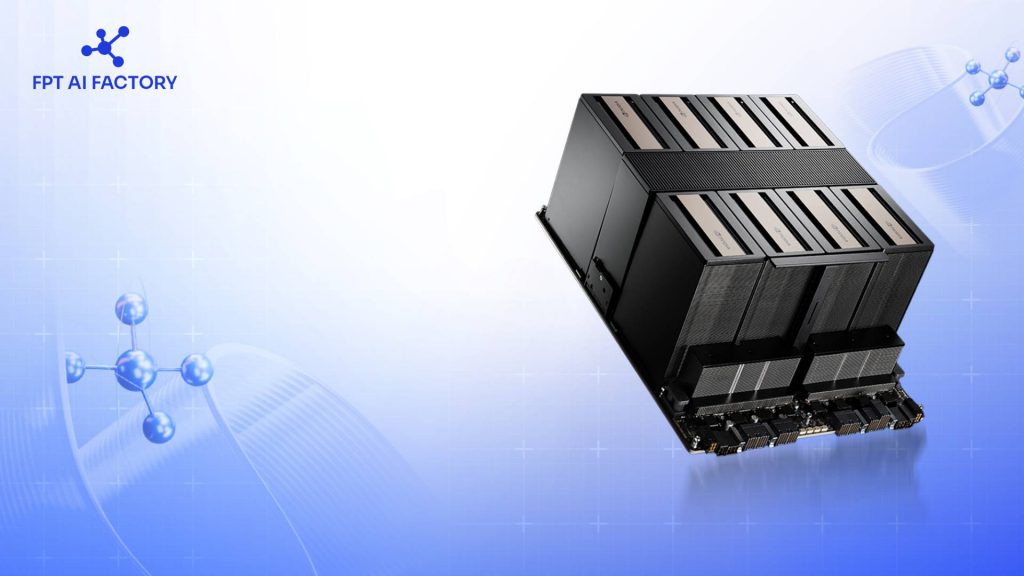
H100 GPUs are built for interconnected AI systems, while RTX 4090 GPUs are optimized for powerful standalone performance
2. NVIDIA H100 vs RTX 4090 specs and performance
2.1. Compute performance
The H100 leverages the Hopper architecture, featuring a dedicated Transformer Engine. This engine is a game-changer for Generative AI, as it automatically manages and scales precision levels (such as moving between FP8 and FP16) to maximize speed without losing accuracy.
In raw AI training tasks, the H100 can be up to 9x faster than previous generations. This speed is crucial for businesses that need to iterate on models quickly. While the RTX 4090 is powerful, it lacks the specialized hardware needed for massive parallel AI processing, making it significantly slower for large-scale enterprise-grade inference.
Furthermore, the H100 supports Multi-Instance GPU (MIG) technology. This allows a single H100 to be partitioned into seven smaller, fully isolated instances. This means one GPU can serve multiple developers or small workloads simultaneously, a feature completely absent from the RTX 4090.
2.2. Memory and bandwidth
Memory is often the biggest bottleneck in AI development. The H100 offers 80GB of high-speed HBM3 memory. This massive capacity allows it to house much larger models, or larger batches of data, entirely on-chip, reducing the need for slow data transfers from system RAM.
Bandwidth is equally critical. The H100’s 2,000 GB/s bandwidth ensures that data flows to the processing cores nearly twice as fast as the RTX 4090. While the 4090’s 24GB of GDDR6X is impressive for desktop standards, it often hits a “memory wall” when attempting to fine-tune or run inference on Large Language Models (LLMs) with over 30 billion parameters.
Because of this memory gap, the RTX 4090 often requires techniques like quantization (lowering the precision of the model) just to fit the model into memory. The H100, with its 80GB capacity, can run these models at higher precision, leading to more accurate and reliable AI outputs for business-critical applications.
2.3. Power, cooling, and hardware requirements
The RTX 4090 is designed for standard desktop setups. However, its 450W Thermal Design Power (TDP) still requires a robust power supply and a large case. It is a consumer-friendly card, but it generates significant heat that must be managed by high-end fans or liquid AIO coolers within a chassis.
The H100, especially the SXM variant, is a different beast entirely. It can pull up to 700W of power. Because it is designed for data centers, it does not have built-in fans. It relies on specialized server racks with high-velocity airflow or advanced liquid cooling loops to stay operational.
Attempting to run an H100 in a typical office environment is nearly impossible without specialized server infrastructure. This is why many organizations prefer cloud-based access. It removes the need for expensive cooling modifications, specialized electrical circuits, and the constant noise of enterprise-grade cooling systems.
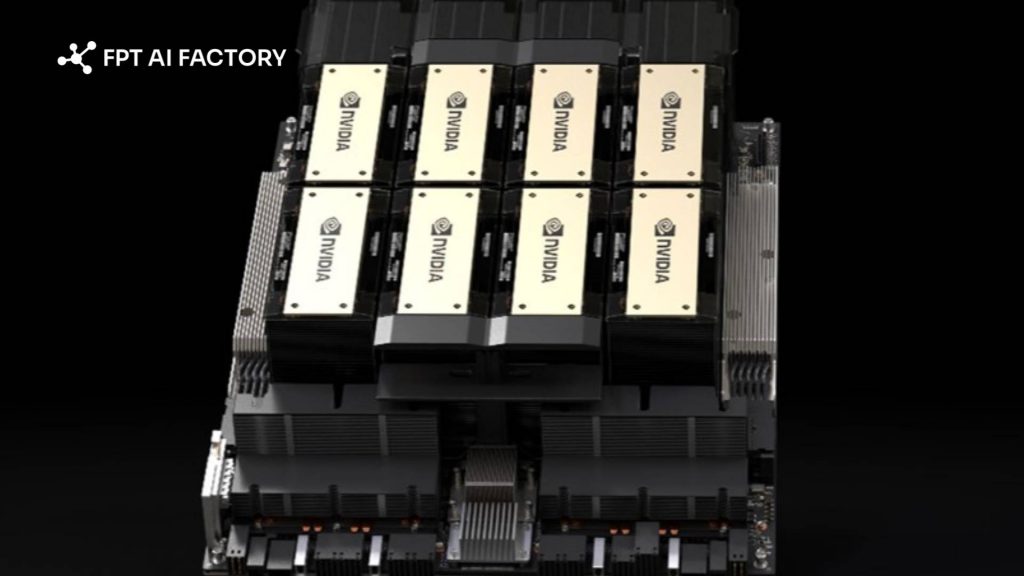
RTX 4090 GPUs can run in high-end desktops, while H100 GPUs require specialized data center power and cooling infrastructure
3. NVIDIA H100 vs RTX 4090 for different workloads
Choosing the right GPU depends on the scale and complexity of your specific AI project. Not every task requires a $30,000 GPU, but some tasks are simply impossible without one.
| Workload | NVIDIA H100 | RTX 4090 |
| LLM Training | Essential for large-scale model training (multi-GPU, 70B+) | Suitable for small to mid-size models (7B–13B), limited scalability |
| LLM Fine-tuning | Supports full fine-tuning for large models (70B+) | Best for parameter-efficient tuning (LoRA/QLoRA) on 7B–13B models |
| Stable Diffusion | Overkill for most use cases; high cost per user | Best price-performance for image/video generation |
| Object Detection | High-throughput, large-scale inference (production systems) | Suitable for prototyping and small-scale deployment |
For many businesses, the hardware cost and maintenance of an H100 are prohibitive. This is where a GPU Virtual Machine becomes the ideal middle ground. By utilizing cloud-based H100 instances, you gain enterprise-grade power for your AI workloads without the upfront capital expenditure or infrastructure headaches.
Cloud-based H100s also offer the benefit of scalability. If your project grows, you can simply spin up more instances. If you finish a training run, you can shut them down. This “pay-as-you-go” model is much more efficient for companies that don’t need 24/7 access to high-end compute power.

The right GPU choice depends on your workload scale
4. Should you choose NVIDIA H100 or RTX 4090?
The right GPU depends on your workload scale, budget, and deployment goals. In general, the H100 is built for enterprise AI and large-scale model workloads, while the RTX 4090 is better suited to local development, experimentation, and smaller-scale projects.
| Situation | GPU to use |
Why it matters |
| Training large AI models | NVIDIA H100 | High memory capacity and data center performance make it better for large-scale training |
| Fine-tuning smaller models | RTX 4090 | More cost-effective for LoRA or QLoRA workflows on smaller models |
| AI experiments on a budget | RTX 4090 | Lower entry cost for developers, researchers, and small teams |
| Enterprise inference | NVIDIA H100 | Better suited to high-throughput, large-batch, and production-scale inference |
| Gaming and 3D rendering | RTX 4090 | Built for graphics-heavy workloads with features designed for consumer and creative use |
| Workstation use | RTX 4090 | Easier to deploy in standard workstation environments |
| Need cloud access | FPT AI Factory | Gives teams access to enterprise GPU infrastructure without upfront hardware investment |
For teams that need H100-class performance without managing physical infrastructure, FPT AI Factory provides GPU Virtual Machine options that make enterprise GPU compute more accessible. This is especially useful for organizations that want to run training, inference, or AI experiments on demand, then scale usage based on actual workload needs.
In summary, the RTX 4090 is a practical choice for learning, prototyping, and cost-sensitive AI development, while the H100 is the stronger option for enterprise-scale training and inference. To explore GPU infrastructure on FPT AI Factory, new users can create an account and get started with the $100 Starter Plan. For larger or more customized deployment needs, businesses can contact the FPT AI Factory team for tailored support.
Contact information
- Hotline: 1900 638 399
- Email: support@fptcloud.com
Explore more articles:


