Continual pretraining helps large language models stay updated with new knowledge, domain-specific data, or low-resource languages without retraining from scratch. For AI teams working with specialized datasets, it can improve model relevance and adaptability before fine-tuning or deployment. In this article, FPT AI Factory explains what continual pretraining is, how it works, when to use it, and how FPT AI Studio supports LLM training workflows.
1. What is continual pretraining?
Continual pretraining is the process of continuing the training of a pretrained language model on new data. Instead of building a model from the beginning, teams start with an existing pretrained model and expose it to additional datasets so it can learn new knowledge, language patterns, or domain-specific information.
This approach is useful when a model needs to stay relevant in a changing environment. For example, an LLM may need to learn new medical terminology, legal documents, financial reports, technical documentation, or language-specific data that was not fully covered in its original training corpus.
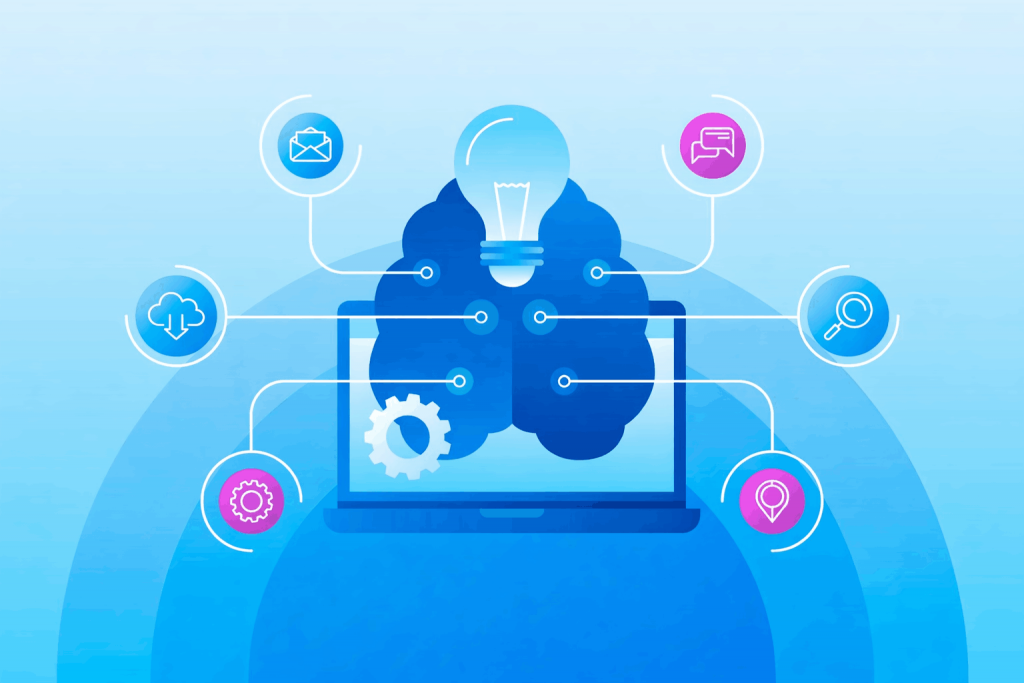
Continual pretraining updates LLMs with new knowledge and domain-specific data
2. Continual pretraining vs fine-tuning
Although continual pretraining and fine-tuning are both used to adapt LLMs, they serve different purposes. Continual pretraining focuses on expanding the model’s knowledge, while fine-tuning focuses on improving performance for a specific task or behavior.
| Aspect | Continual pretraining | Fine-tuning |
| Main purpose | Add new knowledge or domain understanding | Adapt the model to a specific task |
| Training data | Large volumes of unlabeled or weakly structured text | Smaller labeled or instruction-based datasets |
| Best for | Domain adaptation, knowledge updates, low-resource languages | Q&A, classification, chat behavior, task-specific outputs |
| Output change | Improves the model’s general understanding of a domain | Improves performance on a defined task |
| Typical stage | Before fine-tuning or deployment | After pretraining or continual pretraining |
For example, if a company wants an LLM to better understand Vietnamese healthcare documents, continual pretraining can help the model absorb domain and language knowledge. After that, fine-tuning can make the model better at specific tasks such as medical Q&A, summarization, or chatbot responses.
3. How continual pretraining works
Continual pretraining starts with an existing pretrained model and continues its training on new data. The goal is to help the model absorb additional domain knowledge, updated information, or language-specific patterns without rebuilding it from scratch. The process typically includes:
- Step 1 – Start with a pretrained model: Use a base model that already has general language understanding.
- Step 2 – Add new training data: Prepare domain-specific, language-specific, or updated datasets for the model to learn from.
- Step 3 – Continue training: Train the model further on the new corpus while preserving its existing capabilities.
- Step 4 – Monitor performance: Track metrics such as training loss, evaluation loss, and learning rate to check training stability.
- Step 5 – Evaluate the updated model: Compare the new model with the baseline using relevant benchmarks or downstream tasks.
- Step 6 – Store the model for reuse: Save the updated model for fine-tuning, testing, or inference deployment.
4. When should you use continual pretraining?
Continual pretraining is not always necessary. It is most useful when the model needs broader knowledge updates rather than only task-specific behavior.
| Use case |
Why continual pretraining helps |
| Domain adaptation | Helps the model understand specialized terminology, documents, and patterns |
| Knowledge updates | Adds newer information that was not included in the original training data |
| Low-resource languages | Improves the model’s ability to process languages or dialects with limited original coverage |
| Enterprise knowledge | Helps the model learn internal documentation, policies, or technical knowledge |
| Pre-fine-tuning preparation | Builds stronger domain understanding before task-specific fine-tuning |
Continual pretraining is especially useful for industries such as healthcare, finance, law, education, and customer support, where domain language and knowledge accuracy are important.
5. Common challenges of continual pretraining
Continual pretraining can improve model adaptability, but it also introduces technical and operational challenges. Teams need to manage data quality, compute resources, and model stability carefully.
- Catastrophic forgetting: New training data can reduce the model’s performance on previously learned knowledge if the process is not controlled properly.
- Data quality: Poor, duplicated, biased, or irrelevant data can weaken model performance instead of improving it.
- Compute requirements: Continual pretraining can require significant GPU resources, especially for larger models and datasets.
- Training stability: Learning rate, batch size, precision, and checkpointing need careful configuration to avoid unstable training.
- Evaluation difficulty: Teams need relevant benchmarks to prove whether the updated model actually performs better.
Because of these challenges, continual pretraining works best when supported by a structured AI training platform, clear monitoring, and reproducible workflows.
6. How AI Studio supports continual pretraining
AI Studio supports continual pretraining by connecting dataset management, training configuration, GPU resources, monitoring, and model storage in one workflow. This helps AI teams move from prepared datasets to updated models with less infrastructure complexity.
6.1. AI Studio workflow for continual pretraining
A continual pretraining workflow usually moves through four main stages: dataset management, training setup, monitoring, and model storage. AI Studio brings these stages into one environment so teams can manage the process more consistently.
| Stage | What happens in AI Studio from FPT AI Factory | Output |
| Dataset management | Upload and organize training and evaluation data in Data Hub | Ready-to-use dataset |
| Training setup | Select the base model, dataset, GPU resources, and training parameters | Configured training pipeline |
| Training monitoring | Track training loss, evaluation loss, and learning rate | Visibility into model adaptation |
| Model storage | Save the updated model in Model Hub | Reusable model for fine-tuning, testing, or inference |
6.2. Example: Continual pretraining Llama-3.2-1B
In the original experiment, FPT AI Studio was used to continue pretraining Llama-3.2-1B on Vietnamese datasets to improve language adaptation.
- Model: Llama-3.2-1B
- Dataset: Vietnamese news, Wikipedia content, cultural datasets, and books
- Dataset size: About 20.9GB
- Compute: 8 NVIDIA H100 SXM5 GPUs
- Training result: Training loss decreased from 2.8746 to 1.966; evaluation loss reached 2.282
This example shows how AI Studio can support continual pretraining workflows for teams that need to adapt LLMs to specific languages, domains, or enterprise knowledge sources.
Continual pretraining helps LLMs stay relevant by extending their knowledge with new, domain-specific, or language-specific data. With FPT AI Studio on FPT AI Factory, teams can manage datasets, configure training pipelines, monitor model performance, and store trained models more efficiently. New users can receive $100 in credits and start using the service immediately after logging in. For enterprises with customization needs or large-scale deployment requirements, please contact FPT AI Factory through the contact form for dedicated support.
Contact Information:
- Hotline: 1900 638 399
- Email: support@fptcloud.com