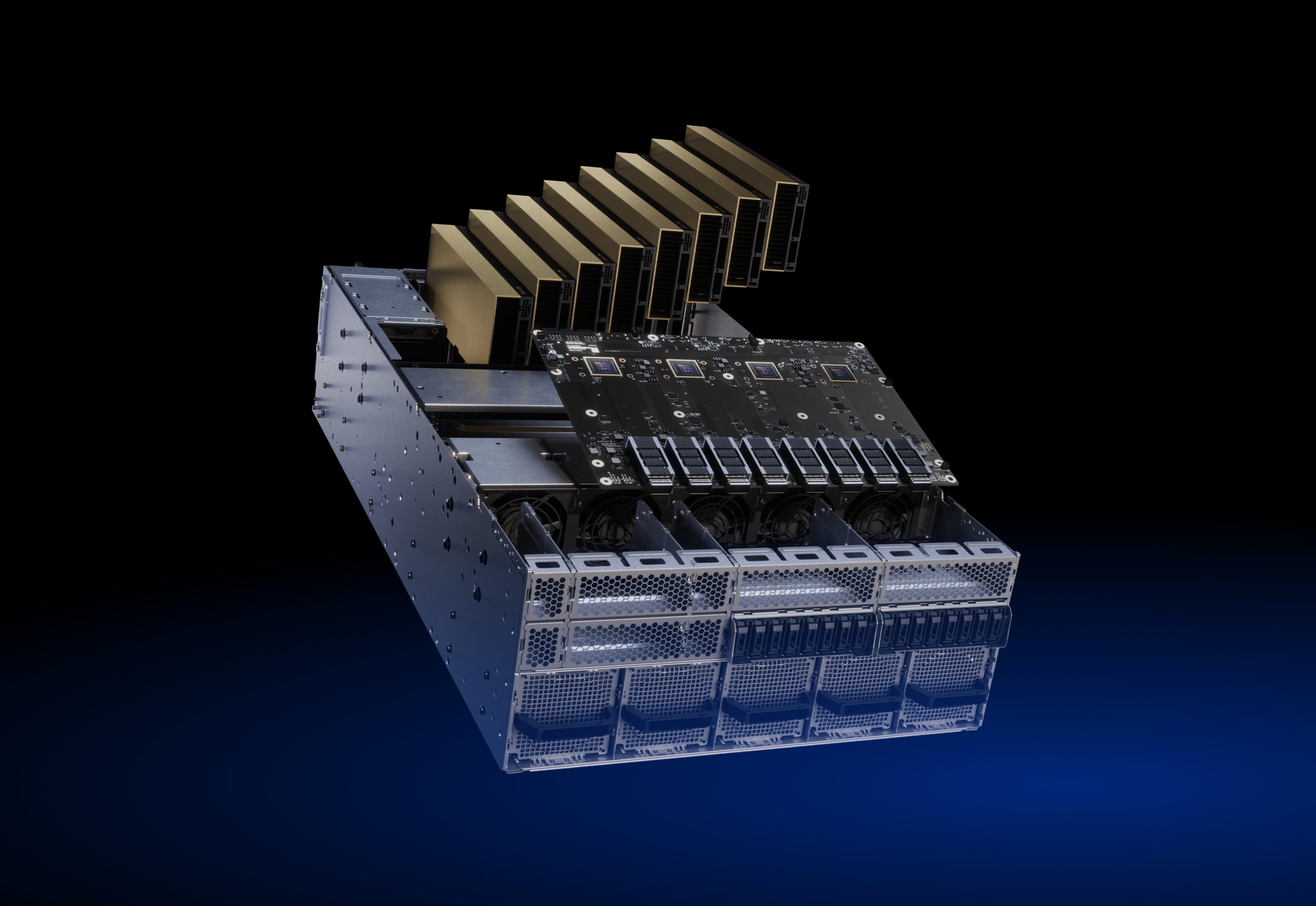
The rise of generative AI has significantly expanded the role of GPUs beyond traditional graphics processing. Today, RTX-class consumer GPUs are widely used for AI inference, Stable Diffusion workloads, LoRA fine-tuning, and RAG validation.
This tech blog provides a practical overview of the major GPU use cases in the generative AI era, with a particular focus on the capabilities and limitations of RTX-class consumer GPUs compared to data center GPU environments.
Why GPUs Became Critical for Modern LLM Workloads?
GPUs were originally built for 3D graphics rendering. Workloads such as lighting, reflections, shadows, and texture processing require millions of nearly identical calculations to be executed simultaneously across large numbers of pixels.
This led to a fundamentally different architecture from CPUs: one optimized for massive parallel computation.
While CPUs are designed for sequential processing and excel at running operating systems, application logic, and transactional workloads, GPUs are optimized to perform the same operation across massive datasets with exceptionally high throughput.
That distinction became increasingly important with the rise of generative AI.
Modern LLMs continuously perform highly parallelized operations, including:
- Large-scale matrix multiplications
- Attention computations
- Weight updates across billions of parameters
These workloads require the same numerical computations to be repeated across massive datasets, exactly the type of processing GPUs were designed to accelerate.
As a result, GPU architectures originally developed for graphics rendering have become foundational infrastructure for modern AI and LLM development.
Top 5 GPU Use Cases
1. Gaming (Real-Time 3D Rendering)
GPUs were originally designed for graphics rendering, a domain that requires massive amounts of parallel computation.
Modern 3D games and cinematic visual effects involve rendering millions of pixels, calculating realistic lighting and reflections through ray tracing, and simulating shadows, materials, and textures in real time. These workloads require the same mathematical operations to be performed repeatedly across large numbers of pixels simultaneously.
Consider the glossy finish of a vehicle in a commercial or the reflection of buildings on a water surface in a video game. These visual effects are created through physical light calculations applied to millions of individual pixels within each frame. To process these workloads efficiently, GPUs leverage thousands of compute cores capable of executing the same operations in parallel.
This massively parallel architecture enables modern graphics systems to render highly detailed scenes at interactive frame rates, often ranging from 60 to 120 frames per second. Achieving comparable real – time rendering performance with CPUs alone would be extremely difficult, as CPU architectures are optimized for sequential execution and general-purpose computing rather than large-scale parallel processing.
2. Generative AI (Stable Diffusion / LLM Inference)
Using the RTX 4090 (24GB VRAM) as a baseline, the approximate scale of AI models that can realistically be handled is summarized below.
| Model Scale | Parameter Count | Feasibility on RTX 4090 | Reference |
| 7B | Approximately 7 billion | ◎ | Comfortably Supported |
| 13B | Approximately 13 Billion | ○ | Quantization Required |
| 70B | Approximately 70 Billion | △〜× | Practically Difficult |
(With optimization techniques such as 4-bit or 8-bit quantization to reduce memory consumption, running 13B-scale models becomes realistically achievable.)
What Do “7B,” “13B,” and “70B” Mean?
The “B” in AI model names and specifications such as 7B, 13B, and 70B stands for Billion.
It represents the number of trained parameters contained within the model.
Parameter count is a critical metric that influences:
- The model’s expressive capability
- The amount of knowledge it can represent
- Its overall inference and reasoning performance tendencies
In many ways, it can be thought of as analogous to the “size of the AI’s brain.”
Examples
- 7B = approximately 7 billion parameters
- 13B = approximately 13 billion parameters
- 70B = approximately 70 billion parameters
Why Is Running a 70B Model So Difficult?
Model parameters are loaded directly into GPU memory (VRAM).
As the number of parameters increases, memory consumption grows across all major components, including:
- The model weights themselves
- Intermediate computation results (activations)
- Memory allocated for batch processing
For 70B-class models, 24GB of VRAM is generally insufficient. In practice, data center GPUs equipped with 80GB+ HBM memory become the realistic choice for stable operation and acceptable performance.
■ Stable Diffusion
Stable Diffusion generates images through a diffusion process that progressively removes noise step by step. This workflow involves large-scale matrix computations, making GPU acceleration highly important.
■ LLM Inference
LLMs are typically based on Transformer architectures, which rely heavily on parallel computation. As a result, the high-throughput parallel processing capabilities of GPUs are essential for efficient inference.
■ LoRA (Lightweight Fine-Tuning)
LoRA enables fine-tuning by training only a small set of additional parameters rather than updating the entire model. Because of this reduced computational requirement, LoRA-based tuning can realistically be performed even on RTX-class consumer GPUs.
■ RAG Architectures
In Retrieval-Augmented Generation (RAG) systems, retrieval workloads are often lightweight enough to run efficiently on CPUs. The generation stage, however, is significantly more compute-intensive, making GPUs essential for accelerating inference, reducing latency, and delivering responsive user experiences.
3. 3D Rendering and CG Production
GPUs are extensively used across industries such as film production, advertising, architecture, and product design.
■ Commercial Video Production
In television commercials and YouTube advertisements, visual effects such as:
- Glossy automotive body reflections
- Slow-motion water splashes
- Realistic reflections on glass and metal surfaces
are generated through physically based rendering (PBR).
This process requires calculating millions of pixels per frame across thousands of frames. GPUs dramatically reduce production time by executing lighting, reflection, and shadow calculations in parallel.
■ Architectural Visualization
Architectural visualization refers to highly realistic CG renderings of buildings before construction is completed.
Examples include:
- Condominium sales brochures
- Property listing websites
- Investment presentation materials for office buildings
The photorealistic interior and exterior visuals commonly seen in these materials are created using GPU-accelerated rendering workflows.
With GPU acceleration, teams can achieve:
- Near real-time reflection of design changes
- Faster client proposal iterations
- Reduced production and rendering costs
4. Scientific Computing and Parallel Processing (Leveraging CUDA)
Industries such as automotive manufacturing, finance, and pharmaceuticals rely heavily on numerical simulations for research and development. Common workloads include Computational Fluid Dynamics (CFD), Monte Carlo simulations, and molecular dynamics calculations.
■ Computational Fluid Dynamics (CFD)
CFD is a technique used to simulate the behavior of air and fluid flow through numerical computation.
Case Study: Automotive Aerodynamic Design
Typical CFD workloads involve:
- Millions to tens of millions of mesh divisions
- Pressure, velocity, and turbulence calculations
- Drag coefficient analysis
GPU acceleration significantly reduces simulation time for these large-scale calculations.
■ Monte Carlo Simulation
Monte Carlo methods perform large numbers of simulations using random variables and probabilistic modeling.
Case Study: Financial Risk Analysis
Financial institutions use Monte Carlo simulations to model factors such as:
- Interest rate fluctuations
- Foreign exchange volatility
- Market price movements
These scenarios may be simulated hundreds of thousands—or even millions—of times.
By executing simulations in parallel on GPUs, risk analysis processing time can be dramatically reduced.
■ Molecular Dynamics
Molecular dynamics simulations numerically model interactions between atoms and molecules.
Case Study: Drug Discovery Research
Typical workloads include:
- Protein–drug binding simulations
- Interatomic force calculations
- Energy minimization processes
GPU acceleration helps shorten research and development cycles in pharmaceutical and biotechnology fields.
5. Development Validation and Local AI Environments
Typical use cases include PoC development, small-scale LLM validation, and internal RAG system implementation.
Representative Consumer GPU Options
- NVIDIA RTX 4090
- NVIDIA RTX 4080 Super
- NVIDIA RTX 4070 Ti
Data Center GPU Alternatives
- NVIDIA H100
- NVIDIA H200
- NVIDIA A100
Limitations of Consumer GPUs
Consumer GPUs are highly effective for running smaller LLMs, LoRA fine-tuning, and development or validation workloads. However, due to the limitations outlined below, the gap in performance and stability between consumer GPUs and data center GPUs becomes increasingly apparent in scenarios such as:
- Operating 70B+ scale models
- Long-duration production training workloads
- Commercial environments requiring high reliability and stability
1. VRAM Capacity Constraints
Consumer GPUs such as the RTX 4090 typically provide around 24GB of VRAM at most.
For LLM workloads, this becomes the first major bottleneck.
Approximate VRAM Requirements by Model Size
- 7B models → Generally feasible with quantization
- 13B models → Possible under certain conditions
- 70B models → Extremely difficult in practice without distributed processing or offloading
Fine-tuning workloads are especially memory-intensive because they must simultaneously store:
- The model itself
- Optimizer states
- Gradient memory
- Batch data
As a result, fine-tuning often requires several times more VRAM than inference alone.
In practice, many setups fall into a situation where:
“The model can theoretically run, but there is very little operational headroom for real-world usage.”
2. Lack of ECC Support (Reliability Limitations)
ECC (Error Correcting Code) is a mechanism designed to detect and correct memory errors.
Data center GPUs such as the NVIDIA H100 and A100 are equipped with ECC memory support, while most consumer GPUs do not provide ECC functionality.
LLM training workloads handle tens of billions of parameters under conditions such as:
- Long-duration training sessions
- Massive matrix computations
- Continuous operation under extremely high load
In these environments, even a single bit flip can lead to serious issues, including:
- Corrupted training processes
- Degradation in model quality
- Increased retraining costs
While these risks may be acceptable in research or validation environments, the difference in reliability becomes much more significant in production-grade deployments.
3. No HBM Support (Memory Bandwidth Gap)
Consumer GPUs primarily use GDDR6 or GDDR6X memory.
In contrast, data center GPUs such as the H100 utilize HBM (High Bandwidth Memory).
Example Memory Bandwidth Comparison
- RTX 4090: under approximately 1 TB/s
- H100: over approximately 3 TB/s
In LLM workloads, memory access bandwidth frequently becomes the primary bottleneck.
As a result, memory bandwidth has a major impact on:
- Training speed
- Large-scale model processing efficiency
- Distributed scaling performance
This is one of the key architectural differences between consumer GPUs and data center GPUs.
Comparison Table
| Category | GPU Consumer | GPU Data Center |
| VRAM | Small to medium scale | Large capacity |
| ECC | × | ○ |
| HBM | × | ○ |
| Expected Use Case | Personal Development & Testing | Commercial & Large-Scale Training |
Differences Between Consumer GPUs and Data Center GPUs
The following table compares the key specifications and architectural differences between consumer GPUs and data center GPUs.
RTX vs. Data Center GPU Specification Comparison
| Category | RTX 4090 | H100 | H200 |
| Primary use | Personal Development / Gaming | Large-Scale AI Training | Large-Scale AI Training and Inference |
| Memory Type | GDDR6X | HBM3 | HBM3e |
| Memory Capacity | 24GB | 80GB | 141GB |
| Memory Bandwidth | Approximately 1TB/s | Approximately3TB/s | Approximately
4.8TB/s |
| ECC Support | × | ○ | ○ |
| Expected Scale | 7B〜13B | 70B〜 | Models exceeding 70B parameters |
*The figures above represent typical reference configurations.
For LLM workloads in particular, memory capacity and memory bandwidth are two of the most critical factors that determine overall performance.
What Comes Next for GPU-Powered AI?
GPUs have evolved from performance accelerators into the foundation of modern AI infrastructure. Their massively parallel architecture makes them uniquely suited for training, fine-tuning, and serving large-scale AI models, enabling organizations to move beyond experimentation and into production.
As generative AI adoption continues to accelerate, demand for GPU-powered infrastructure is growing across industries. Enterprises are increasingly investing in dedicated AI environments to develop proprietary large language models (LLMs), deploy AI applications at scale, and maintain greater control over performance, cost, and data security.
From our experience supporting AI initiatives throughout the entire lifecycle, from proof-of-concept (PoC) validation to production deployment, one factor consistently determines success: infrastructure readiness. GPU architecture, compute capacity, memory bandwidth, and scalability directly impact model development speed, inference performance, operational efficiency, and overall business outcomes.
As AI workloads become larger and more complex, understanding GPU technologies and infrastructure design is no longer just a technical consideration. It is becoming a strategic requirement for organizations seeking to build and scale competitive AI capabilities.
In upcoming articles, we will explore key architectural principles, deployment best practices, and practical lessons learned from building and operating GPU environments for enterprise AI at scale.
Terminology Reference
■ LLM (Large Language Model)
A Transformer-based deep learning model trained on massive volumes of text data to perform tasks such as text generation, summarization, and conversational interaction.
■ Stable Diffusion
An AI image generation model that uses diffusion modeling techniques to progressively reconstruct images from noise based on text prompts.
■ LoRA (Low-Rank Adaptation)
A lightweight fine-tuning method that trains only a small set of additional parameters instead of retraining the entire large-scale model. This enables task-specific model adaptation with significantly lower GPU memory and computational requirements.
■ RAG (Retrieval-Augmented Generation)
An architecture in which information is first retrieved from external databases or knowledge sources, and then used by an LLM to generate responses or documents.
■ Attention Computation
A core operation in Transformer models that calculates relationships between words or tokens within an input sequence, assigning weights to important information. This process involves large-scale matrix computations.
■ Weight Updates
The process of adjusting model parameters during training based on the difference between predicted outputs and ground-truth results. This is performed through backpropagation and requires extensive numerical computation.
■ CUDA
A GPU parallel computing platform and API provided by NVIDIA. CUDA enables developers to directly utilize GPU acceleration from languages such as C/C++ and Python for large-scale parallel computation.
■ Computational Fluid Dynamics (CFD)
A technique for numerically simulating the behavior of fluids such as air and water. Because CFD workloads involve massive mesh calculations and matrix operations, they are highly suited to GPU-based parallel processing.
■ Monte Carlo Simulation
A method that uses random variables to perform large numbers of simulations in order to estimate probabilistic outcomes. Commonly used in financial risk analysis and physics simulations, Monte Carlo workloads are highly compatible with GPU acceleration due to their repetitive computational structure.
■ Molecular Dynamics
A numerical simulation technique that models interactions between atoms and molecules over time. Widely used in drug discovery and materials science, it involves large-scale vector and force calculations.
■ VRAM Capacity
The amount of video memory installed on a GPU. In AI workloads, VRAM stores model parameters and intermediate computation results. Insufficient VRAM capacity limits the ability to run large-scale models.
■ ECC (Error Correcting Code)
A mechanism for detecting and correcting memory errors. ECC is especially important in data center environments that require long-duration, high-reliability operation.
■ HBM (High Bandwidth Memory)
A high-bandwidth memory technology used in advanced GPUs. By stacking memory chips vertically and connecting them through extremely wide buses, HBM achieves significantly higher data transfer speeds than conventional GDDR memory. In large-scale AI workloads, memory bandwidth has a direct impact on performance.
Summary
GPUs power a wide range of modern workloads, from gaming and 3D rendering to generative AI, scientific computing, and enterprise AI development.
Consumer GPUs provide an accessible platform for experimentation and small-scale AI projects, while data center GPUs are designed to support large-scale training, inference, and production deployments.
Selecting the right GPU infrastructure is a key factor in building efficient, scalable, and reliable AI systems.