


Choosing the best GPU for AI is essential for improving training speed, handling large datasets, and ensuring efficient model deployment. Whether you’re working on deep learning, machine learning, or real-time inference, the right GPU can significantly impact both performance and cost. In this guide, we’ll explore the key factors to consider, compare top GPU options, and help you find the best fit for your AI workloads with FPT AI Factory.
1. What to look for in an AI GPU?
1.1. VRAM
VRAM is the hard constraint that determines model feasibility before anything else. A 70B parameter model in BF16 already demands ~140GB, before accounting for KV cache, optimizer states, or activation checkpointing. Running out of VRAM doesn’t just slow you down; it forces architectural compromises like aggressive quantization or multi-node sharding that add latency and engineering complexity.
Why it matters: Memory capacity directly dictates whether you can run a model unsharded, which parallelism strategy you’re forced into, and how much headroom you have for longer context windows during both training and inference.
1.2. Memory bandwidth and compute performance
Evaluate bandwidth and compute together. BF16 tensor core utilization only matters if bandwidth can sustain the data pipeline. For low-batch inference, performance is primarily memory-bound, as the model spends most of its time loading weights rather than performing compute-intensive operations. Arithmetic intensity (FLOPS/byte) is the right lens: most LLM inference sits well below the roofline of even high-end GPUs.
Why it matters: A GPU with high TFLOPS but insufficient bandwidth will underperform on real workloads. Evaluate effective throughput on your actual batch sizes and sequence lengths, not peak specs.
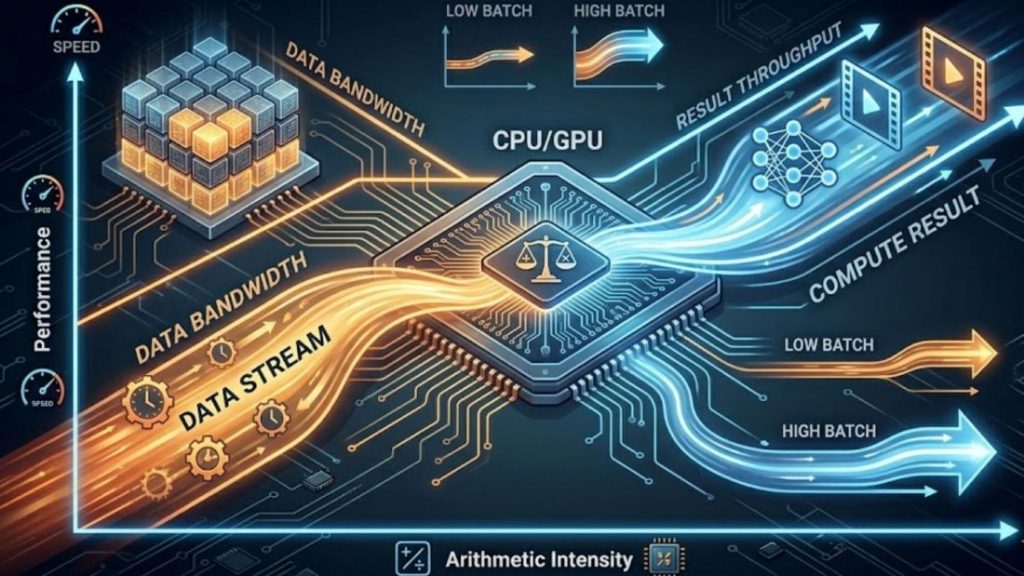
Evaluate bandwidth and compute as a coupled system, not in isolation.
1.3. Software Ecosystem (CUDA, ROCm, compatibility)
Framework support is table stakes. What actually differentiates ecosystems is kernel-level depth: FlashAttention, PagedAttention, fused ops, custom GEMM, and how fast new research primitives reach production-ready implementations.
Why it matters: Ecosystem gaps don’t show up in benchmarks; they show up as engineering weeks spent porting kernels or working around missing optimizations.
1.4. Price-to-Performance Ratio
TFLOPS per dollar is a vanity metric. The meaningful denominators are cost per training token, per fine-tuning run, and per served request at your latency SLA, all of which depend on utilization rate, memory efficiency, and stack overhead. On-demand vs. reserved capacity decisions compound TCO significantly in either direction.
Why it matters: The cheapest hardware per FLOP is rarely the cheapest hardware per business outcome. Model your actual workload patterns before committing to capacity.
1.5. Scalability
Cross-node scaling is where infrastructure quality surfaces. All-reduce overhead in data-parallel training scales with both model size and GPU cluster size, without high-bandwidth, low-latency interconnects, each additional GPU yields diminishing returns. Intra-node bandwidth governs tensor parallelism; inter-node topology governs pipeline and data parallelism at cluster scale.
Why it matters: Poor interconnect design means linear GPU spend for sublinear throughput gains. Validate scaling efficiency, ideally measured as MFU (Model FLOP Utilization) across your target cluster size before scaling out.
1.6. Multi-GPU support
Tensor parallelism demands tight, high-bandwidth GPU-to-GPU communication, bandwidth and latency here directly cap achievable parallelism degree. Data parallelism is more latency-tolerant but still requires efficient all-reduce at scale. Hybrid strategies (tensor parallel intra-node, pipeline or data parallel inter-node) need infrastructure that supports both without forcing hardware utilization trade-offs.
Why it matters: Parallelism strategy is inseparable from hardware topology. Locking into infrastructure that only supports one mode constrains how you can architect training and inference as model sizes evolve.
2. Top 5 GPUs for AI workloads
Choosing the right GPU for AI workloads is not only about raw performance metrics. It is primarily about matching hardware capabilities with real-world use cases such as model training, fine-tuning, or AI inference. In 2026, the GPU landscape can be clearly divided into two categories: enterprise-grade GPUs for large-scale AI infrastructure and consumer GPUs for development and local workloads.
2.1. Enterprise/Data Center GPUs
NVIDIA H100 Tensor Core GPU
The NVIDIA H100 GPU is widely regarded as the industry standard for modern AI infrastructure, particularly for transformer-based models and large language model (LLM) training.
Key specifications:
- 80GB HBM3 / HBM2e memory
- Up to 3.35 TB/s memory bandwidth
- 3,958 TFLOPS (FP8 Tensor performance)
- NVLink 4.0 with up to 900 GB/s GPU-to-GPU bandwidth
- Power consumption: 350W-700W
Overview: Built on the Hopper architecture, the H100 integrates a dedicated Transformer Engine designed for LLM workloads. It enables dynamic switching between FP8 and FP16 precision, which improves computational efficiency for training large-scale models.
In practice, this results in up to 4x faster training for GPT-class models, along with significantly improved inference performance compared to the previous A100 generation.
At the cluster scale, NVLink 4.0 and NVSwitch provide high-bandwidth GPU interconnects, reducing communication bottlenecks in distributed training. This makes the H100 highly efficient for tensor parallelism and pipeline parallelism across multiple GPUs.
It also supports MIG (Multi-Instance GPU), allowing a single GPU to be split into multiple isolated instances, which is useful for multi-tenant inference workloads.
Best suited for: Large-scale pre-training of 7B-70B+ models, distributed multi-node training, high-throughput production inference, and enterprise AI infrastructure deployments.
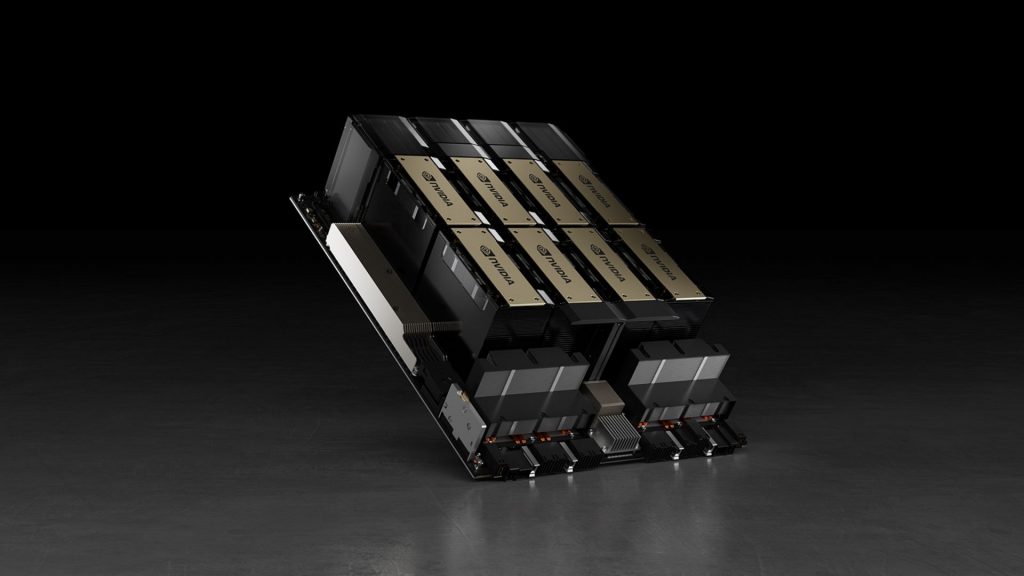
The NVIDIA H100 is the industry-standard GPU for AI, especially for transformers and LLM training
2.2 Consumer GPUs
NVIDIA GeForce RTX 4090
The RTX 4090 represents the highest-performing consumer GPU for AI workloads and is widely used by researchers and engineers who require strong local compute without relying on datacenter infrastructure.
Key specifications:
- 24GB GDDR6X memory
- Up to 1.008 TB/s memory bandwidth
- 1,321 TFLOPS (FP8 Tensor performance)
- 16,384 CUDA cores
- Power consumption: 450W
Overview: With 24GB of VRAM, the RTX 4090 can handle fine-tuning tasks for models up to approximately 13B parameters in full precision, and even larger models when using quantization techniques or parameter-efficient methods like LoRA. Its Ada Lovelace architecture and fourth-generation Tensor Cores provide strong support for modern AI frameworks, including PyTorch, FlashAttention, and vLLM, with minimal optimization effort required.
For inference workloads, it can efficiently run 7B-13B models in real time and handle larger models (up to 30B+) when heavily quantized. This makes it a highly practical choice for local AI development environments.
However, it does come with limitations such as lack of ECC memory, absence of NVLink support, and lower memory bandwidth compared to HBM-based data center GPUs.
Best suited for: Fine-tuning models under 30B parameters, local LLM inference, AI research and prototyping, and high-performance workstation setups.
>> Explore more: NVIDIA H100 vs RTX 4090: Which GPU should you choose?
NVIDIA GeForce RTX 4080
The RTX 4080 offers a balanced alternative between performance, power efficiency, and cost, making it suitable for developers who run long training or inference workloads locally.
Key specifications:
- 16GB GDDR6X memory
- 716.8 GB/s memory bandwidth
- 780 TFLOPS (FP8 Tensor performance)
- 320W power consumption
Overview: The primary limitation of the RTX 4080 is its 16GB VRAM, which directly affects the maximum model size it can handle. It is well-suited for fine-tuning models under 7B parameters in full precision or up to 13B with quantization. While its bandwidth is lower than the RTX 4090, it still performs well for single-user inference workloads.
In practice, the RTX 4080 is often chosen for environments where power efficiency and cost control are important. Its significantly lower power consumption compared to the RTX 4090 makes it more suitable for sustained workloads in constrained setups.
Best suited for: AI development environments, fine-tuning smaller models, local inference with quantized models, and cost-sensitive workstation configurations.
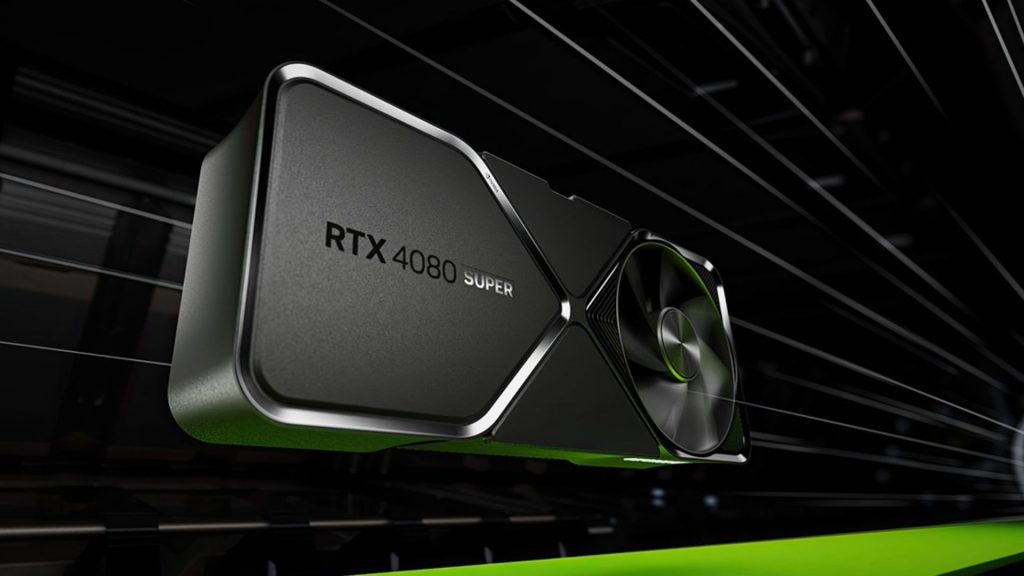
The RTX 4080 balances performance, efficiency, and cost, making it well-suited for local training and inference.
NVIDIA GeForce RTX 4070 Ti
The RTX 4070 Ti is positioned as a mid-range AI development GPU that provides solid performance for learning and experimentation at an accessible price point.
Key specifications:
- 12GB GDDR6X memory
- 504 GB/s memory bandwidth
- 641 TFLOPS (FP8 Tensor performance)
- 7,680 CUDA cores
- 285W power consumption
Overview: The main constraint of this GPU is its 12GB VRAM, which limits the size of models that can be used comfortably. It is suitable for fine-tuning smaller models (typically under 7B parameters) and running inference on quantized models up to around 13B parameters.
Despite its limitations, it provides full compatibility with the CUDA ecosystem, making it a practical entry point for developers learning AI workflows or building lightweight inference systems.
Best suited for: AI learning and experimentation, fine-tuning small models, and inference in resource-constrained environments.
AMD Radeon RX 7900 XTX
The RX 7900 XTX is AMD’s strongest consumer GPU for AI workloads and offers a compelling alternative in terms of memory capacity and pricing.
Key specifications:
- 24GB GDDR6 memory
- Up to 960 GB/s memory bandwidth (with Infinity Cache)
- ~61 TFLOPS FP32 compute performance
- 355W power consumption
Overview:
The key advantage of the RX 7900 XTX is its 24GB VRAM at a significantly lower cost compared to NVIDIA’s flagship consumer GPUs. With ROCm and PyTorch support improving steadily, it can handle standard training and inference workflows without major issues.
In certain LLM inference scenarios, it can even approach or surpass RTX 4090 performance, particularly in memory-bound workloads. However, the main trade-off is ecosystem maturity. CUDA remains significantly more optimized, especially for custom kernels and advanced AI tooling.
Best suited for: Open-source LLM workflows, memory-heavy inference tasks, and cost-efficient AI setups where ROCm compatibility is acceptable.
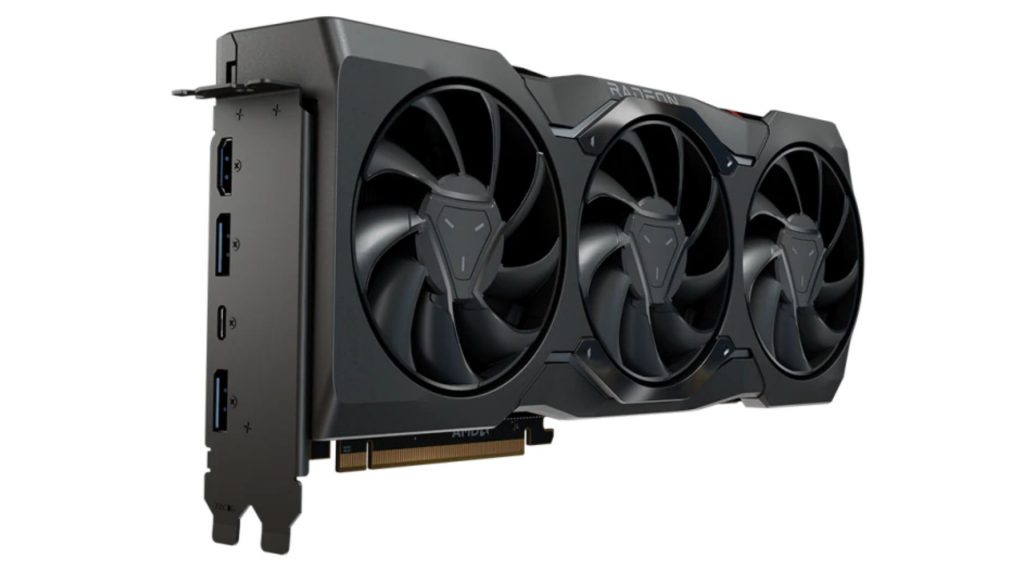
The RX 7900 XTX is offering strong memory capacity at a competitive price.
3. GPU Technical Comparison
This section compares the three leading AI GPU architectures in 2026: NVIDIA Hopper, NVIDIA Blackwell, and AMD CDNA 3. These platforms represent different directions in AI hardware design, from proven large-scale training systems to next-generation frontier compute and memory-optimized inference solutions. The comparison highlights key factors such as compute architecture, memory bandwidth, interconnect technology, and overall suitability for training, fine-tuning, and inference workloads.
| Factor | NVIDIA Hopper (H100 / H200) | NVIDIA Blackwell (B200 / B100) | AMD CDNA 3 (MI300X) |
| Architecture | Hopper | Blackwell | CDNA 3 |
| Launch | 2022-2023 | 2024-2025 | 2023-2024 |
| CUDA Cores | ~16,896 (H100 SXM) | N/A (new SM design, not core-based marketing) | N/A (stream processors, not CUDA) |
| Tensor Cores | 4th Gen Tensor Cores | 5th Gen Tensor Cores | AI Matrix Cores (no direct equivalent to CUDA Tensor Cores) |
| Boost Clock (GHz) | ~1.6-1.8 GHz | ~1.8-2.0 GHz (est.) | ~2.1-2.5 GHz (varies by SKU) |
| Computing Capability | CUDA Compute Capability 9.0 | Next-gen (9.x+) | ROCm CDNA compute (gfx94x) |
| Memory | 80GB HBM3 / 141GB (H200 HBM3e) | Up to 192GB HBM3e (est.) | 192GB HBM3 |
| Memory Bandwidth | ~3.35 TB/s | ~8 TB/s (expected class improvement) | ~5.3 TB/s |
| Interconnect | NVLink 4 | NVLink 5 | Infinity Fabric |
| TDP | ~700W | ~1000W (rack-scale optimized) | ~750W |
| Transistors | ~80 billion | >200 billion (estimated class jump) | ~153 billion |
| Manufacturing | TSMC 4N | TSMC advanced node (3N-class) | TSMC 5nm + chiplet design |
| Best for | AI researchers, ML engineers, startups, and enterprise teams focused on LLM training, fine-tuning, and medium-to-large scale inference workloads | Big tech companies, AI labs, and hyperscalers working on frontier model training, large-scale distributed training, and next-generation AI infrastructure | Teams focused on large-model inference, cost-efficient deployment, and memory-heavy workloads, especially when high VRAM (192GB) is a key requirement |
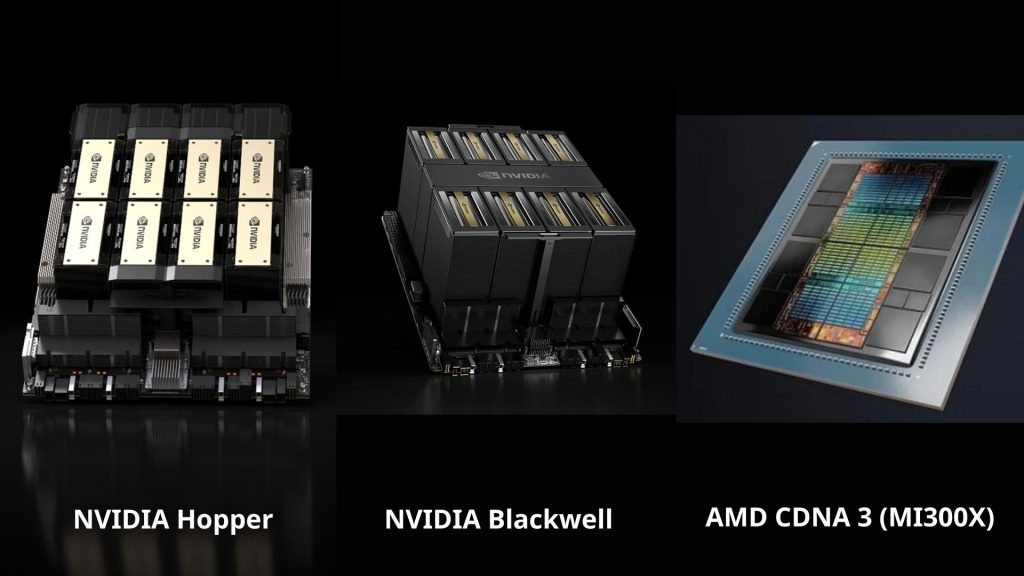
Compares NVIDIA Hopper, Blackwell, and AMD CDNA 3 across compute, memory, interconnects, and AI workloads.
4. Best GPU for AI by Use Case
4.1. Running Local LLMs (LLaMA, Mistral, Ollama)
Running LLMs locally is the most VRAM-hungry use case when the entire model weights must fit in GPU memory. Models at 7B-13B parameters require at least 8-16GB VRAM; 70B models need 48GB+ or multi-GPU setups.
Top picks:
- NVIDIA RTX 4090 (24GB): best consumer option, handles 13B-34B models smoothly at full precision
- RTX 3090 / 4080 (24GB/16GB): more budget-friendly, ideal for 7B-13B models
- AMD RX 7900 XTX (24GB): great VRAM-per-dollar ratio, but ROCm software support still lags behind NVIDIA’s CUDA ecosystem
Key note: With Ollama and llama.cpp, inference speed depends more on memory bandwidth than raw CUDA core count. If the model exceeds your VRAM, the overflow offloads to system RAM, causing a significant performance drop.
4.2. Image Generation (Stable Diffusion, Midjourney-style)
Image generation is less VRAM-intensive than LLMs, but generation speed (images/second) is heavily influenced by tensor core performance and memory bandwidth.
Top picks:
- RTX 4090: fastest consumer GPU available, generates 512×512 images in under a second
- RTX 4070 Ti / 4080 (12-16GB): solid price-to-performance balance, handles SDXL comfortably
- RTX 3060 (12GB): budget-friendly option, runs SD 1.5 and SDXL with proper optimizations
Key note: SDXL requires at least 8GB VRAM. Features like ControlNet, LoRA stacking, or video generation (AnimateDiff) need 12GB+. AMD GPUs can run these workloads but typically fall behind NVIDIA at similar price points due to pipeline optimizations.
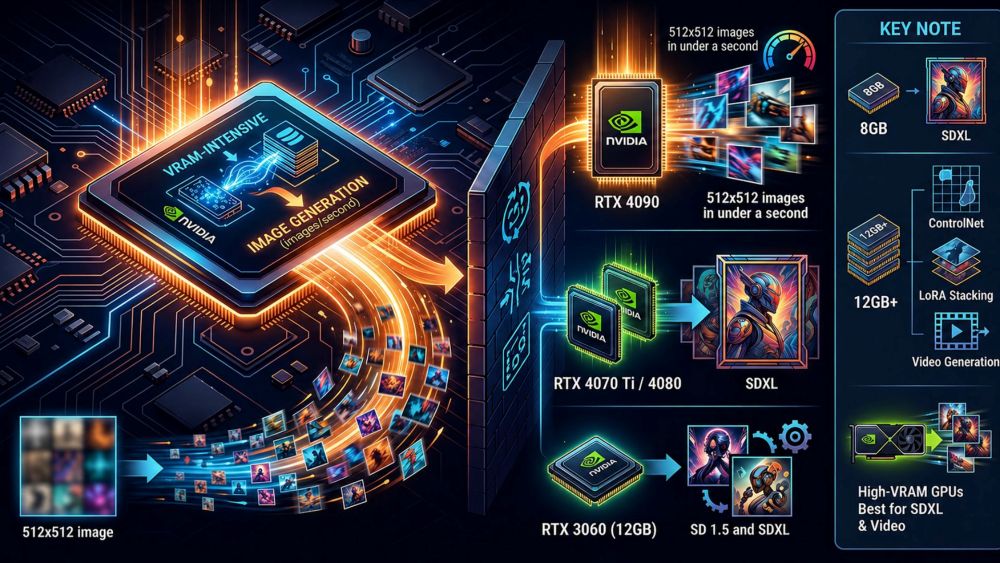
Image generation uses less VRAM than LLMs, but speed is driven by tensor performance and memory bandwidth.
4.3. AI-Assisted Coding and Development
This use case demands far less GPU power than training or local LLM inference, most workflows rely on cloud APIs (GitHub Copilot, Claude, Cursor). However, if you want to run a local coding model (DeepSeek Coder, CodeLlama), requirements mirror those of local LLMs.
Top picks:
- RTX 4060 Ti / 4070 (8-12GB): sufficient for small local coding assistants running alongside your IDE
- RTX 4090: ideal if you combine coding with fine-tuning or need to run larger models
- Apple M-series (M3 Pro/Max): unified memory architecture efficiently runs 7B-13B coding models without a discrete GPU
Key note: For API-based workflows, a powerful dedicated GPU is largely unnecessary. Apple Silicon is particularly compelling for developers when the shared memory pool lets you run capable local models that a comparable discrete GPU setup would struggle to fit.
4.4. Fine-Tuning Small Models
Fine-tuning demands significantly more VRAM than inference because it must store gradients, optimizer states, and activations during the backward pass. That said, techniques like LoRA and QLoRA make it feasible to fine-tune 7B-13B models on consumer hardware.
Top picks:
- RTX 4090 (24GB): the go-to consumer GPU for fine-tuning; handles QLoRA on 13B models easily and full fine-tuning on 7B
- RTX 3090 / 4080 (24GB/16GB): more affordable alternatives, still capable for QLoRA workflows
- NVIDIA A100 / H100: necessary for fine-tuning 30B+ models or production-scale jobs; typically rented via cloud platforms like RunPod or Lambda Labs
Key note: QLoRA with bitsandbytes reduces VRAM requirements by 50-70%. With 24GB of VRAM, fine-tuning Mistral 7B or LLaMA-2 13B on a personal machine is entirely achievable, no cloud required.
5. Cloud GPUs: An Alternative to Buying Hardware
A major challenge in AI development is that modern models quickly outgrow consumer hardware. Training or running large models (7B-70B+) often requires expensive GPUs, multi-GPU setups, and complex infrastructure, while smaller GPUs are limited by VRAM and scalability.
Cloud GPUs solve this gap by letting users access high-performance compute on demand without investing in physical hardware.
They are especially useful for:
- Training and fine-tuning large language models
- Running inference for models beyond local GPU memory limits
- Rapid experimentation without setup overhead
- Scaling workloads without managing infrastructure
For users or teams that do not want to invest in physical hardware, FPT AI Factory provides AI Cloud services with GPU infrastructure and AI/ML training solutions for both enterprise and individual use cases. The platform supports flexible GPU access, model development, training, and inference without requiring users to manage physical servers.
- For enterprises: FPT AI Factory offers customizable AI infrastructure solutions for organizations that need dedicated GPU resources, scalable environments, and tailored support for AI training, fine-tuning, and inference workloads.
- For individual users and small teams: FPT AI Factory allows developers, researchers, and small teams to create an account and use cloud GPU services through a pay-as-you-go model. New users can also receive $100 in Starter Plan credits to experience the platform and test AI workloads before scaling further.
These services make it possible to run AI workloads directly in the cloud, helping users reduce hardware investment, setup complexity, and infrastructure maintenance.

FPT AI Factory provides GPU cloud services (Source: FPT AI Factory)
In conclusion, there is no single best GPU for AI in 2026, as the right choice depends on workload complexity, model size, data volume, and business scale. When local hardware is not enough, cloud GPU services such as FPT AI Factory provide a flexible way to access GPU infrastructure for AI development, training, and inference without upfront hardware investment. The platform also offers $100 free credit for users who want to test workloads or validate ideas, while enterprises with custom requirements can contact FPT AI Factory through the official contact form for tailored consultation and infrastructure solutions.
Contact information:
- Hotline: 1900 638 399
- Email: support@fptcloud.com
Explore related articles:
Top best AI tools need to know for researchers in 2026
Agentic AI vs AI agents: key differences and how to choose
Best GPUs for AI in 2026: Use Case and Performance


