


Choosing the best GPU for AI training isn’t just about raw power, it depends on your model size, training scale, and budget. From personal setups using consumer GPUs to enterprise AI factories built on high-performance clusters, each option is designed for a different use case. In this guide, FPT AI Factory breaks down the key factors that define an effective training GPU, compares top options across segments, and helps you decide whether to invest in hardware or leverage scalable GPU cloud services for your AI workloads.
1. What makes a GPU good for AI training?
Not all GPUs are built for AI training. While standard graphics cards focus on rendering, training workloads demand a different balance of memory, compute efficiency, and scalability. A strong AI training GPU is defined by four core factors: VRAM capacity, tensor performance, memory bandwidth, and the ability to scale across multiple GPUs.
1.1. VRAM (model size)
VRAM is the primary constraint in AI training, as it must store model parameters, gradients, optimizer states, and intermediate activations. In practice, memory usage goes far beyond the raw model size, especially during full training, where additional states significantly increase total memory requirements.
As model size scales, memory demand grows rapidly, often requiring multi-GPU setups or advanced techniques such as model parallelism, gradient checkpointing, or quantization. While GPUs with 80GB VRAM can handle many workloads, higher-memory GPUs (140GB+) simplify training by reducing engineering complexity and improving overall efficiency.
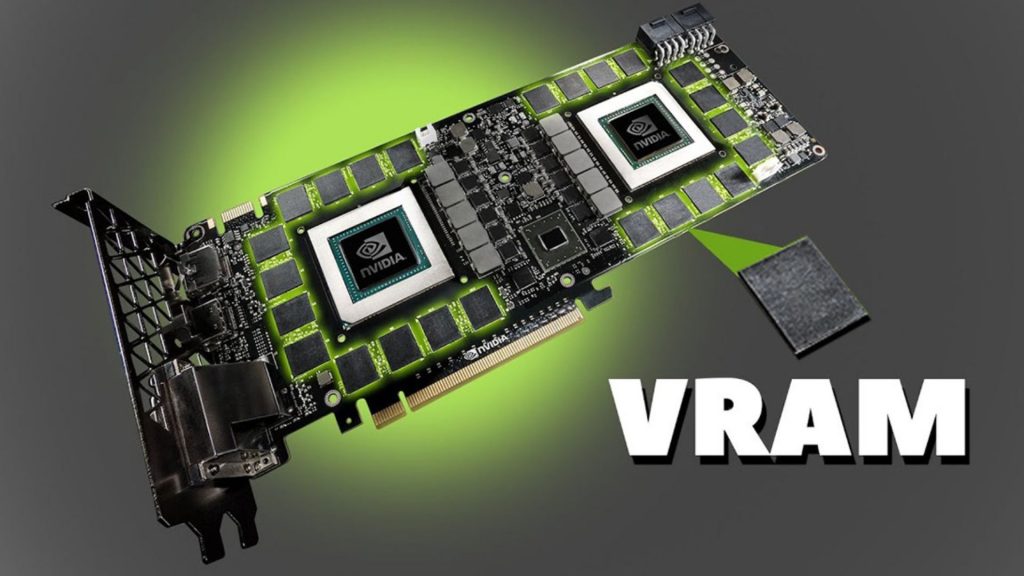
Illustration of VRAM scaling in AI training, showing how memory requirements rapidly increase with model size.
1.2. Tensor performance (FP16 / FP8)
AI training is dominated by matrix multiplications accelerated by tensor cores, making tensor performance, especially at lower precision like FP16 and FP8, a key driver of training speed. Modern GPUs are optimized for mixed precision, with FP8 delivering even higher throughput and efficiency. This not only boosts raw performance but also enables larger batch sizes and better utilization, leading to faster convergence.
1.3. Memory bandwidth
While compute power matters, many AI workloads, especially transformers, are memory bandwidth–bound, meaning data transfer speed between VRAM and compute units is the real bottleneck. Consumer GPUs offer ~1 TB/s, while data center GPUs reach 3-5 TB/s, significantly reducing idle time and improving utilization. Higher bandwidth ensures smoother data flow and faster training, while low bandwidth can limit overall performance even with strong compute.
1.4. Multi-GPU scaling (NVLink, InfiniBand)
As models grow, single-GPU training becomes impractical, making multi-GPU scaling essential but performance depends on communication efficiency, not just GPU count. Technologies like NVLink (intra-node) and InfiniBand (inter-node) enable high-bandwidth, low-latency data exchange for distributed training. Strong interconnects allow near-linear scaling, while weak ones create bottlenecks that limit overall performance.
2. Top best GPUs for AI Training
The “best” GPU for AI training is not universal, it depends heavily on your workload scale, model size, and infrastructure. In general, the market can be divided into two main categories: enterprise-grade GPUs designed for large-scale AI factories and distributed training environments, and consumer or prosumer GPUs optimized for individual developers, startups, and smaller teams.
Enterprise GPUs prioritize maximum performance, massive VRAM, and high-speed interconnects for multi-node scaling. In contrast, consumer GPUs offer a more accessible entry point, balancing cost and performance for experimentation, fine-tuning, and mid-scale training.
2.1. Enterprise-grade GPUs (Large-scale AI & LLMs)
These GPUs are built for data centers, AI factories, and organizations training large language models or running production-scale AI systems.
NVIDIA H100 (SXM)
The NVIDIA H100 SXM is one of the most widely adopted GPUs for large-scale AI training, offering high-end performance with strong multi-GPU scalability through NVLink.
- Key strength: Up to ~3,958 TFLOPS (FP8) with ~3.35 TB/s memory bandwidth
- Memory: 80GB HBM3
- Best for: Distributed LLM training, multi-node clusters, production AI pipelines
Its SXM form factor enables significantly higher power limits and interconnect bandwidth compared to PCIe, making it the preferred option for AI data centers.
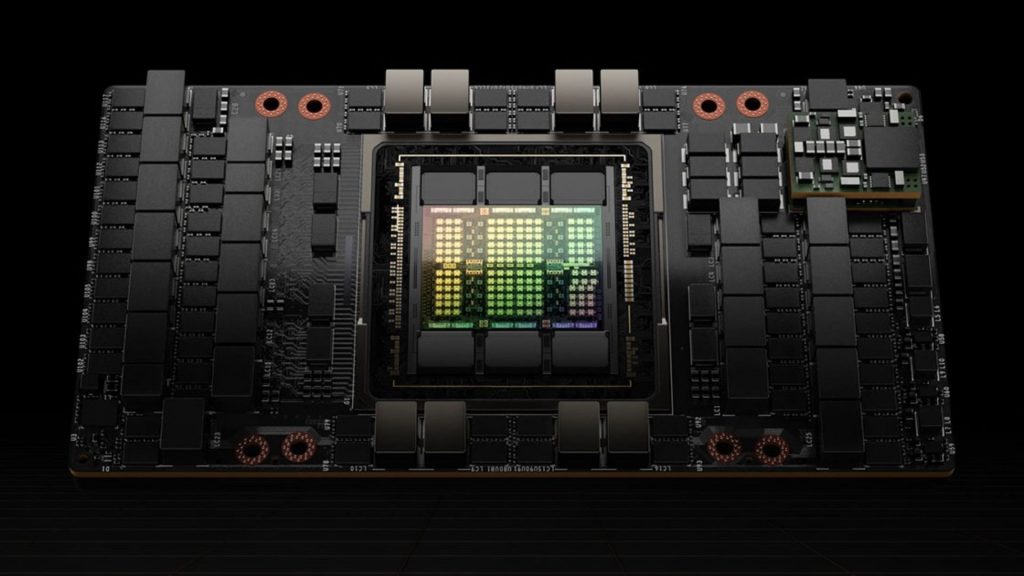
The NVIDIA H100 SXM is ideal for large-scale distributed LLM training and data center deployments.
NVIDIA H100 (PCIe)
The PCIe version of the H100 provides similar architecture benefits but with lower power and interconnect capabilities, making it more flexible for standard server deployments.
- Key strength: Hopper architecture with FP8 support
- Trade-off: Lower bandwidth and scaling efficiency vs SXM
- Best for: Enterprise environments that need flexibility without full DGX infrastructure
This version is often used in cloud environments where deployment flexibility matters more than absolute peak performance.
NVIDIA A100
The A100 remains a reliable and cost-effective choice for many enterprise AI workloads, particularly in mature production environments.
- Key strength: 312 TFLOPS (FP16), up to ~624 TFLOPS with sparsity
- Memory: 40GB / 80GB HBM2e
- Unique feature: MIG (Multi-Instance GPU) for workload partitioning
- Best for: Production ML systems, inference workloads, cost-optimized training
Although newer GPUs outperform it, the A100 still offers strong value due to its mature ecosystem and widespread availability.
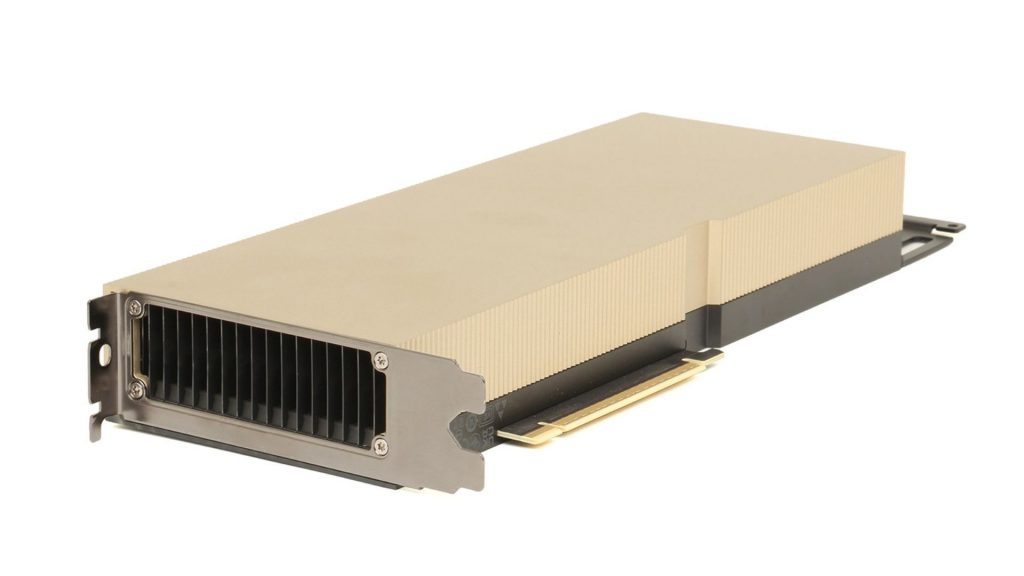
The NVIDIA A100 offers strong stability and MIG support for production ML, inference, and cost-efficient training.
>>> Read more: A100 vs H100: Which GPU is better for AI workloads?
AMD Instinct MI300X
The MI300X is AMD’s flagship AI accelerator, notable for offering one of the largest VRAM capacities in a single GPU.
- Key strength: 192GB HBM3 memory and ~5.3 TB/s bandwidth
- Best for: Memory-intensive workloads, large-context LLMs, multi-modal AI
Its massive memory allows certain large models to run on fewer GPUs, reducing the need for complex parallelism strategies. However, the software ecosystem is still less mature compared to NVIDIA’s CUDA stack.
NVIDIA H200
Compared between H100 vs H200, H200 focuses on memory improvements rather than raw compute changes.
- Key strength: 141GB HBM3e and ~4.8 TB/s bandwidth
- Best for: Memory-bound workloads, long-context LLM inference and training
It is particularly effective when working with large sequence lengths or models that exceed the 80GB limit of H100.
2.2. Consumer-grade GPUs
These GPUs make AI training accessible to individuals, startups, and smaller teams. While they cannot match enterprise hardware at large scale, they are highly effective for fine-tuning, experimentation, and mid-sized workloads. This category also includes professional data center GPUs such as L40S, which bridge the gap between enterprise infrastructure and flexible deployment environments.
NVIDIA RTX 4090
The RTX 4090 has become the de facto standard for serious individual AI practitioners due to its strong performance-to-cost ratio.
- Key strength: Up to ~1,321 AI TOPS with advanced Tensor Core acceleration
- Memory: 24GB GDDR6X
- Memory bandwidth: ~1 TB/s
- Best for: Fine-tuning LLMs, computer vision, local training setups
In practice, it can handle most modern workloads below large-scale LLM training and is widely used by researchers and startups for rapid iteration.
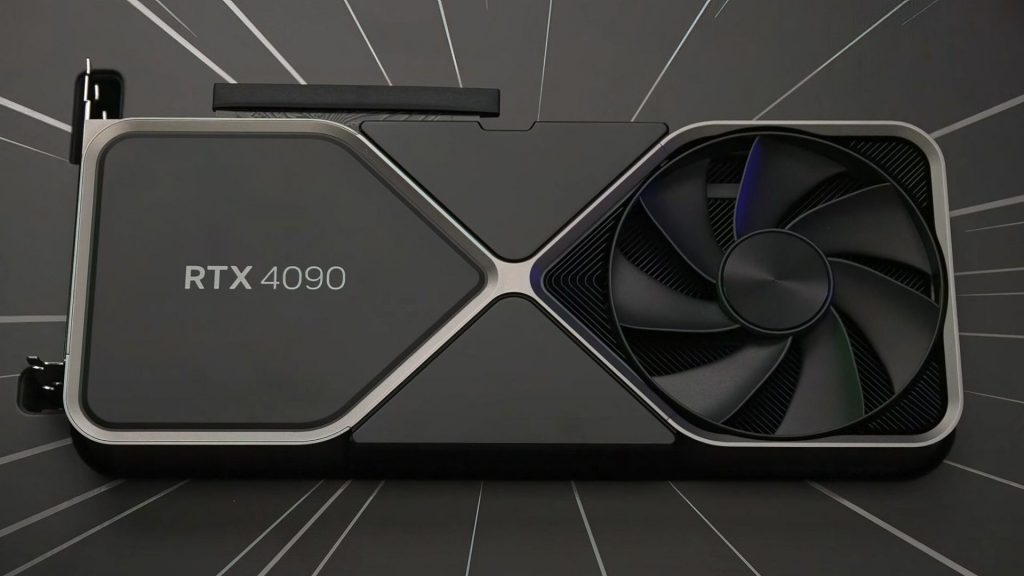
The NVIDIA RTX 4090 is ideal for fine-tuning, computer vision, and local AI training.
>>> Read more: NVIDIA H100 vs RTX 4090: Which GPU should you choose?
NVIDIA L40S
The L40S is a data center GPU designed for both AI and graphics workloads, bridging the gap between enterprise AI acceleration and flexible deployment environments.
- Key strength: 48GB VRAM with strong FP16 and AI performance
- Unique advantage: Supports both rendering and AI workloads
- Best for: Computer vision, generative AI, and visual AI pipelines
It is particularly useful in environments that require both GPU rendering and AI processing within the same workflow.
NVIDIA RTX 4080 Super
A strong alternative to the 4090, offering slightly lower performance but better efficiency and cost balance.
- Key strength: High efficiency with 16GB VRAM
- Best for: Mid-scale training, Stable Diffusion, Kaggle competitions
It delivers most of the performance needed for practical AI workloads without the higher cost of flagship GPUs.
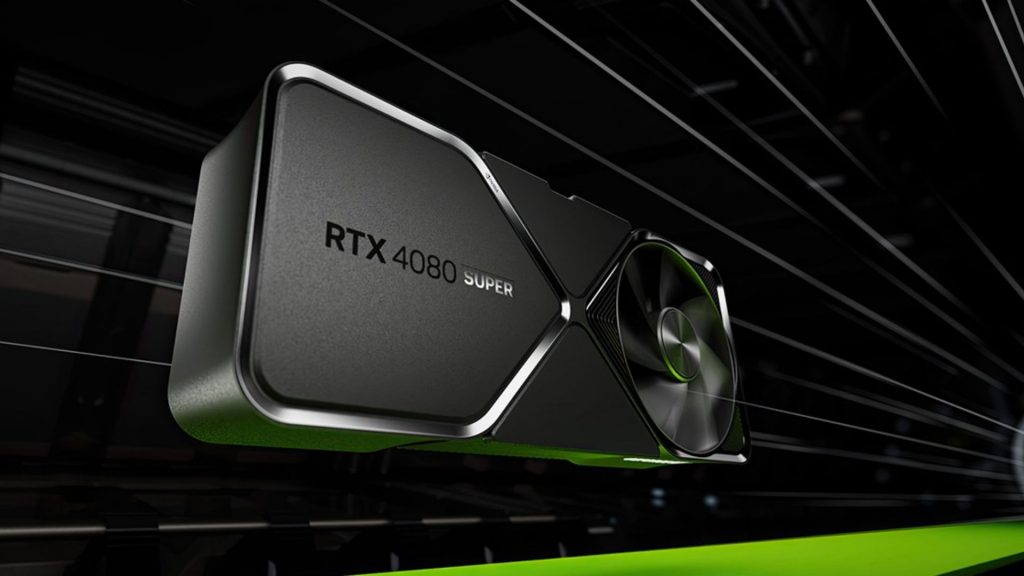
The NVIDIA RTX 4080 Super offers strong efficiency and cost balance, making it a solid choice for mid-scale training.
NVIDIA RTX 4070 Super / 4060 Ti (16GB)
These GPUs provide an entry point for AI development with reasonable performance and lower power consumption.
- Key strength: Good performance-per-watt
- Limitation: VRAM (12GB–16GB) restricts large models
- Best for: Learning AI, prototyping, small-scale fine-tuning
They are ideal for students or developers building foundational skills before scaling up.
AMD Radeon RX 7900 XTX
AMD’s high-end consumer GPU offers competitive hardware specs but comes with trade-offs in software support.
- Key strength: 24GB VRAM and strong raw compute performance
- Limitation: Less mature AI ecosystem compared to CUDA
- Best for: Open-source experimentation, cost-sensitive setups
It can perform well in optimized environments but may require additional setup effort.
3. Best GPU by training cases
In practice, GPU selection for AI training is driven less by specs on paper and more by what actually works under real workloads. Each training scenario, LLM pretraining, fine-tuning, diffusion, or distributed training, exposes different bottlenecks, and the “best” GPU is the one that removes that bottleneck with the least complexity and cost.
3.1. For training large LLMs
When training large language models (30B–100B+), the challenge is not just compute power but keeping GPUs fully utilized across multiple devices.
A typical real-world setup for a 70B model might involve:
- 8× H100 (80GB) with tensor + pipeline parallelism
- Per-GPU batch sizes often limited to 1–2 sequences due to memory pressure
- Activation checkpointing enabled to stay within VRAM limits
In this scenario, switching to higher-memory GPUs such as H200 (141GB) or MI300X (192GB) can immediately simplify the setup. Instead of aggressive sharding, teams can increase batch size or context length, which improves throughput more effectively than adding more GPUs.
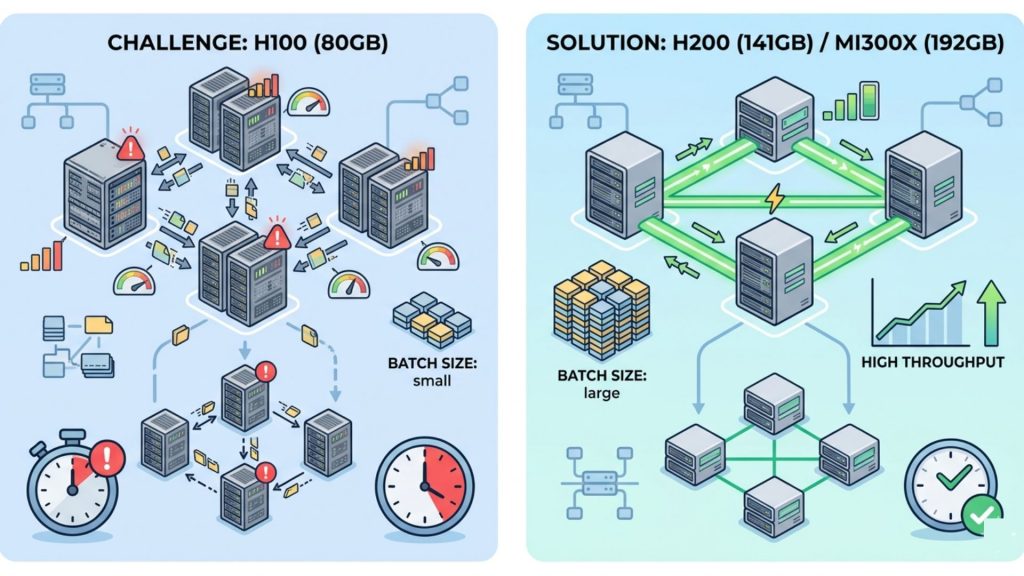
Comparing multi-GPU H100 setups with limited batch sizes versus higher-memory GPUs like H200 that enable simpler scaling and better throughput.
Another practical observation is that scaling beyond a single node quickly becomes network-bound. For example, training a 70B model across 16–32 GPUs without high-bandwidth interconnects leads to significant idle time during gradient synchronization. Systems using H100 SXM with NVLink tend to maintain much higher utilization compared to PCIe-based setups.
3.2. For fine-tuning
Fine-tuning is where hardware requirements drop significantly, and cost efficiency becomes the main concern.
A common real-world workflow today looks like:
- 7B model fine-tuned with QLoRA on a single RTX 4090 (24GB)
- Batch size ~4–8 with 4-bit quantization
- Training completes in a few hours to a day depending on dataset size
For slightly larger setups:
- 13B model → typically 1–2× RTX 4090 or 1× A100
- 70B model (LoRA) → 4–8× A100 with distributed setup
What teams often find is that upgrading from A100 to H100 does not drastically change fine-tuning performance, because these workloads are not compute-saturated. Instead, the limiting factor is usually VRAM or I/O, meaning the extra tensor performance is underutilized.
As a result, many startups and research teams standardize on RTX 4090 for experimentation and A100 for scaling, only moving to H100 when they need faster iteration cycles at production scale.
3.3. For diffusion training
Diffusion workloads behave very differently from LLMs, with much higher sensitivity to image resolution and activation size.
A practical example:
- Training Stable Diffusion XL at 1024×1024 resolution on RTX 4090
- Batch size typically limited to 1–2 images per GPU
- Increasing resolution to 2048×2048 can immediately exceed 24GB VRAM
In this case, moving to GPUs with larger memory such as L40S (48GB) or A100 (80GB) allows:
- Larger batch sizes (2–4× increase)
- More stable gradients
- Faster overall convergence despite similar raw compute
For video diffusion or multi-frame generation, memory requirements grow even faster because activations scale with both spatial and temporal dimensions. Teams working on these models often prioritize VRAM and bandwidth over pure TFLOPS, since insufficient memory leads to constant checkpointing and recomputation.
3.4. For multi-node scaling and distributed training
Once training moves beyond a single machine, adding more GPUs does not automatically translate into faster training. The main bottleneck becomes communication between GPUs.
A typical scaling scenario:
- 8× A100 within one node → high efficiency (~90%+ utilization)
- Expanding to 16–32 GPUs across nodes → efficiency drops if networking is insufficient
For example, teams often observe that:
- PCIe-based clusters suffer from slower gradient synchronization
- NVLink-connected H100 systems maintain much higher throughput at scale
- Poor networking can result in GPUs spending a significant portion of time idle
In large-scale LLM training, it is common for communication overhead to dominate compute time if the system is not optimized. This is why setups using H100 SXM with NVLink and InfiniBand are preferred for clusters beyond 16 GPUs, where bandwidth and latency directly impact scaling efficiency.
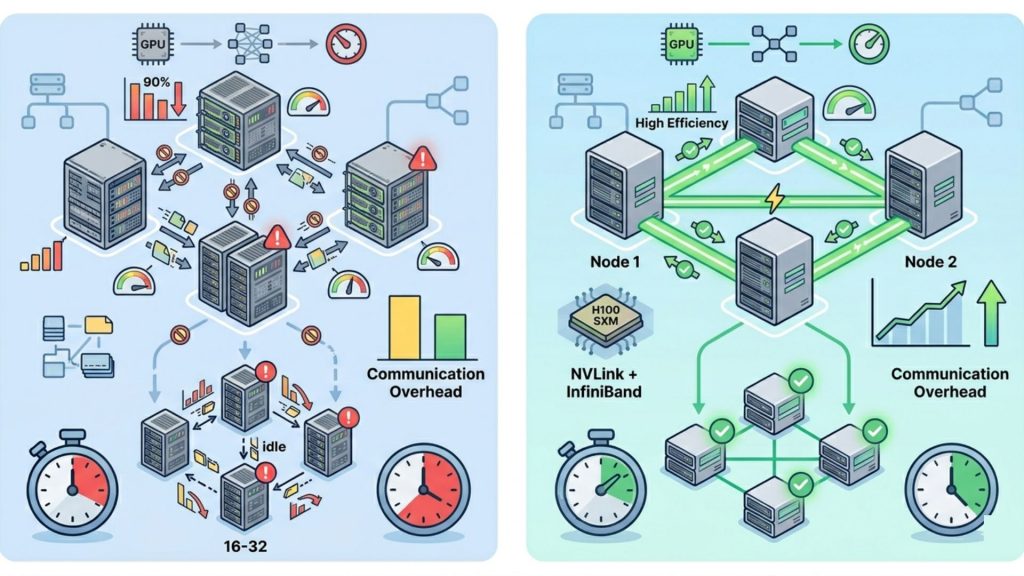
Optimized scaling using NVLink and InfiniBand for higher utilization and faster performance.
4. Buy vs. Rent: should you own your training GPUs?
4.1. Total Cost of Ownership
| Cost Factor | Cloud GPUs (Rent) | On-Prem GPUs (Buy) |
| Upfront cost | None | $150K–$400K+ per cluster |
| Pricing model | Pay per GPU-hour | Fixed investment (depreciated 3–5 years) |
| Utilization impact | Pay only when used | Must maintain high utilization |
| Scaling | Instant (minutes) | Slow (weeks–months procurement) |
| Maintenance | Managed by provider | Internal responsibility |
| Hidden costs | Data egress, idle time (~10–15%) | Power, cooling, staffing |
| Cost efficiency | Better for <~3,000 hrs/year | Better for continuous workloads |
| Flexibility | Very high | Limited |
Enterprise Perspective
In practice, most organizations adopt a hybrid approach to balance cost and flexibility. Enterprises typically rely on cloud GPUs for experimentation, burst workloads, and quick access to the latest hardware like H100 or H200, while maintaining on-prem infrastructure for stable pipelines that run continuously or require large clusters operating at high utilization.
Individual / Startup Perspective
For individuals and startups, the pattern is similar but at a smaller scale. Local GPUs such as the RTX 4090 are commonly used for development and iteration, while cloud GPUs are reserved for heavier training workloads. This approach minimizes upfront investment while still providing access to enterprise-grade compute when needed.
4.2. When Cloud GPU Makes More Financial Sense
Cloud GPUs make the most financial sense when workloads are project-based, unpredictable, or require rapid scaling, as they eliminate large upfront investments and reduce the risk of underutilized infrastructure. Instead of maintaining expensive on-prem systems 24/7, teams can access high-performance compute on demand and pay only when training jobs are running.
FPT AI Factory offers GPU-as-a-Service tailored for AI teams that need to run large-scale training workloads without managing infrastructure. The platform focuses on:
- Scalable compute on demand
- No upfront CAPEX investment
- Support for multi-GPU distributed training
Explore services:
- GPU Container: FPT AI Factory GPU Container enables instant AI training with ~1-minute spin-up time and pay-per-second pricing, so you only pay for actual usage. It supports scaling up to 1,000+ GPUs per cluster and delivers up to 70% cost savings compared to traditional hyperscalers. Powered by NVIDIA H100/H200, it’s ideal for fast, large-scale distributed training.
- GPU Virtual Machine: FPT AI Factory GPU Virtual Machine provides dedicated GPU servers with full OS-level control, allowing complete customization of your AI environment. It supports long-running workloads with persistent storage and flexible configurations for both training and inference. With upcoming support for HGX B300 (2.1TB memory, 64 TB/s bandwidth), it is optimized for high-performance enterprise AI systems.
FPT AI Factory delivers GPU-as-a-Service built for large-scale AI training (Source: FPT AI Factory)
FPT AI Factory also provides customizable GPU cloud packages for enterprises, making it easy to deploy AI systems at scale while optimizing cost and performance. You can submit a contact form to receive tailored consultation.
For individual users and developers, a pay-as-you-go model is available, with competitive pricing starting from ~$2.54/hour (H100-class GPUs), along with a $100 free trial program to get started quickly.
In the near future, FPT AI Factory will introduce HGX B300 GPUs, with options to pre-order or register for early access and consultation.
Overall, cloud GPUs are the best choice when flexibility, scalability, and cost efficiency outweigh the need for owning dedicated hardware.
5. Frequently Asked Questions
5.1. Do I need a GPU for AI training?
Yes, a GPU is essential for modern AI training because deep learning relies on massive parallel computation that CPUs cannot handle efficiently; GPUs significantly reduce training time from days to hours and provide the VRAM and bandwidth needed for large models.
5.2. Is NVIDIA or AMD better for AI training?
NVIDIA is generally the preferred choice due to its mature CUDA ecosystem, better optimization across frameworks like PyTorch and TensorFlow, and stronger support for distributed training, while AMD offers competitive hardware but a less mature AI software stack.
5.3. How many GPUs to train an AI?
The number of GPUs depends on model size and training complexity: small models can run on a single GPU, mid-sized models typically require 4–16 GPUs, and large-scale LLMs often need dozens to hundreds of GPUs with distributed training across multiple nodes.
Choosing the best GPU for AI training ultimately comes down to matching hardware with your workload scale, model size, and budget rather than simply picking the most powerful option available. Consumer GPUs like the RTX 4090 are highly effective for experimentation and fine-tuning, while enterprise-grade GPUs such as H100 or MI300X are built for large-scale LLM training and distributed systems.
As AI workloads continue to grow, scalability and cost efficiency become just as important as raw performance. This is why many teams are shifting toward cloud-based solutions like FPT AI Factory, which provide on-demand access to high-end GPUs, eliminate upfront infrastructure costs, and support multi-GPU distributed training at scale.
Contact information:
- Hotline: 1900 638 399
- Email: support@fptcloud.com
Explore related articles:
CPU vs GPU vs TPU: Differences and Which Should You Use?
Best GPUs for AI in 2026: Use Case and Performance
Best GPU Cloud Providers in 2026: Compared for Workloads
Container vs. Virtual Machine: What are the differences?
What Is Data Infrastructure? Key Components and How to Build It


