


As AI workloads become more complex, choosing the right computing hardware is essential for performance, cost efficiency, and scalability. From traditional CPUs to powerful GPUs and specialized TPUs, each processor type plays a distinct role in modern computing and AI development. In this article, FPT AI Factory helps you understand the differences between CPU, GPU, and TPU and how to choose the right one for your needs.
Quick summary:
|
1. What is a CPU?
A CPU (Central Processing Unit) is the general-purpose processor found in most computers, designed for low-latency general-purpose computing and complex control-heavy workloads. It is optimized for low-latency operations, complex logic processing, and managing operating systems and applications.
In simple terms, the CPU acts as the “brain” of a computer, coordinating system activities and executing everything from basic instructions to more complex tasks, ensuring stable and efficient overall system performance.
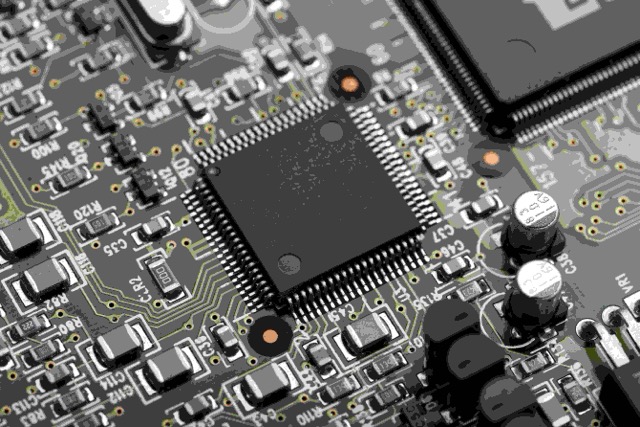
As the central controller, the CPU manages how data flows and tasks are executed within a system
2. What is a GPU?
A GPU (Graphics Processing Unit) is designed to handle many operations simultaneously through parallel processing, making it highly efficient for large-scale computations. Unlike CPUs, GPUs excel at matrix and vector calculations as well as high-throughput workloads, which are common in modern AI tasks.
As a result, GPUs are particularly well-suited for applications such as deep learning, computer vision, and large language models (LLMs), where processing speed and scalability are critical.
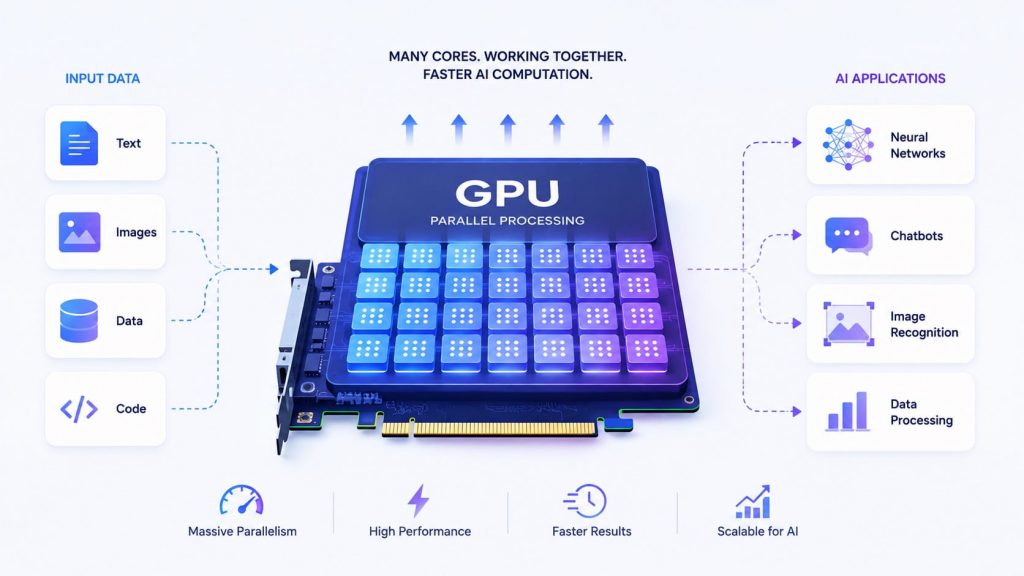
With thousands of cores, GPUs process large volumes of data simultaneously to accelerate AI and deep learning tasks
3. What is a TPU?
A TPU (Tensor Processing Unit) is a specialized processor developed specifically for machine learning workloads, particularly by Google. It is designed specifically for tensor operations, which are fundamental to deep learning models, allowing it to deliver highly efficient performance for both training and inference tasks.
By optimizing matrix computations and reducing precision overhead, TPUs can achieve faster processing and better energy efficiency compared to general-purpose hardware.
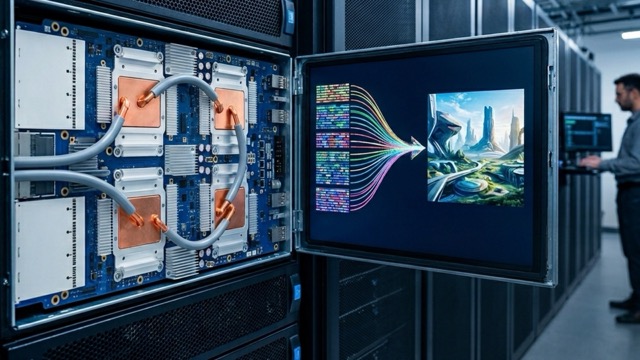
Designed for deep learning workloads, TPUs accelerate tensor computations for faster and more efficient model training and inference
4. CPU vs GPU vs TPU: Side-by-Side comparison
CPU, GPU, and TPU differ significantly in terms of architecture, performance, and use cases. The table below highlights these differences across key aspects:
| Aspect | CPU | GPU | TPU |
| Architecture | Few powerful cores optimized for sequential execution and complex control logic (branching, decision-making). Best for handling diverse and non-repetitive tasks. | Thousands of smaller cores designed for parallel computation, especially matrix and vector operations used in AI. | Custom tensor-focused architecture that removes unnecessary general-purpose overhead, optimized specifically for large-scale AI computations. |
| Core Count | Low (typically a few to dozens of cores, but highly capable per core) | Very high (thousands of lightweight cores enabling massive parallelism) | Very high (uses specialized tensor processing units rather than traditional cores) |
| Use Case | General computing: operating systems, backend logic, data preprocessing, and orchestration | Parallel workloads: deep learning, computer graphics, simulations, and large-scale data processing | AI-specific tasks: large-scale model training and high-efficiency inference |
| AI Suitability | Low–moderate: mainly supports preprocessing, control flow, and lightweight inference tasks | High: the current industry standard for training and deploying deep learning models | Very high: purpose-built for AI, especially effective for large-scale and high-throughput workloads |
| Cost | Low cost and widely accessible | Medium–high cost depending on hardware (consumer vs data center GPUs) | High cost, often with limited access and usage constraints |
| Availability | Universally available across all devices and cloud environments | Widely available in both cloud and on-premise infrastructure | Limited availability, primarily accessible via Google Cloud |
| Parallelism Level | Low: limited ability to execute many operations simultaneously | High: designed to process thousands of operations in parallel | Extremely high: maximized throughput for tensor-based computations |
| Precision Support | Mixed precision support including FP32, FP16, BF16, FP8, and INT8 depending on architecture, suitable for accuracy-critical tasks but slower for AI workloads | Mixed precision support including FP32, FP16, BF16, FP8, and INT8 depending on architecture | Optimized precision (bfloat16, FP16), designed for efficient large-scale AI training |
| Best for Workload | Logic-heavy tasks, system control, data preprocessing | Deep learning, LLMs, computer vision, NLP, and most AI training/inference workloads | Large-scale machine learning training, foundation models, and hyperscale AI systems |
| Ecosystem | Mature and universal ecosystem supporting all programming environments | Strong AI ecosystem (CUDA, PyTorch, TensorFlow), widely adopted across industry | More limited but highly optimized ecosystem, primarily centered around TensorFlow |
Overall, CPUs offer flexibility for general-purpose tasks, GPUs provide strong performance for most AI workloads, while TPUs deliver highly optimized performance for specialized machine learning tasks at scale. Despite the growing role of accelerators, CPUs still remain a critical component in AI systems, handling orchestration, data preprocessing, networking, storage management, and serving infrastructure that support GPU or TPU workloads.
>> Explore more: What Is Data Infrastructure? Key Components and How to Build It
5. When to use CPU, GPU and TPU?
Depending on your workload, scale, and performance requirements, this will affect the choice of using CPU, GPU, or TPU. The specific cases for each are analyzed below.
5.1. Use CPU
CPUs are best suited for general-purpose workloads that require flexibility, low latency, and strong control logic rather than large-scale parallel computation. They are commonly used in scenarios where tasks are sequential or not highly parallelizable. You should consider using CPUs in the following cases:
- Running operating systems and backend services: Handle core system processes, APIs, and application logic
- Processing lightweight or small-scale workloads: Suitable for simple data processing or low-volume tasks
- Executing complex logic and control-heavy operations: Ideal for workflows that require decision-making and branching logic
- Serving small or optimized AI models: Useful when models are lightweight and do not require high computational power
- Cost-sensitive environments: More affordable for tasks that do not justify GPU or TPU usage
5.2. Use GPU
GPUs are the preferred choice for most modern AI workloads due to their strong parallel processing and ability to handle large-scale computations efficiently. They offer a good balance of performance and scalability, making them widely used in research and production. You should use GPUs in the following scenarios:
- Training deep learning models: Suitable for neural networks, computer vision, and NLP tasks
- Running large language models (LLMs): Efficiently handle high-dimensional data and complex computations
- Processing parallel workloads: Ideal for tasks involving matrix operations and large datasets
- Scaling AI applications in production: Support high throughput and multiple concurrent users
- Real-time or near real-time inference: Provide fast response times for interactive AI systems
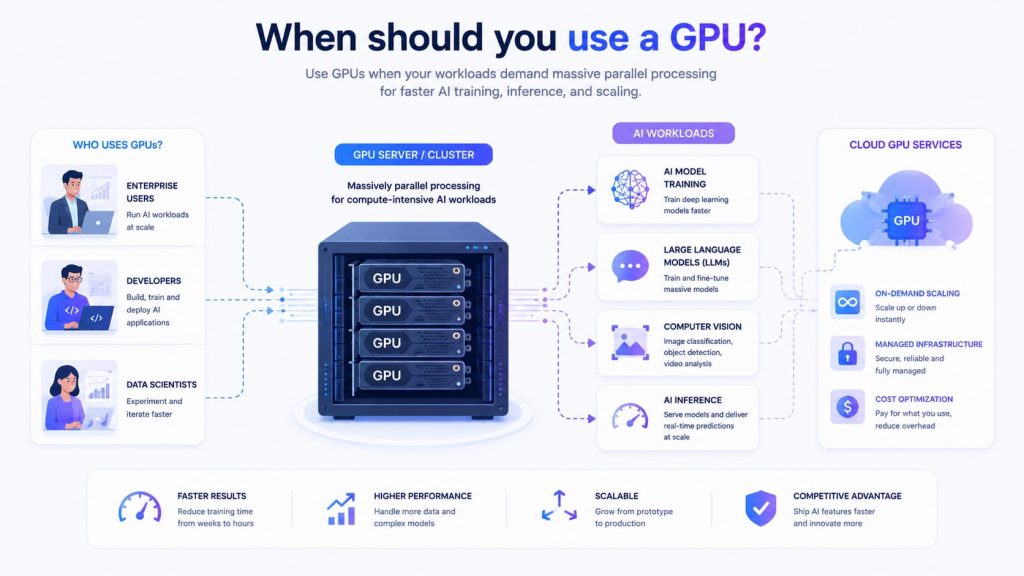
In practice, GPUs are the most versatile and commonly used option for AI (Source: FPT AI Factory)
FPT AI Factory currently provides GPU cloud infrastructure to support both individual users and enterprises in building and scaling AI workloads. This can be broken down as follows:
- For businesses, tailored solutions and scalability consulting are available through the contact form, ensuring the infrastructure fits specific operational and model requirements.
- For individuals, users can easily create an account, top up, and use GPU services on a flexible pay-as-you-go basis, with multiple configurations designed for different workloads such as GPU container and GPU Virtual Machine.
If you are ready to get started, FPT AI Factory offers a Starter Plan with $100 in credits for new users. Simply create an account and start using it immediately after login.
>> Explore more: What Is GPU Computing and How Does It Work? A Complete Guide
5.3. Use TPU
TPUs are designed for highly specialized machine learning workloads, particularly those involving large-scale deep learning and intensive tensor computations. They are most effective in environments where performance optimization and efficiency are critical. There are several cases where using a TPU is most suitable:
- Handling large-scale deep learning training: Suitable for models that require high computational throughput
- Optimizing tensor-based operations: Built specifically to accelerate matrix and tensor calculations
- Working within supported ecosystems like TensorFlow: Delivers the best performance when used with optimized frameworks
- Scaling AI workloads efficiently: Ideal for scenarios that demand high performance at scale
- Advanced AI projects and research: Commonly used in enterprise or research settings with specialized needs
In practice, modern AI infrastructure is becoming increasingly heterogeneous, combining multiple types of hardware rather than relying on a single processor architecture. Instead of completely replacing CPUs, GPUs, or TPUs, enterprises typically use them together based on workload characteristics, latency requirements, scalability needs, and cost optimization goals. CPUs continue to play a foundational role in orchestration, data preprocessing, networking, storage management, and serving infrastructure, while GPUs and TPUs accelerate large-scale model training and inference. This hybrid approach allows organizations to balance performance, flexibility, and operational efficiency across different AI workloads.
6. Frequently Asked Questions
6.1. Is TPU stronger than GPU?
No, TPU is not necessarily stronger than GPU, as each is optimized for different purposes. TPUs can outperform GPUs in specific machine learning workloads due to their specialized architecture for tensor operations, but GPUs are more flexible and widely applicable across various AI and computing tasks.
6.2. Is TPU the same as CPU?
No, a TPU is not the same as a CPU because they serve different roles. A CPU is designed for general-purpose computing and can handle a wide variety of tasks, while a TPU is purpose-built to accelerate machine learning workloads, focusing on efficient processing of tensor operations.
6.3. Does ChatGPT use GPU or TPU?
ChatGPT primarily uses GPUs rather than TPUs, as GPUs offer greater flexibility and a more mature ecosystem for training and deploying large language models. This makes them better suited for handling the scale and complexity of such AI systems.
6.4. Which is faster: CPU, GPU, or TPU?
For AI workloads, TPUs and GPUs are typically much faster than CPUs because they are designed for parallel processing. However, the best choice depends on the specific workload.
6.5. Can AI run without a GPU?
Yes. AI models can run on CPUs, especially smaller models and lightweight inference workloads. However, training large deep learning models is significantly slower without GPUs.
6.6. What is an NPU?
An NPU (Neural Processing Unit) is a specialized AI accelerator designed for on-device AI workloads such as image recognition, speech processing, and AI assistants on laptops, smartphones, and edge devices.
As CPU, GPU, and TPU each serve different roles in computing, choosing the right processor depends on your workload, performance needs, and scalability requirements. With FPT AI Factory’s Serverless Inference, you can quickly deploy and run AI models in production with reduced operational complexity. For enterprises with customization or large-scale needs, please contact the FPT AI Factory team via the official contact form for dedicated support.
Contact information
- Hotline: 1900 638 399
- Email: support@fptcloud.com
Explore more:
What is a GPU cluster? Architecture, Nodes and Use Cases
A100 vs H100: Which GPU is better for AI workloads?


