


GPU cloud providers are transforming the way businesses access high-performance computing power. Choosing the right provider is a critical decision that directly impacts business model performance, scalability, and total cost of ownership. At FPT AI Factory, we deliver enterprise-grade GPU cloud solutions designed to help organizations accelerate their AI development workflows with speed, efficiency, and reliability.
Quick summary
|
1. What to look for in a GPU cloud provider?
Choosing the right GPU cloud provider isn’t just about raw performance; it’s about finding a solution that aligns with workload, budget, and long-term scalability needs. The sections below break down the key criteria businesses should evaluate before making a decision, helping them select a provider that delivers not only powerful compute, but also reliability and ease of use in real-world scenarios.
| Provider | Best For | H100 | H200 | Starting Price | Enterprise Support |
| FPT AI Factory | AI Infrastructure | ✅ | ✅ | $2.54/hr | ✅ |
| AWS | Enterprise Cloud | ✅ | ✅ | Custom pricing | ✅ |
| Google Cloud | AI + TPU | ✅ | ❌ | Custom pricing | ✅ |
| Azure | Hybrid Cloud | ✅ | ❌ | Custom pricing | ✅ |
| CoreWeave | Large-scale AI | ✅ | ✅ | Contact sales / Region-based pricing | ✅ |
| Runpod | Budget AI | ✅ | ✅ | Usage-based pricing | ❌ |
1.1. GPU types available (H100, H200, A100, L40S…)
The first thing to check when evaluating any GPU cloud provider is what hardware they actually offer. A strong provider should support different GPU types across NVIDIA and AMD, so teams can choose the right option based on workload size, memory needs, performance requirements, and budget.
- NVIDIA H100: A widely used GPU for large-scale AI training, inference, LLMs, and generative AI workloads.
- NVIDIA H200: A memory-focused upgrade from H100, suitable for larger models, long-context inference, and demanding AI applications.
- NVIDIA A100: A mature and versatile GPU for standard AI training, fine-tuning, inference, and general machine learning workloads.
- NVIDIA L40S: A strong fit for visual AI, computer vision, 3D rendering, simulation, and video processing.
- NVIDIA RTX 6000 Ada / RTX 4000 Ada: Cost-effective options for lighter AI workloads, visualization, rendering, and prototyping.
- NVIDIA B200 / GB200: Newer-generation options for frontier AI, large-scale model training, and high-performance inference.
- AMD Instinct MI300X / MI325: High-memory GPU options for AI, HPC, LLM inference, model serving, and teams looking beyond NVIDIA-only infrastructure.
- AWS Trainium / Inferentia: AWS-built AI accelerators for cost-efficient model training and inference within the AWS ecosystem.
By comparing both GPUs and cloud-native AI accelerators, teams can avoid choosing hardware based only on popularity. Instead, they can match each workload with the right compute option, whether the priority is memory capacity, training speed, inference cost, visual performance, or long-term scalability.
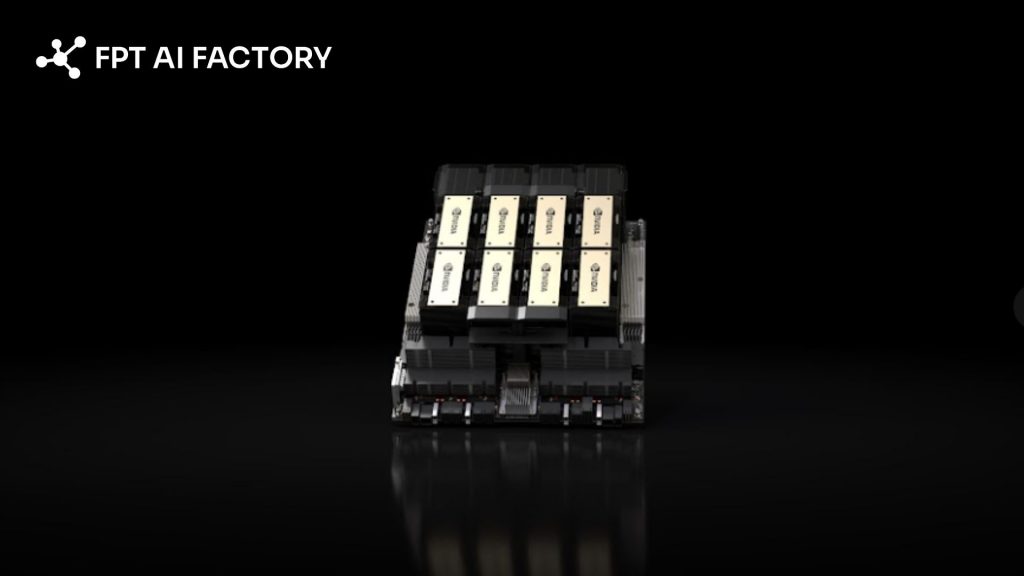
The H100 remains a powerful and widely available option for large-scale AI training (Source: FPT AI Factory)
1.2. Pricing model
Pricing in the GPU cloud market is rarely straightforward, and the cheapest option on paper isn’t always the most cost-effective in practice. Choosing based on per-hour price alone misses the point – a cheaper GPU that takes twice as long to complete your training run may ultimately cost more in total. Most providers offer a mix of on-demand, reserved, and spot pricing, each suited to different usage patterns.
Platforms that offer hourly billing with no long-term commitments work well for experimentation and burst workloads, while monthly pricing options provide more predictable costs for steady-state usage. Always factor in hidden costs such as storage fees and data egress charges, as these can significantly impact your total spend over time.
1.3. Geographic availability and latency
Where your GPU infrastructure is physically located matters more than most teams initially realize. Data residency regulations, latency to end users, and regional availability of specific GPU models can all affect your AI operations. Some GPU types may only be available in select regions, which can limit flexibility for globally distributed teams.
For real-time inference use cases in particular, choosing a provider with data centers close to your users helps minimize response times and deliver a smoother experience. Enterprises operating in regulated industries should also verify that their chosen provider supports local data sovereignty requirements.
1.4. Ecosystem and Developer tools
A powerful GPU means very little if the surrounding tooling makes it difficult to work with. The best GPU cloud providers go beyond raw compute, they offer integrated environments that help development teams move faster.
Some platforms also include features like AI environments, LLM fine-tuning support, and pre-configured notebooks that let you get started without a complex setup. For teams building production-grade AI systems, strong developer tooling translates directly into shorter iteration cycles and faster time-to-value.
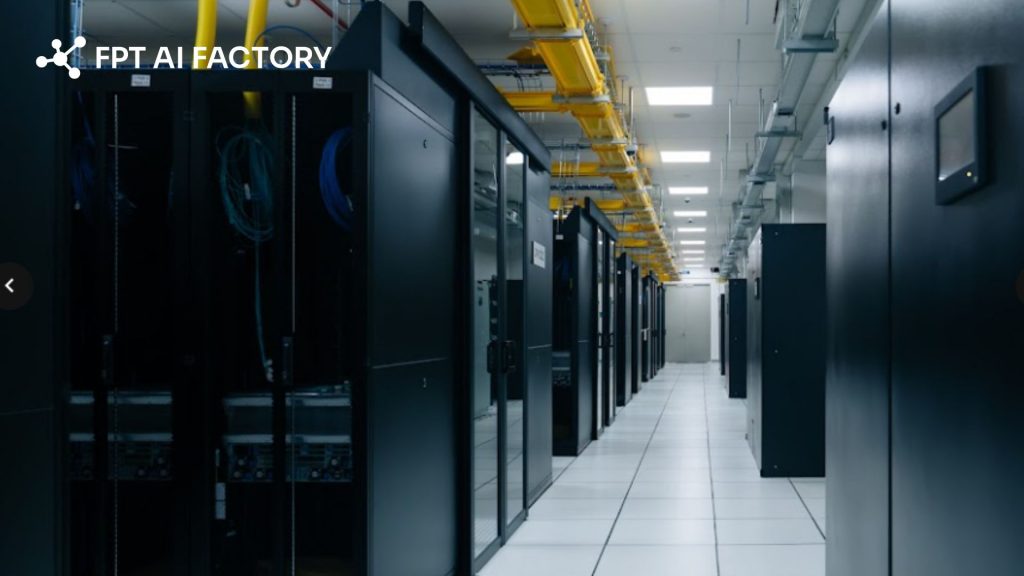
The best GPU cloud providers go beyond raw compute (Source: FPT AI Factory)
1.5. Support and SLA
When AI workloads are running at scale, downtime is not just an inconvenience; it’s a business risk. That’s why evaluating a provider’s support quality and service level agreements (SLAs) is just as important as comparing GPU specs. Enterprise-grade providers typically offer high availability guarantees, security compliance, and dedicated SLAs for production deployments.
Look for providers that offer responsive technical support, clear uptime commitments, and transparent escalation paths. Teams running long training jobs or time-sensitive inference services should prioritize providers with proven reliability and a track record of consistent performance.
1.6. Scalability (multi-GPU, cluster support)
As AI models grow in complexity, AI infrastructure needs to grow with them. Single-GPU setups may be sufficient for experimentation, but production-level training often demands the ability to scale across multiple GPUs and nodes. For models exceeding 70 billion parameters or full pre-training runs, deploying multi-GPU clusters with NVLink and InfiniBand networking is essential; high-speed interconnects prevent communication bottlenecks that can waste a significant portion of available compute.
Providers that support NVLink reduce communication overhead and enable efficient data and model parallelism, which is particularly critical for training large transformer models across distributed nodes. When evaluating providers, confirm their maximum cluster size and the networking speeds they can sustain between nodes.
1.7. Ease of deployment (container, VM, orchestration)
Even the most powerful GPU cluster is only as useful as how quickly and reliably you can deploy workloads on it. For scalable deployments, compatibility with orchestration tools like Kubernetes or Docker is essential. Platforms that offer pre-configured GPU-enabled containers can significantly simplify the setup process.
Many teams also benefit from support for both GPU Containers and GPU Virtual Machines, depending on whether they need lightweight, portable environments or more isolated, dedicated compute. Serverless GPU compute options are also gaining traction, letting developers deploy AI workloads instantly without managing underlying infrastructure.
2. Top 12 GPU Cloud providers
2.1. FPT AI Factory
FPT AI Factory is an AI infrastructure platform designed to support the full lifecycle of machine learning workflows, from experimentation and model development to fine-tuning, inference, and large-scale deployment. It brings together GPU Containers, GPU Virtual Machines, AI Notebook, model fine-tuning, and inference services in one ecosystem, helping teams access high-performance AI compute with less setup complexity and better cost control.
Key Features:
- GPU Container + VM in one platform: Supports both lightweight container-based environments and full GPU virtual machines, giving teams flexibility between fast deployment and deeper system-level control.
- High-performance GPU hardware: Provides H100 and H200 infrastructure for AI training, fine-tuning, and inference, with support for single-GPU, multi-GPU, and cluster-based workloads. Newer GPU options such as B300 are also part of the upcoming roadmap.
- Flexible usage-based pricing: Offers different billing models depending on the service, such as per-second, per-hour, or token-based pricing, helping teams match costs with actual workload usage.
- $100 free credits for new users: New users can receive $100 in free credits to try FPT AI Factory services such as GPU Container, GPU VM, AI Notebook, AI Inference, and AI Studio before scaling to larger workloads.
- Support channels for different user needs: Enterprises can access direct 24/7 support, while individual users can join the Discord community for issue reporting, product discussions, and basic troubleshooting support.
- End-to-end AI ecosystem: Covers key AI workflow stages, including experimentation, training, fine-tuning, inference, deployment, monitoring, and infrastructure management in one platform.
- Friendly pricing model: Starts from ~$2.54/hour for H100 GPUs. Pay-as-you-go with per-second granularity.
Best Use Cases:
- AI/ML teams training or fine-tuning large models such as LLMs or computer vision systems
- Startups and developers needing quick GPU access for prototyping and experimentation
- Enterprises building complete AI pipelines from data processing to production deployment
- Workloads requiring flexible switching between container-based environments and full VM control
- Teams looking for a cost-efficient alternative to hyperscalers with strong performance in the Asia region
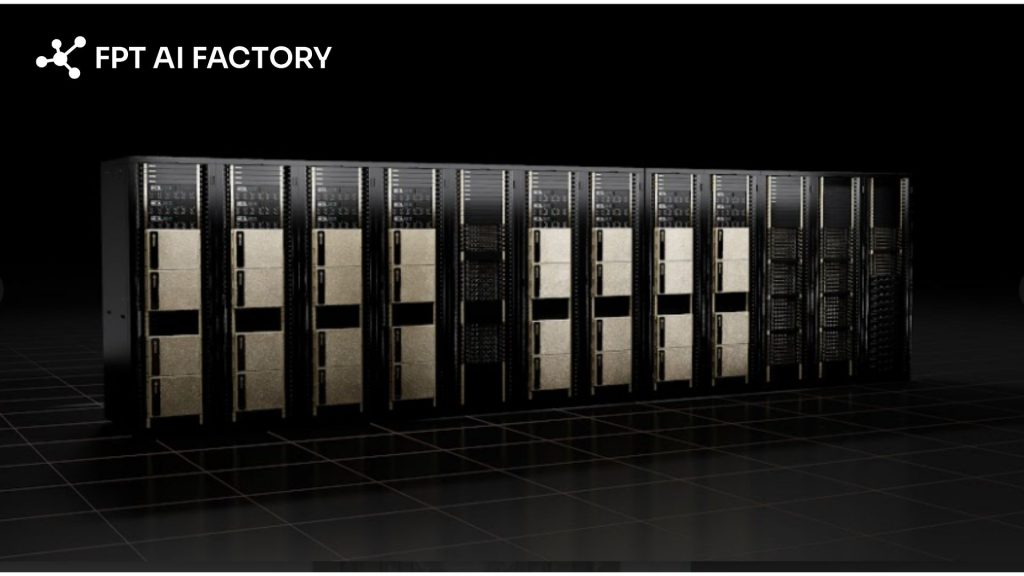
FPT AI Factory is an AI infrastructure platform designed to support the full lifecycle (Source: FPT AI Factory)
2.2. AWS
Amazon Web Services (AWS) delivers GPU computing backed by one of the largest global cloud infrastructures and a highly mature ecosystem of services. For teams already operating within AWS, it provides a seamless way to scale machine learning workloads from experimentation to full production.
Key Features:
- Widest GPU instance catalog: P-series and G-series EC2 instances with H100, A100, V100, A10G, and T4.
- SageMaker MLOps: End-to-end managed platform for training, tuning, and deploying models with autoscaling endpoints.
- Spot instances: Access unused capacity at up to 90% discount — ideal for fault-tolerant batch workloads.
- Deep Learning AMIs: Pre-baked environments with PyTorch, TensorFlow, and CUDA drivers ready out of the box.
Best Use Cases:
- Teams already using AWS who want tight integration with existing storage, databases, and services
- Workloads that require consistent GPU usage, where reserved pricing can significantly reduce long-term costs
- Cost-sensitive projects that can leverage spot instances for batch training or non-critical tasks
- Deploying machine learning models into production with robust MLOps, monitoring, and scaling capabilities
2.3. Google Cloud
Google Cloud Platform (GCP) combines enterprise-grade NVIDIA GPUs with Google’s custom-built TPUs, delivering a powerful and flexible environment for both AI training and inference. Thanks to its tight integration with Google’s broader ecosystem, it supports everything from early-stage experimentation to large-scale, production-ready deployments.
Key Features:
- GPUs + TPUs under one roof: NVIDIA H100, A100, V100, T4 alongside TPU v4 and v5e, choose the right accelerator per workload.
- Vertex AI: Managed end-to-end ML platform for training, deploying, and monitoring models with minimal infrastructure overhead.
- A3 instances (H100): Latest-gen VMs with significant performance improvements for large model training.
- BigQuery & Dataflow integration: Build data pipelines that feed directly into AI workloads without leaving the Google ecosystem.
Best Use Cases:
- TensorFlow or JAX workloads that benefit from TPU acceleration
- End-to-end AI pipelines tightly coupled with BigQuery or Cloud Storage
- Organizations needing global, low-latency production AI infrastructure
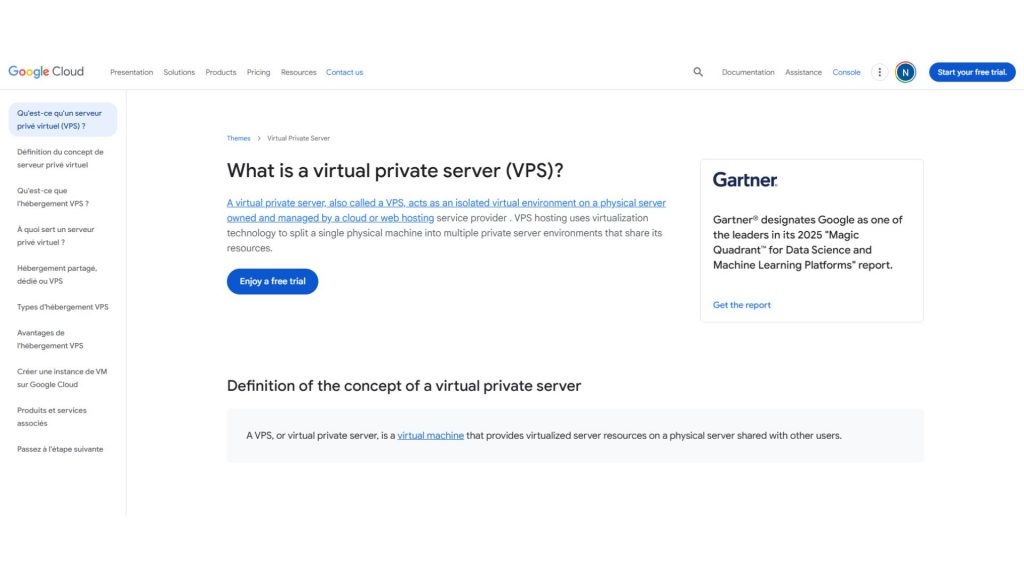
Google Cloud Platform (GCP) combines enterprise-grade NVIDIA GPUs
2.4. Microsoft Azure
Microsoft Azure provides GPU-accelerated computing backed by enterprise-grade security and strong hybrid cloud capabilities. It’s particularly well-suited for organizations already within the Microsoft ecosystem or those operating in regulated industries that require strict compliance while still needing robust AI performance.
Key Features:
- High-performance GPU VMs: Azure’s N-series virtual machines are tailored for different workloads, including ND-series for deep learning (A100, V100), NC-series for compute-intensive AI (with newer GPUs like H100), and NV-series for visualization and graphics tasks.
- Hybrid cloud flexibility: With solutions like Azure Arc and Azure Stack, users can run Azure services on-premises and extend workloads to the cloud when needed, supporting seamless hybrid deployments.
- Microsoft ecosystem integration: Works smoothly with tools like Active Directory, Power BI, Visual Studio Code, and Azure DevOps, creating a unified environment for development, analytics, and deployment.
- Strong security and compliance: Meets a wide range of global standards and includes features such as encryption, private networking, and confidential computing, making it suitable for sensitive workloads.
- Kubernetes with GPU support: Azure Kubernetes Service (AKS) enables easy deployment and scaling of containerized GPU workloads, supporting both training and inference use cases.
Best Use Cases:
- Enterprises in highly regulated sectors such as finance, healthcare, or government that require strict security and compliance
- Teams deeply integrated into Microsoft tools and services looking for a unified cloud environment
- Organizations needing hybrid cloud setups that combine on-premise GPU infrastructure with cloud scalability
- Applications that require global deployment with low latency, leveraging Azure’s worldwide data center network
2.5. Lambda Labs
Lambda Labs provides a GPU cloud platform built for AI developers and researchers, focusing on simplified workflows and access to powerful hardware. With its hybrid cloud and colocation capabilities, it enables teams to scale computing resources efficiently while maintaining control and performance.
Key Features:
- Access to high-end GPUs: Offers on-demand availability of NVIDIA A100, H100, and other advanced GPUs, well-suited for training modern deep learning models with high memory and tensor core acceleration.
- Pre-configured AI environment: Instances can come with Lambda’s ready-to-use software stack, including PyTorch, TensorFlow, CUDA, and cuDNN, allowing users to start training immediately without manual setup.
- Hybrid and on-prem integration: Supports combining on-premise GPU infrastructure with cloud resources, enabling flexible scaling through colocation or hybrid deployments.
- Built for large-scale workloads: Designed to handle multi-node training with support for high-speed interconnects like InfiniBand, ensuring efficient communication between GPUs.
- Enterprise-level support: Provides expert guidance, optimization support, and assistance with custom deployments, making it suitable for advanced use cases and organizational needs.
Best Use Cases:
- Training large-scale AI models such as LLMs or computer vision systems that require sustained multi-GPU performance
- Organizations looking to extend existing on-premise GPU infrastructure with cloud resources through a hybrid approach
- Researchers and ML engineers who want ready-to-use environments and minimal infrastructure management
- Enterprise teams needing reliable GPU access, professional support, and customizable deployment options
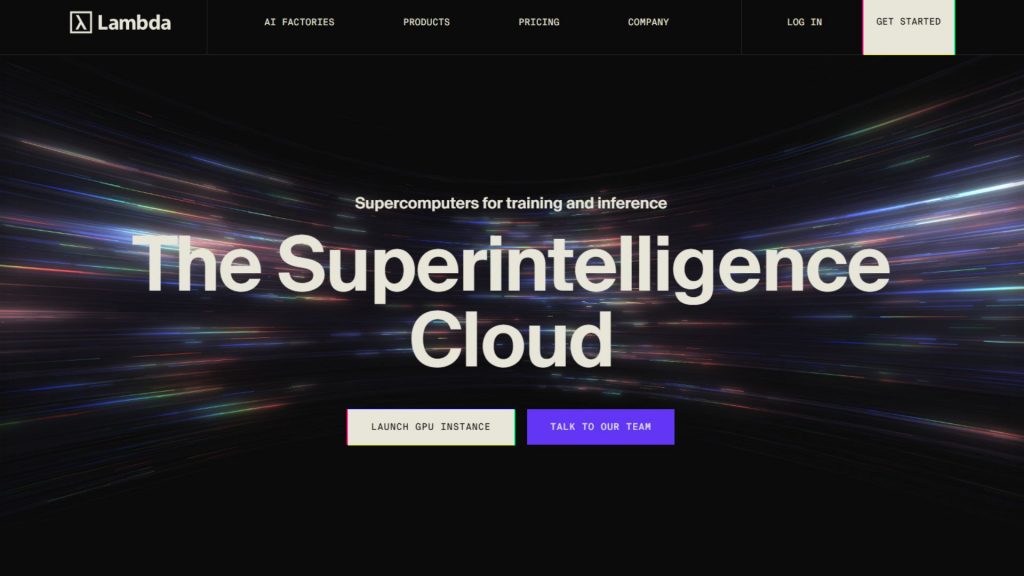
Lambda Labs provides a GPU cloud platform built for AI developers
2.6. CoreWeave
CoreWeave is a cloud infrastructure platform purpose-built for high-performance computing, with a strong focus on large-scale AI and machine learning workloads. It delivers highly flexible configurations and ultra-low latency networking designed to meet the demands of enterprise-grade AI applications.
Key Features:
- HPC-optimized infrastructure: Designed for compute-intensive workloads such as AI training, visual effects rendering, and scientific simulations, delivering near bare-metal performance with minimal virtualization overhead.
- Customizable instances: Allows users to configure virtual machines with precise combinations of CPU, RAM, and GPUs, ensuring resources align closely with workload requirements and avoiding unnecessary costs.
- Scalable multi-GPU clusters: Supports large-scale distributed training with high-bandwidth, low-latency interconnects like InfiniBand and NVIDIA GPUDirect RDMA, enabling efficient scaling across multiple nodes.
- Extensive GPU options: Provides access to a wide range of GPUs, including NVIDIA H100 (SXM and PCIe), A100, RTX A6000, and newer architectures for cutting-edge performance.
- Kubernetes support: Includes managed Kubernetes and container orchestration with GPU integration, simplifying deployment and scaling while CoreWeave manages the underlying infrastructure.
Best Use Cases:
- Training large-scale AI models or running extensive hyperparameter tuning across multiple GPUs
- Visual effects, animation, and rendering workflows that require high-performance GPU resources with low latency
- Scientific research and HPC simulations that benefit from fast inter-node communication and bare-metal-like performance
- AI startups or advanced teams needing highly customized infrastructure configurations beyond standard cloud offerings
2.7. Runpod
Runpod is a cloud platform designed specifically to support scalable AI development. Whether you’re refining large language models or deploying AI agents into production, it provides access to powerful GPU resources without the delays of slow setup times or the burden of complicated agreements.
Key Features
- GPU Pods: These container-based GPU environments offer full root access, persistent storage, and complete control, allowing users to preload datasets or train large-scale models across multiple GPUs.
- Secure vs. Community Cloud: Users can choose between Secure Cloud—built for enterprise-level reliability and compliance within Tier 3+ data centers.
- Real-Time GPU Monitoring: The integrated dashboard provides live insights into memory usage, temperature, and overall performance, eliminating the need for third-party monitoring tools.
- Per-Second Billing: With a pay-as-you-go model, you’re only charged for actual usage, making it ideal for short tasks, batch processing, or projects with tight budgets.
- Wide GPU Selection: Runpod supports a broad range of GPUs, including A100, H100, MI300X, H200, and RTX A4000/A6000, enabling everything from lightweight workloads to large-scale model training.
Best Use Cases
- Well-suited for fine-tuning large language models such as LLaMA or GPT variants
- Enables distributed training across multiple high-end GPUs with fast cluster provisioning
- Supports rapid prototyping and experimentation without complex infrastructure setup
- Ideal for teams seeking a balance of performance, flexibility, and ease of use

Runpod is a cloud platform designed specifically to support scalable AI infrastructure
2.8 Hyperstack
Hyperstack is a cloud GPU infrastructure platform purpose-built for high-performance computing, with a strong focus on AI/ML training, large language models, rendering, and HPC workloads. It delivers a wide selection of GPUs alongside a sustainability-driven infrastructure and enterprise-level capabilities designed to balance speed, flexibility, and cost efficiency.
Key Features:
- Powerful GPU lineup & scalability: Supports a range of high-end GPUs such as NVIDIA H100, A100, L40, RTX A6000/A40, enabling both intensive training and large-scale compute tasks.
- Enterprise-ready infrastructure: Runs on fully owned and managed hardware, including servers and networking, optimized specifically for GPU workloads. It also offers managed Kubernetes, one-click deployment, and role-based access control for teams.
- Eco-friendly and cost-effective: Powered entirely by renewable energy, Hyperstack positions itself as a more affordable alternative to major hyperscalers, with claims of significantly lower costs.
- Versatile use cases: Designed to handle a variety of workloads, from AI training and LLM fine-tuning to rendering and high-performance computing applications.
Best Use Cases:
- Medium to large teams needing access to high-performance GPUs (such as H100 or A100) with strong networking and enterprise capabilities
- AI/ML teams working on large-scale models or LLMs that require scalable, efficient GPU infrastructure
- Organizations looking for a leaner, more cost-optimized alternative to traditional hyperscale cloud providers
- Studios and rendering teams that need powerful GPU nodes and diverse hardware options for production workloads
2.9 Thunder Compute
Thunder Compute is a cloud GPU platform designed for developers, researchers, startups, and data science teams that need fast and affordable access to GPU resources for tasks like prototyping, training, fine-tuning, and inference. It focuses on delivering a simple, cost-effective experience with tools that are easy to use and developer-friendly.
Key Features:
- Affordable GPU pricing: Promotes significantly lower costs compared to major cloud providers, with on-demand GPU instances available at highly competitive rates.
- Developer-focused experience: Offers a streamlined workflow with features like one-click GPU VM deployment, VS Code integration, quick instance snapshots, and flexible configuration changes.
- Efficient architecture: Leverages network-based GPU virtualization (GPU over TCP) to maximize hardware utilization and minimize idle resource costs.
- Scalable for different stages: Supports users from early experimentation to production, making it accessible without requiring large upfront commitments.
Best Use Cases:
- Startups, students, and researchers looking for budget-friendly GPU access for training or fine-tuning models
- Teams running frequent experiments or rapid iterations, where keeping costs low is a priority
- Developers who value simplicity, quick setup, and minimal infrastructure management over complex, large-scale cluster environments
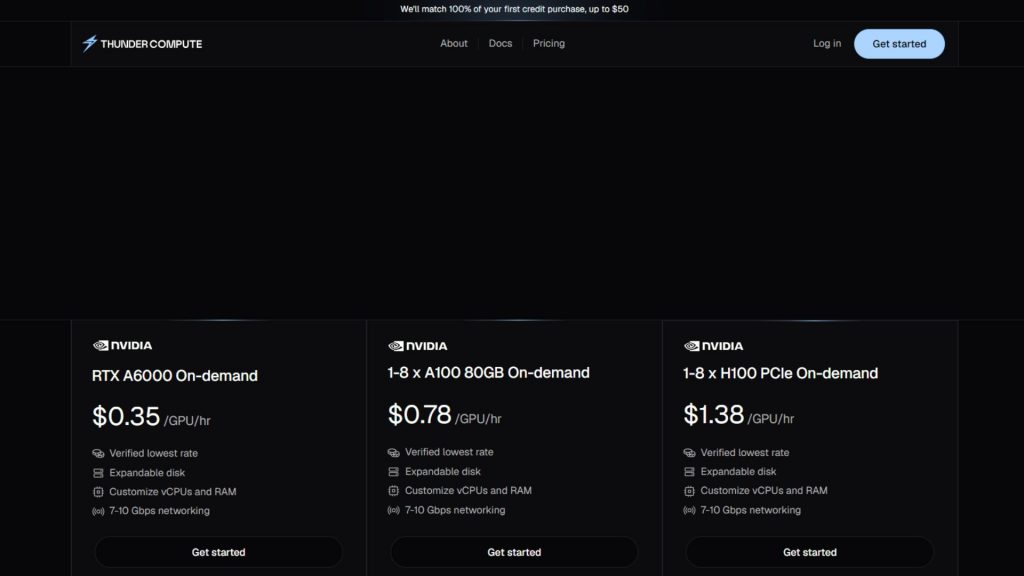
Thunder Compute is a cloud GPU platform designed for developers
2.10 Digital Ocean
DigitalOcean is widely recognized for its developer-friendly cloud platform, and it has expanded into GPU computing (partly through acquiring Paperspace). With a focus on simplicity and transparent pricing, it’s an appealing option for users who want an easy entry point into cloud GPUs without unnecessary complexity.
Key Features:
- User-friendly interface: DigitalOcean offers a clean, intuitive platform that makes launching GPU instances (“Droplets”) quick and straightforward, even for beginners.
- GPU Droplets & Gradient platform: Provides access to GPUs like NVIDIA A100, H100, and RTX A6000 through its Gradient offering, with options for single or multi-GPU setups and pre-configured ML environments.
- Kubernetes compatibility: Supports GPU-enabled nodes within DigitalOcean Kubernetes Service (DOKS), allowing teams to deploy and scale containerized AI workloads efficiently.
- Clear and predictable pricing: Uses transparent hourly pricing with minimal hidden costs, making it easier to estimate and control spending.
- Strong learning resources: Backed by extensive tutorials and an active community, helping users quickly get started and troubleshoot issues.
Best Use Cases:
- Beginners or students learning AI/ML who want a simple, low-friction way to access GPU compute
- Startups or hackathon teams needing fast setup and predictable costs for rapid prototyping
- Developers running small applications that combine web services with GPU-based ML components
- Educators and researchers looking for accessible GPU resources with minimal setup and strong community support
2.11 NVIDIA DGX Cloud
NVIDIA DGX Cloud is a high-end cloud service that delivers a complete AI supercomputing environment. It essentially provides access to NVIDIA’s advanced DGX systems in the cloud, combining powerful hardware, optimized software, and expert support. This solution is aimed at enterprise AI teams and research organizations that require top-tier performance for demanding workloads.
Key Features:
- Elite GPU infrastructure: Offers access to DGX systems equipped with NVIDIA H100 or A100 GPUs, connected via NVLink and NVSwitch for ultra-fast communication and massive shared memory capacity.
- Massive scalability: Supports multi-node clusters with high-speed networking (InfiniBand/Quantum-2), allowing workloads to scale across dozens or even hundreds of GPUs efficiently.
- Integrated software stack: Comes bundled with NVIDIA AI Enterprise, Base Command, and the NGC catalog, providing optimized tools, frameworks, and pre-built models ready for use.
Best Use Cases:
- Frontier AI research requiring top-tier compute and NVIDIA-optimized frameworks
- Enterprises accelerating large-scale model training with maximum performance guarantees
- Organizations extending on-premise DGX systems with additional cloud capacity
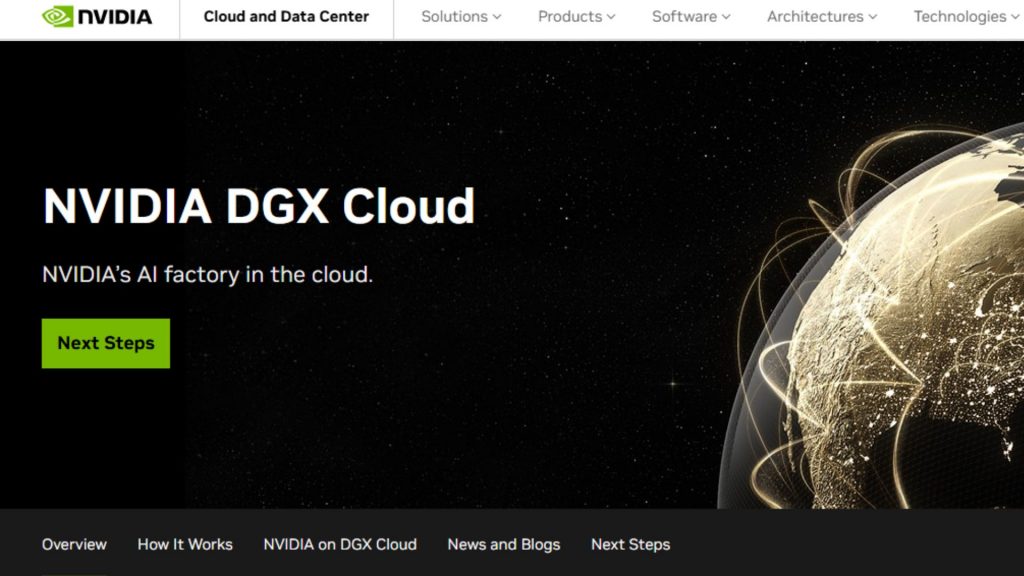
NVIDIA DGX Cloud is a high-end cloud service
2.12 Tensor Dock
TensorDock offers many benefits of cloud computing, operating more like a marketplace that connects users with providers offering spare GPU capacity. This model helps reduce costs significantly, making it especially attractive for developers and researchers working with limited budgets.
Key Features:
- Marketplace model = lowest prices: Independent providers compete, driving down GPU rental costs significantly versus traditional clouds.
- Consumer + data center GPUs: Access RTX 3090/4090 for budget tasks alongside A100/H100 for serious workloads — widest hardware variety.
- Provider ratings & transparency: Review scores and reliability metrics help users choose trustworthy hardware sources.
- Simple API & UI: Straightforward deployment process with pre-configured environments.
Best Use Cases:
- Developers and researchers who prioritize cost over consistency
- Occasional or unpredictable workloads where premium cloud pricing doesn’t make sense
- Teams running parallel experiments at low cost without caring about provider uniformity
>> Explore more: Top Cloud Service Providers with GPU for AI Workloads
3. How to choose the right GPU cloud provider?
Choosing the right GPU cloud provider requires more than just comparing prices or hardware specs. It involves evaluating how well a platform fits your workload, team capabilities, and long-term scalability needs.
3.1. Pricing Models
Pricing is often the first factor teams consider, but it should be evaluated beyond just the hourly rate. Different providers offer various models such as on-demand, reserved instances, and spot pricing. It’s also important to account for hidden costs like storage, data transfer, and idle resources. Ultimately, the best choice is not the cheapest option, but the one that delivers the highest performance per dollar for your specific workload.
3.2. GPU Performance & Hardware Generation Option
The type and generation of GPU hardware significantly impact training speed, inference latency, and overall efficiency. Modern GPUs like H100 or A100 provide higher memory capacity, faster bandwidth, and specialized cores for AI workloads, making them ideal for large models such as LLMs.
At the same time, having access to a diverse GPU catalog allows you to optimize costs by choosing lower-tier GPUs for lighter tasks. A good provider should offer both cutting-edge hardware and a range of options to match different use cases.
The type and generation of GPU hardware significantly impact training speed (Source: FPT AI Factory)
>> Explore more: NVIDIA H100 vs H200: Key GPU differences and AI power
3.3. Scalability
Scalability determines how easily you can grow your workloads as your needs evolve. A strong GPU cloud provider should support seamless scaling from a single GPU instance to multi-GPU clusters or even distributed multi-node training. Features like fast provisioning, auto-scaling, and support for high-speed interconnects are critical for large-scale AI training. The ability to scale up quickly and just as easily scale down helps optimize both performance and cost.
3.4. Reliability & Security
Reliability and security are essential, especially for production workloads or sensitive data. A trustworthy provider should offer strong uptime guarantees, consistent GPU availability, and robust infrastructure stability. On the security side, features such as data encryption, access control, and compliance with standards like ISO or GDPR are crucial. For enterprise users, service-level agreements (SLAs) and responsive technical support can make a significant difference in maintaining smooth operations.
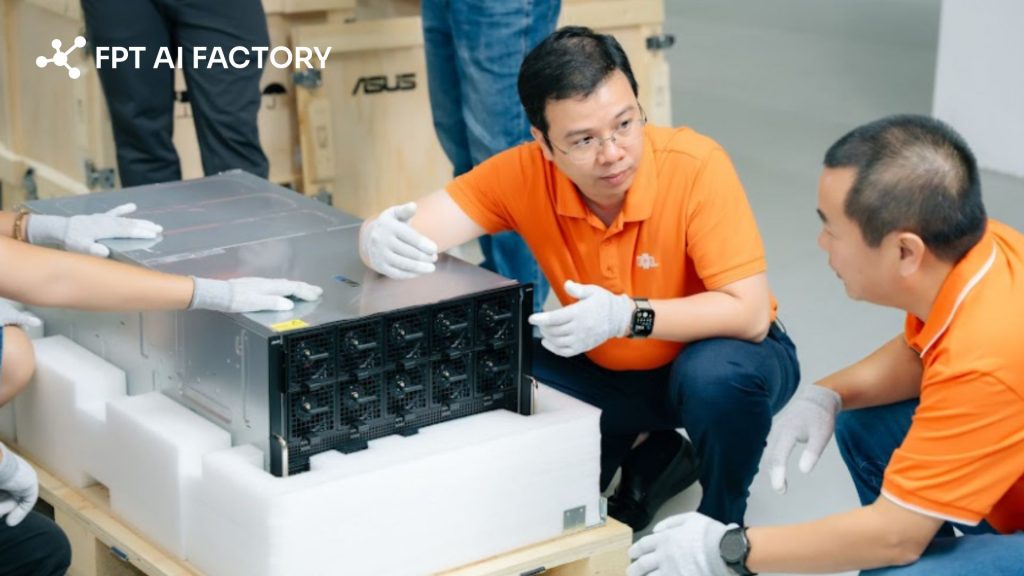
Reliability and security are essential, especially for production workloads (Source: FPT AI Factory)
3.5. Developer Experience
A smooth developer experience can greatly accelerate productivity and reduce friction in building AI systems. This includes an intuitive interface, easy-to-use APIs, and quick deployment processes.
Platforms that provide pre-configured environments with frameworks like PyTorch or TensorFlow allow teams to skip setup steps and focus on development. Integration with tools like Kubernetes, CI/CD pipelines, and monitoring systems also enhances workflow efficiency, while strong documentation and community support make troubleshooting much easier.
3.6. Data Center Location
The geographic location of data centers affects both performance and compliance. Choosing a region close to your users or data sources helps reduce latency, which is especially important for real-time inference applications. Additionally, certain industries require data to remain within specific regions due to regulatory requirements. Network performance and data transfer costs can also vary by location, so selecting the right region can improve both speed and cost efficiency for your workloads.
4. Frequently Asked Questions
4.1. Is renting a GPU cheaper than buying?
In most cases, renting a GPU from a cloud provider is more cost-effective than buying, especially for individuals, startups, or teams with fluctuating workloads. Purchasing high-end GPUs like H100 or A100 requires a large upfront investment, along with additional costs for maintenance, electricity, cooling, and upgrades.
4.2. Which cloud provider offers H100?
Many major cloud providers now offer NVIDIA H100 GPUs, including FPT AI Factory, Amazon Web Services, Google Cloud Platform, and Microsoft Azure. In addition, specialized AI-focused platforms like CoreWeave and Lambda Labs also provide access to H100 GPUs, often with more flexible pricing or faster provisioning tailored for AI workloads.
4.3. How much does GPU cloud cost per hour?
The hourly cost of GPU cloud services varies widely depending on the GPU model and provider. Some platforms offer competitive pricing, for example, FPT AI Factory provides H100 GPUs starting from about $2.54/hour, making it one of the more cost-efficient options compared to traditional cloud providers.
4.4. Which GPU cloud provider is best for AI startups?
GPU cloud platforms such as Runpod, TensorDock, and FPT AI Factory are popular among startups because they offer flexible pricing, fast deployment, and access to enterprise-grade GPUs without large upfront costs.
4.5. Can I run LLMs on cloud GPUs?
Yes. Most GPU cloud providers support LLM training, fine-tuning, and inference using GPUs such as H100, H200, A100, and MI300X.
Choosing the right GPU cloud providers can make a significant difference in how efficiently you build, train, and deploy AI models. Among many GPU cloud providers, FPT AI Factory is one of several emerging AI-focused GPU cloud platforms offering competitive pricing and integrated AI tooling, combining high-performance GPUs, fast deployment, and cost efficiency in a unified ecosystem.
By carefully evaluating your needs and comparing available options, you can choose a solution that not only meets your current requirements but also supports long-term AI growth. For businesses or organizations that need customized or large-scale AI deployment, contact FPT AI Factory through the official contact form for consultation.
Contact information
- Hotline: 1900 638 399
- Email: support@fptcloud.com
Explore related articles
NVIDIA H100 vs H200: Key GPU differences and AI power
A100 vs H100: Which GPU is better for AI workloads?
NVIDIA H100 vs RTX 4090: Which GPU should you choose?
Top best AI tools need to know for researchers in 2026


